Execute pending tasks now via script | Community
Skip to main content
Level 4
October 18, 2023
Solved

Execute pending tasks now via script

  • October 18, 2023
  • 2 replies
  • 1145 views

Hi All,


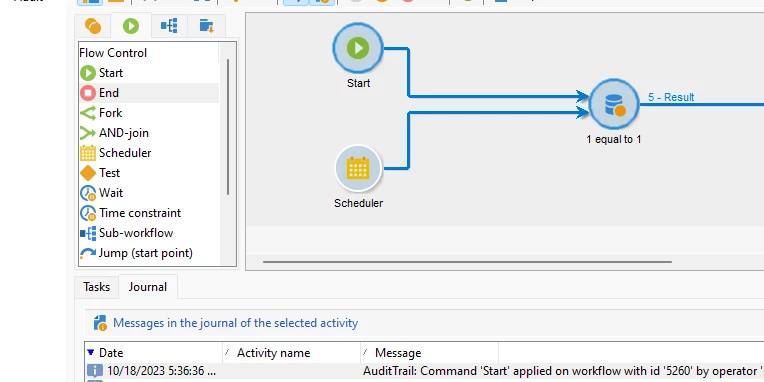
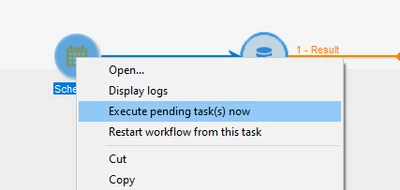
Is there any script to execute pending tasks in a workflow that is in a scheduled state in Adobe campaign classic version 7?


I tried using xtk.workflow.Start, xtk.workflow.Restart. When a workflow is not scheduled, I'm able to start and restart it, but when it is scheduled, I'm unable to execute pending tasks. Can anyone help with the script to execute a pending task in Adobe campaign classic version 7?


Thanks in advance,

Sujith kumar.

This post is no longer active and is closed to new replies. Need help? Start a new post to ask your question.
Best answer by ParthaSarathy

Hi @sujith_02kumar ,

You can use Wakeup method from one workflow to 'execute pending task' of the scheduler of another workflow.

WKF1: workflow with scheduler (workflow in started state)

WKF2: Create a JavaScript code activity, and paste the below script and run the workflow. 


xtk.workflow.Wakeup("internal_name_of_the_workflow");


Once you Ran the Workflow-2 script, it will execute the pending task of scheduler in Workflow-1.


Hope you get a solution!

2 replies

Marcel_Szimonisz
Community Advisor
Community Advisor
October 18, 2023

Hello @sujith_02kumar ,

why is this needed? If you succeed the scheduler will trigger at scheduled time and might cause e.g. delivery will trigger twice. But anyway here is how you can solve your problem:

You just add another start activity and with your command you can start workflow from where is needed.


//start workflow from another workflow NLSW.xtkWorkflow.Start('WKF01');


Marcel Szimonisz

MarTech Consultant
for more tips visit my blog
https://www.martechnotes.com/

Level 4
October 18, 2023

Thank you @marcel_szimonisz ,


Due to delivery sequence issue, my workflow is getting into failed state often, we are fixing this issue till then i need to trigger workflow manually which is in scheduled state. I have created a script that will check all the workflow which is failed state and i can restart but i was not able to trigger today's communication. Each and every time i need to execute pending tasks in my scheduler. So i thought if we have some script it would be easy. Thanks for your solution.

ParthaSarathy
Community Advisor
ParthaSarathyCommunity AdvisorAccepted solution
Community Advisor
October 18, 2023

Hi @sujith_02kumar ,

You can use Wakeup method from one workflow to 'execute pending task' of the scheduler of another workflow.

WKF1: workflow with scheduler (workflow in started state)

WKF2: Create a JavaScript code activity, and paste the below script and run the workflow. 


xtk.workflow.Wakeup("internal_name_of_the_workflow");


Once you Ran the Workflow-2 script, it will execute the pending task of scheduler in Workflow-1.


Hope you get a solution!

 ~  ParthaSarathy S~  Click here to join ADOBE CAMPAIGN USER GROUP for Quarterly In-person | Hybrid | Virtual Meetups