Error - Please contact your Adobe Campaign administrator. | Community
Skip to main content
Level 2
December 29, 2023
Solved

Error - Please contact your Adobe Campaign administrator.

  • December 29, 2023
  • 3 replies
  • 1678 views

Hi all,


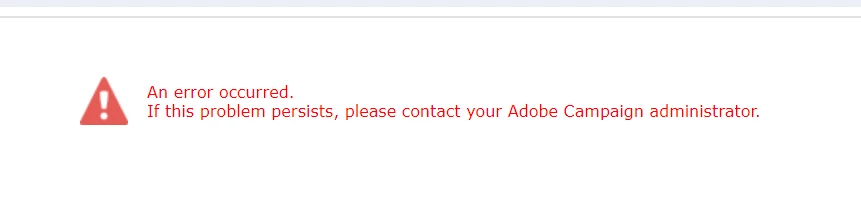
When working on a web application, after publishing it, I encountered an error where the application did not redirect to the next page when I checked it in the browser.


This post is no longer active and is closed to new replies. Need help? Start a new post to ask your question.
Best answer by Marcel_Szimonisz

Hello @akila4 ,

that is normal behavious of web application made in adobe campaign. To prevent visitor to see actual error on your page code. To see actual error please run the web application in development mode.
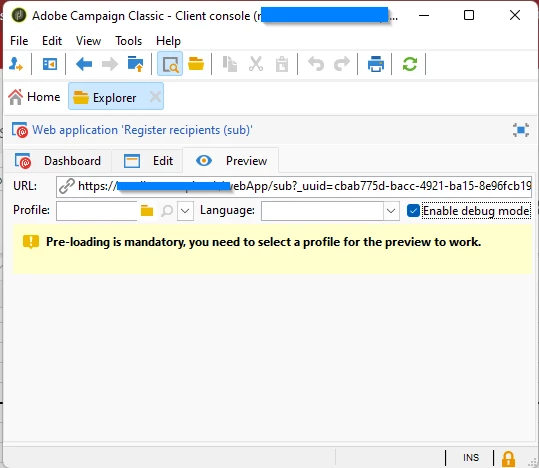
 

  1. Open your web app in rich client (console)
  2. Navigate to preview tab
  3. Click on "Enable debug mode" check box
  4. Copy the created link
  5. Open your preferred browser and paste & load the link there.


Marcel

3 replies

Marcel_Szimonisz
Community Advisor
Marcel_SzimoniszCommunity AdvisorAccepted solution
Community Advisor
December 29, 2023

Hello @akila4 ,

that is normal behavious of web application made in adobe campaign. To prevent visitor to see actual error on your page code. To see actual error please run the web application in development mode.


  1. Open your web app in rich client (console)
  2. Navigate to preview tab
  3. Click on "Enable debug mode" check box
  4. Copy the created link
  5. Open your preferred browser and paste & load the link there.


Marcel

Akila4Author
Level 2
December 29, 2023

Thank you marcel!
If I access the preview URL from the preview tab and open it in the browser, it works correctly. when I directly use the link provided in the dashboard tab, errors occur. Is there any difference?


Marcel_Szimonisz
Community Advisor
Community Advisor
December 29, 2023

Could that the link is missing some parameters? Do you load recipient profile in the web app? Without seeing I might not help you 🙂


Marcel

Amine_Abedour
Community Advisor
Community Advisor
December 29, 2023

Hello @akila4 


Please check the web@default log file to have more info on the error. You can consult the log file here : 

Br,

Amine

Amine ABEDOUR
Sukrity_Wadhwa
Community Manager
Community Manager
January 10, 2024

Hi @akila4,

Were you able to resolve this query with the help of the given solutions or do you still need more help here? Do let us know. In case the given solutions were helpful, then kindly choose the one that helped you the most as the 'Correct Reply'.
Thanks!

Sukrity Wadhwa