Error in Data loading activity when I try to upload csv file from Local Machine | Community
Skip to main content
Level 2
June 30, 2023
Solved

Error in Data loading activity when I try to upload csv file from Local Machine

  • June 30, 2023
  • 2 replies
  • 1099 views

Hi,


I am facing the below error in while I try to Upload a csv file from my local machine in the 'data loading' activity. The file is of 58mb with about 500k rows.

 

I Kindly request you to please let me know what might have caused the error and how to get rid of it.
 

This post is no longer active and is closed to new replies. Need help? Start a new post to ask your question.
Best answer by ParthaSarathy

Hi @bhaskarjc ,

From uploading file from local machine, if the file size is greater than 50mb, you will be getting this error.

Alternatively you can split the file into 2 files in your local machine, use 2 data loading activity to import records.

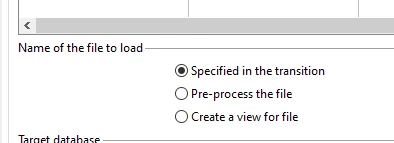
This restriction is there only you directly upload from local machine by selecting the option 'Upload the file from local machine'. So you can place the same file (of any size) in any SFPT, collect it using file transfer, followed by Data loading activity and select 'specified in the transition'. It will work.


To increase the size limit, there was a solution provided in this community thread by modifying the setting in IIS


2 replies

rahulkad29786
Level 4
June 30, 2023

Hi @bhaskarjc ,


As per the error screenshot you shared, it seems an intermittent issue. Hence you can retry uploading the file using a new Data loading activity.
Further, sometimes, while uploading large size files, DL activity errors out, so can try using "File Transfer" activity instead and upload file to a SFTP location.
Let me know if that helps.


Thanks

ParthaSarathy
Community Advisor
ParthaSarathyCommunity AdvisorAccepted solution
Community Advisor
June 30, 2023

Hi @bhaskarjc ,

From uploading file from local machine, if the file size is greater than 50mb, you will be getting this error.

Alternatively you can split the file into 2 files in your local machine, use 2 data loading activity to import records.

This restriction is there only you directly upload from local machine by selecting the option 'Upload the file from local machine'. So you can place the same file (of any size) in any SFPT, collect it using file transfer, followed by Data loading activity and select 'specified in the transition'. It will work.


To increase the size limit, there was a solution provided in this community thread by modifying the setting in IIS


 ~  ParthaSarathy S~  Click here to join ADOBE CAMPAIGN USER GROUP for Quarterly In-person | Hybrid | Virtual Meetups
