enable tracking server instance communication error | Community
Skip to main content
Prasanna_Soni
February 28, 2022
Solved

enable tracking server instance communication error

  • February 28, 2022
  • 1 reply
  • 3722 views

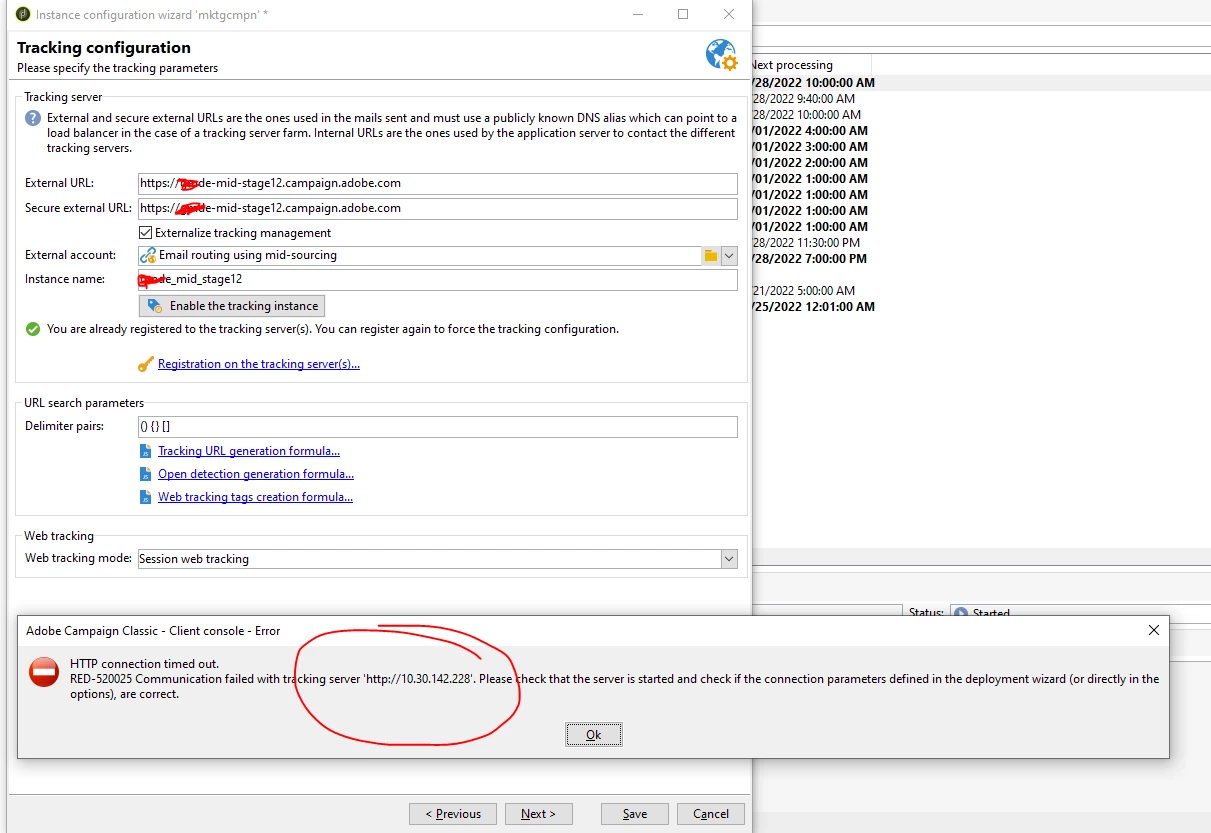
When we click on Enable the tracking instance in instance Configuration wizard it gives us error as shown in Screen shot. Please note this use to work as expected and all of suden this problem started 


ERROR :- HTTP Connection Timed out. 

RED-520025 Communication failed with tracking server 'http://10.30.142.228. Please the that server is started and check if the connecation parameter defined in deployment wizard are correct. 


This post is no longer active and is closed to new replies. Need help? Start a new post to ask your question.
Best answer by Prasanna_Soni

Can you provide an architecture diagram, it seems its the mid source needing to connect to tracking, also is this full-on prem deployment? hybrid?


[MKT] --- [MID]--- [FRONTALS]


Check services are running on frontal servers and also run

nlserver monitor -missing

as well as /r/test you need to test connectivity between mid and frontals, revalidate tracking through deployment wizard.


useful commands

https://experienceleague.adobe.com/docs/campaign-classic/using/monitoring-campaign-classic/production-procedures/usual-commands.html?lang=en


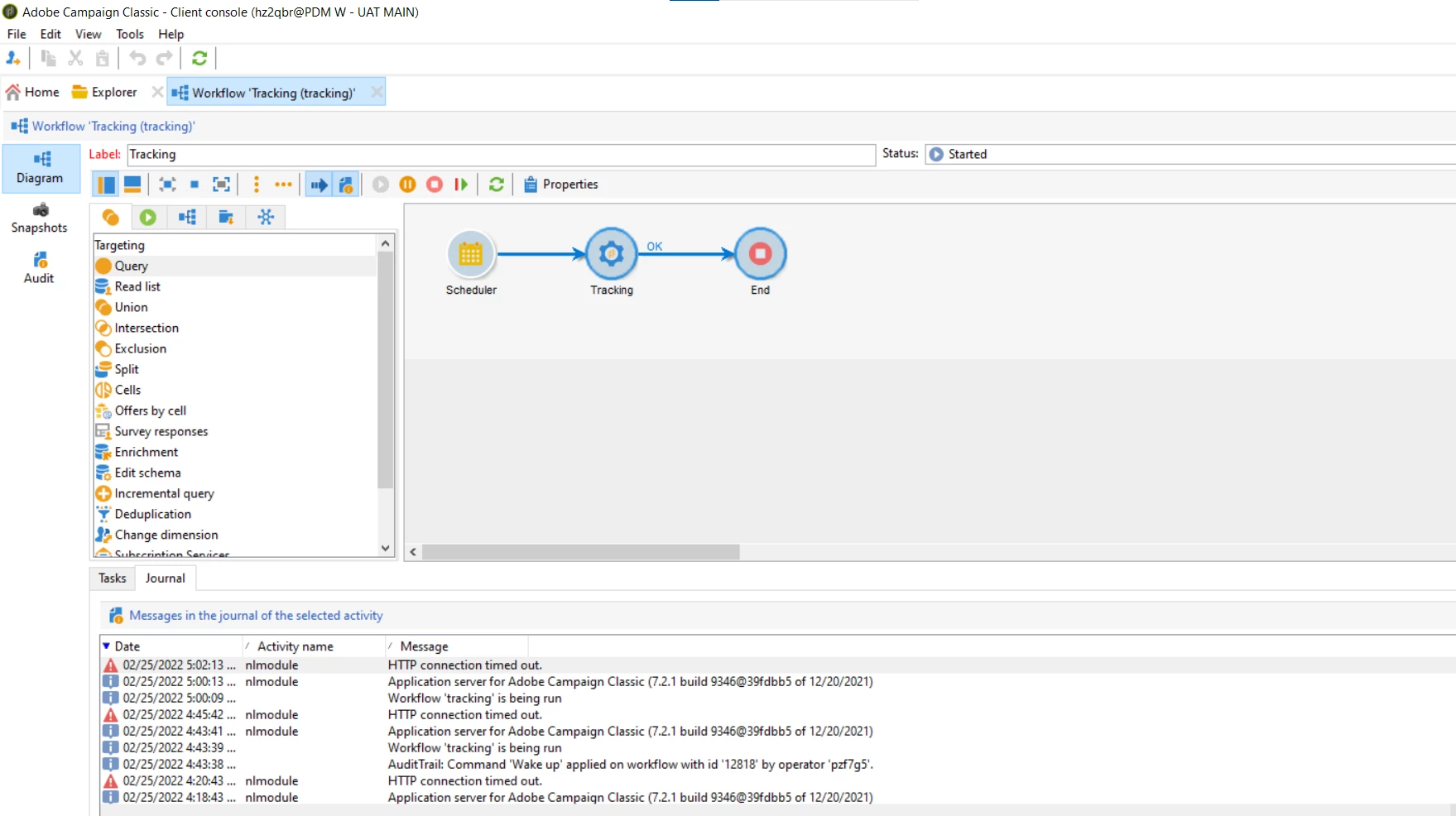
It turn out to be Processes was stuck up at Mid source level. Not sure exact reason but as soon as Adobe restarted the Mid source it started working. 

1 reply

david--garcia
February 28, 2022

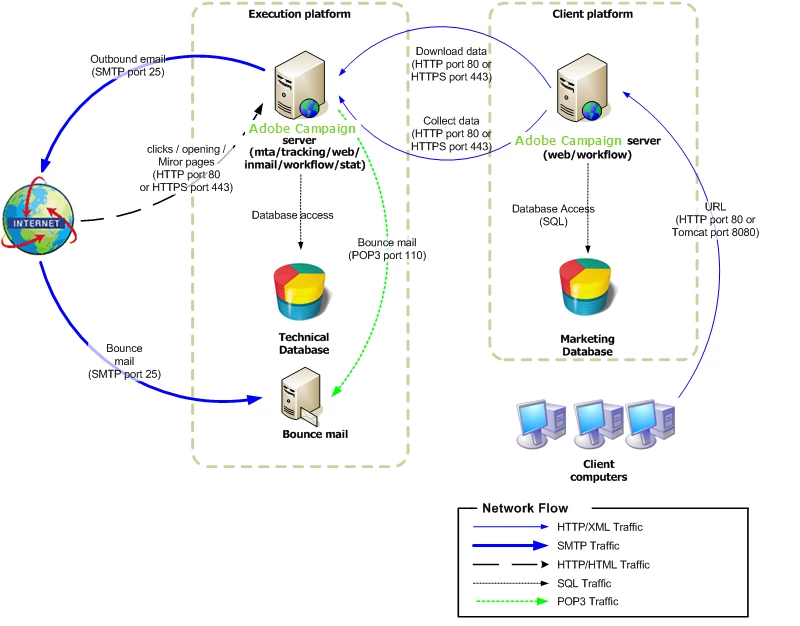
The screenshot is not availble, please upload, also can you login into the mkt host and telnet to your tracking server on ports 8080 and 80, please see the architecture diagram below to see which ports need to be open, also check the network configuration guide https://experienceleague.adobe.com/docs/campaign-classic/using/installing-campaign-classic/install-campaign-on-prem/deployment-guidelines/network-configuration.html?lang=en


Prasanna_Soni
February 28, 2022

80 and 8080 against RT server does not work, 443 works

david--garcia
February 28, 2022

open up port 80,


on your internal tracking configuration also see if you can set https rathern than http then, but you should enable 443 and 80 ideally between mkt and frontal servers.