
Solved
DCE - Select related recipient fields
Using the DCE, how can we select other fields related to the recipient from the expression editor? It seems only OOTB tables are visible e.g Location, Postal address, Country/Region etc.
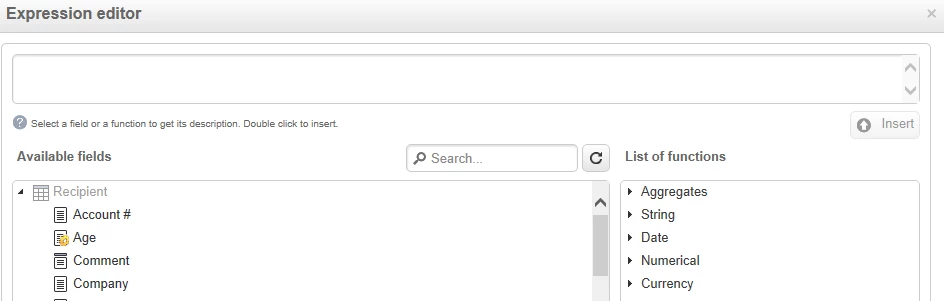
Related tables
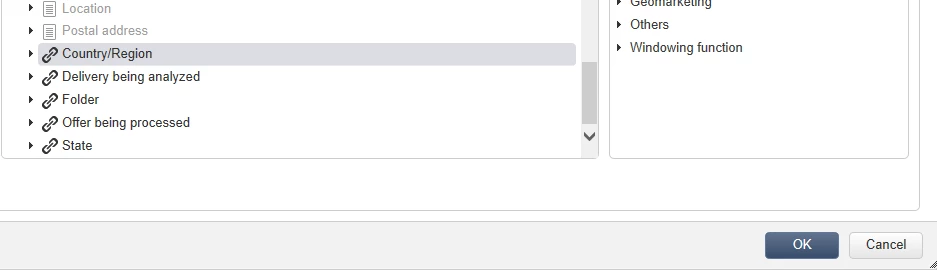
Using the DCE, how can we select other fields related to the recipient from the expression editor? It seems only OOTB tables are visible e.g Location, Postal address, Country/Region etc.
Related tables
The DCE is somewhat limited. If you are building an email, then you would want to make sure you have enriched all your data in the workflow from other tables. Then can you use <%= targetData.columnName %> to pull in data from the workflow. If you are building a web page you need to run a query as your first step (in XML) then add it to the CTX web variable, to be able to use it in a web page.
web app: https://blog.floriancourgey.com/2018/07/use-the-context-in-web-apps-in-adobe-campaign
Enter your E-mail address. We'll send you an e-mail with instructions to reset your password.