Custom Background Image for Workflows | Community
Skip to main content
Level 2
October 2, 2020
Solved

Custom Background Image for Workflows

  • October 2, 2020
  • 3 replies
  • 2893 views

I created a custom background image, 800x600, saved as .png. Then I navigated to images in ACC, clicked "new", then tried to import. If someone has a screenshot to share showing how you upload a new image file for this custom background, I'd appreciate it. I'm doing something wrong because the uploaded file is not working.


Jordan

This post is no longer active and is closed to new replies. Need help? Start a new post to ask your question.
Best answer by Sukrity_Wadhwa

Hi @jordanphoenix,

This question was addressed in our Adobe Campaign Community Q&A Coffee Break today at 8am PT with Juergen Naeckel a.k.a @juergenna, Principal Technical Architect for Adobe Campaign. 

You can check the response here: https://experienceleaguecommunities.adobe.com/t5/adobe-campaign-classic/adobe-campaign-community-q-amp-a-coffee-break-5th-aug-8am-pt/m-p/418330/highlight/true#M1991 

Feel free to reach out to Juergen on the same thread in case you have any follow up questions.

Thanks!

3 replies

_Manoj_Kumar_
Community Advisor
Community Advisor
October 3, 2020

Hello @jordanphoenix 


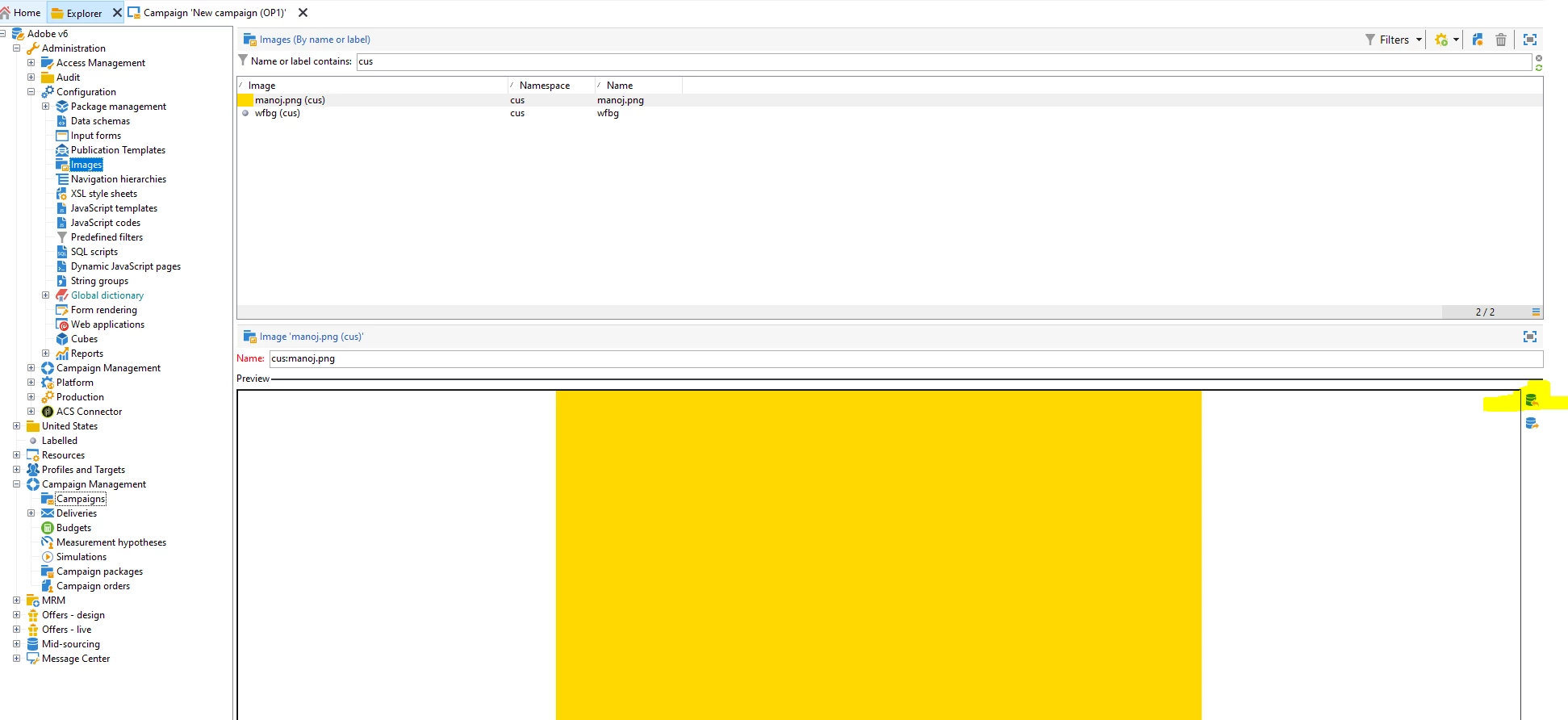
Go to Administration > Configuration > images and then upload your image with a name and select the file from the icon highlighted on the right side icon.


Then save the images. Logout from the console.


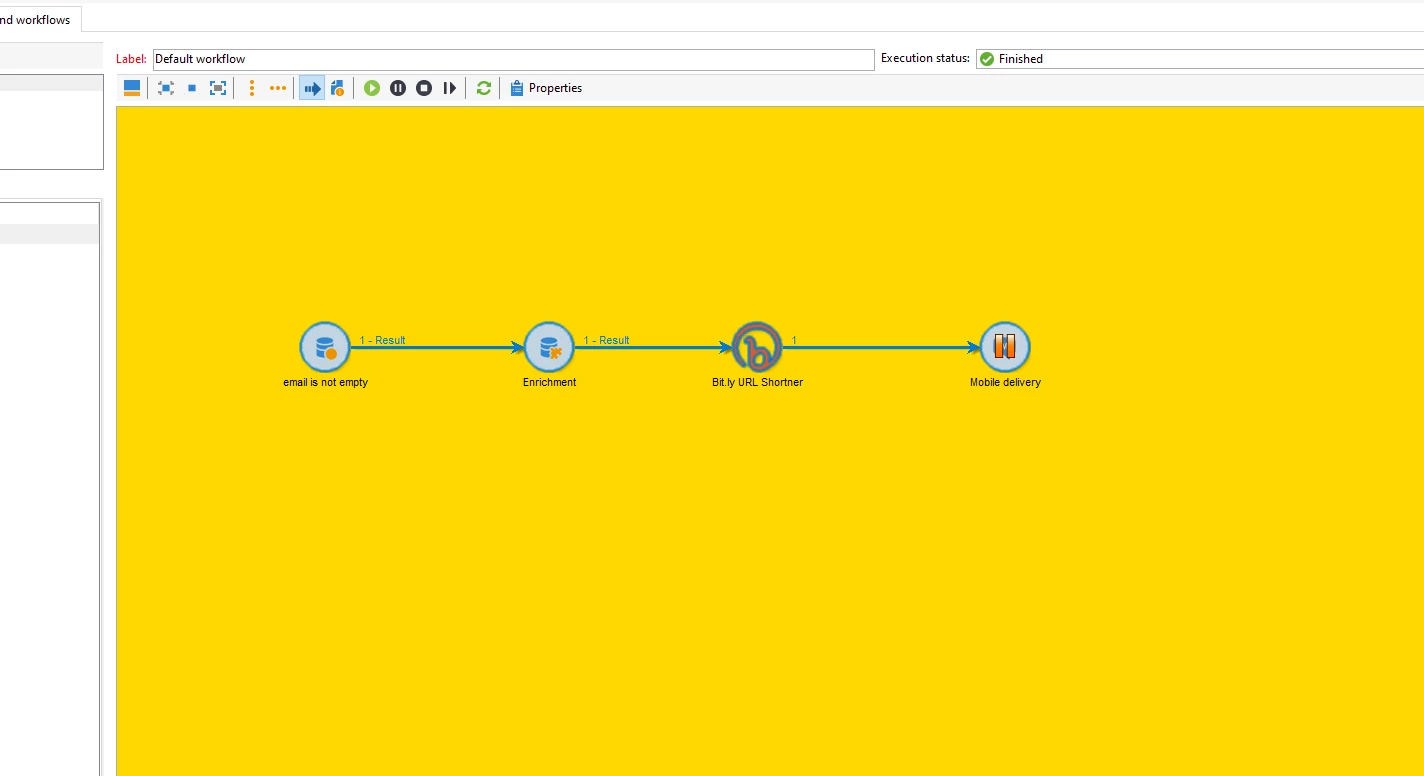
Go to your workflow properties and in the advanced tab select the background imag


Once selected. Logout from your console and go back to your workflow you will see the updated background image.


Let me know if that helps.


Thanks


     Manoj     Find me on LinkedIn
_Manoj_Kumar_
Community Advisor
Community Advisor
October 4, 2020
Yes, that's the default behavior. Adobe will repeat the background image multiple times
     Manoj     Find me on LinkedIn
Sukrity_Wadhwa
Community Manager
Community Manager
October 21, 2020

Hi @jordanphoenix,

Were you able to resolve this query? Please let us know.

Thanks!

Sukrity Wadhwa
Level 2
October 27, 2020
@sukrity_wadhwa, I was able to create a custom background but when I add text to it, it's repeated all over. I know it's possible for this NOT to happen because I've seen it. Any chance you know how? All I wanted was the name of the workflow on the top corner but instead it repeats all over?
Sukrity_Wadhwa
Community Manager
Sukrity_WadhwaCommunity ManagerAccepted solution
Community Manager
August 5, 2021

Hi @jordanphoenix,

This question was addressed in our Adobe Campaign Community Q&A Coffee Break today at 8am PT with Juergen Naeckel a.k.a @juergenna, Principal Technical Architect for Adobe Campaign. 

You can check the response here: https://experienceleaguecommunities.adobe.com/t5/adobe-campaign-classic/adobe-campaign-community-q-amp-a-coffee-break-5th-aug-8am-pt/m-p/418330/highlight/true#M1991 

Feel free to reach out to Juergen on the same thread in case you have any follow up questions.

Thanks!

Sukrity Wadhwa