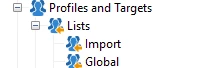
I've used a JS activity to query the recipients, and also extract the IDs.
I need to to this to apply some logic to sort them randomly, and apply some other logic to them. (After that, I need to split those in halfs and save them into different lists), in order to them to them different emails, sms, or pushs.
So how to create a list using JS, let's calle it "my_list" and then insert the recipients into it?
var query = NLWS.xtkQueryDef.create(
<queryDef schema={"nms:recipient"} operation="select" lineCount="999999999">
<select>
<node expr="@id"/>
</select>
</queryDef>
);
var res = query.ExecuteQuery();
var recipients = res.getElementsByTagName("recipient")
var allRecipients = [];
for each (var r in recipients)
//logInfo(r.getAttribute("id"))
allRecipients.push(r.getAttribute("id"))
// Mezclar el array aleatoriamente para el A/B testing
allRecipients.sort(function() { return 0.5 - Math.random() });.
조회 수
답글
좋아요 수
Hi @god_prophet ,
Try using activities to do this. Because limiting the line count to 999999999 will leads to major server performance issue.
조회 수
답글
좋아요 수
Hi Partha, in any case, how to build a list using JS and insert recipients into it?
for my use case, I could use a query activity to get all recipients where primary key is not empty... so I don't use lineCount=999999... but still need to know how to build a list programatically.
Ty.
조회 수
답글
좋아요 수
Hi @god_prophet ,
As you have already got the list, and renaming it to "my_list", try below syntax to achieve the rest:
// 1. Create a copy
var my_list = allRecipients.slice(); // 2. Add a property to each recipient ID (replace with your actual logic) my_list = my_list.map(id => ({ id: id, group: Math.random() < 0.5 ? 'A' : 'B' })); // 3. Split the list into two halves const middleIndex = Math.floor(my_list.length / 2); const listA = my_list.slice(0, middleIndex); const listB = my_list.slice(middleIndex); // Example of sending different communications (replace with your actual sending logic): logInfo("List A (for emails): " + JSON.stringify(listA)); logInfo("List B (for SMS): " + JSON.stringify(listB));
Explanation:
Thanks,
Jyoti
Hi, @Jyoti_Yadav I was wondering how to create the object list, I'd need to create 2 and then save each half into those.
So then with a regular workflow: I can send an email to each list, using an email activity.
I was refering to a list in here. using JS:
조회 수
답글
좋아요 수
Hi @god_prophet ,
If you need to save the list to ACC list folder, then the best approach is to design a workflow logic and try to save the list using 'List update' activity. You can split your recipients into half using 'Split' activity and then use 2 'list update' activity to save it in the specific folder with specific name.
Thanks,
Jyoti
조회 수
답글
좋아요 수
Hi @Jyoti_Yadav ,
How to access the
const listA = my_list.slice(0, middleIndex)
from the JS activity in the List Update activity?
Thank you.
조회 수
답글
좋아요 수