Attach a csv file on a delivery or alert activity that is calculated on the workfow. | Community
Skip to main content
DimitrisChatzos
Level 2
February 26, 2025
Solved

Attach a csv file on a delivery or alert activity that is calculated on the workfow.

  • February 26, 2025
  • 2 replies
  • 958 views

Hello Everyone,


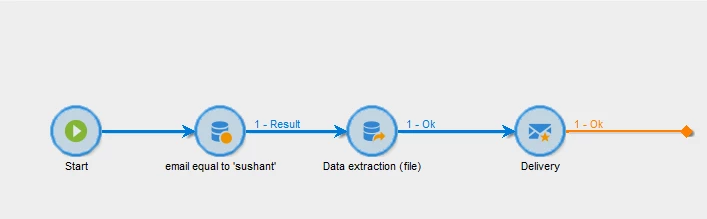
Do you know how to attach a CSV file calculated on the workflow to an email or alert activity?

I have tried an approach that was suggested here via attachments on the delivery but I have the bellow error.
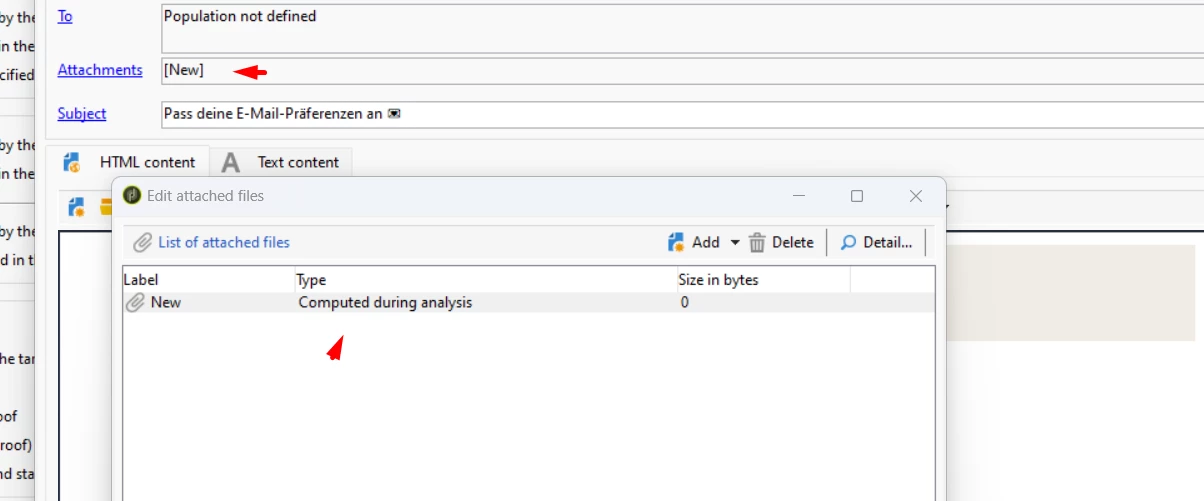
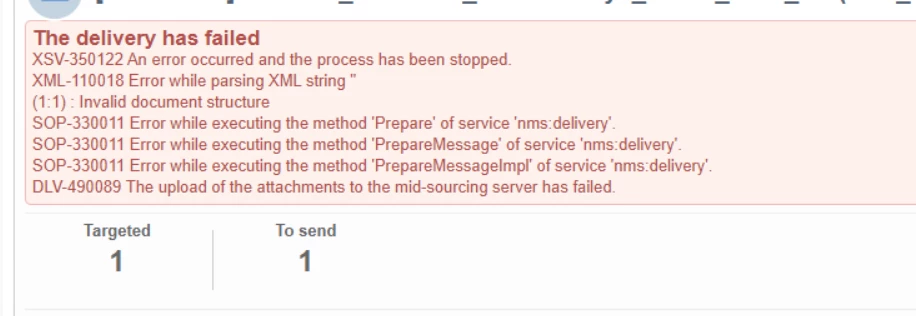
I really appreciate any help you can provide.
This post is no longer active and is closed to new replies. Need help? Start a new post to ask your question.
Best answer by SushantTrimukheD

Hi @dimitrischatzos,

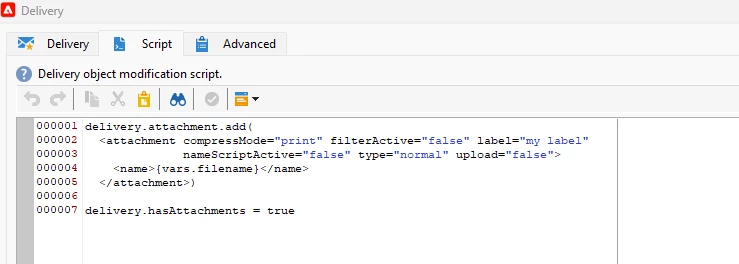
Use the delivery activity from the Action tab, something like the example below, and place the JavaScript in the Script tab within the delivery activity.


delivery.attachment.add( <attachment compressMode="print" filterActive="false" label="my label" nameScriptActive="false" type="normal" upload="false"> <name>{vars.filename}</name> </attachment>) delivery.hasAttachments = true

 Thanks


2 replies

ParthaSarathy
Community Advisor
Community Advisor
February 26, 2025

Hi @dimitrischatzos ,

In Delivery's script tab, paste the below script and run it.

delivery.attachment.add( <attachment compressMode="print" filterActive="false" label="my label" nameScriptActive="false" type="normal" upload="false"> <name>{vars.filename}</name> </attachment>); delivery.hasAttachments = true
~  ParthaSarathy S~  Click here to join ADOBE CAMPAIGN USER GROUP for Quarterly In-person | Hybrid | Virtual Meetups
SushantTrimukheD
SushantTrimukheDAccepted solution
Level 4
February 26, 2025

Hi @dimitrischatzos,

Use the delivery activity from the Action tab, something like the example below, and place the JavaScript in the Script tab within the delivery activity.


delivery.attachment.add( <attachment compressMode="print" filterActive="false" label="my label" nameScriptActive="false" type="normal" upload="false"> <name>{vars.filename}</name> </attachment>) delivery.hasAttachments = true

 Thanks


SushantTrimukheD
Level 4
February 26, 2025


DimitrisChatzos
Level 2
February 27, 2025

@dimitrischatzos , sometimes it does depends on the size of the attachment. So to check it, Just try to export only 4 or 5 rows in it and check whether you're able to send the file as attachment.


Hello,

The solution worked in the end when I changed the routing from mid-sorce instance to internal email delivery.


A couple of things were not so clear in the explanation:

The extraction activity should have this format on the naming convention of the file:  <%= vars.filename %>yourfilename.csv


and then the code as described above.


delivery.attachment.add(
<attachment compressMode="print" filterActive="false" label="my label"
nameScriptActive="false" type="normal" upload="false">
<name>{vars.filename}</name>
</attachment>)
delivery.hasAttachments = true