Adobe Campaign Classic V7 - AAM List - Unable to desync a shared audiences for Adobe Experience Cloud Audiences | Adobe Higher Education
Skip to main content
Ken_Qrious
Level 4
February 22, 2024
Beantwortet

Adobe Campaign Classic V7 - AAM List - Unable to desync a shared audiences for Adobe Experience Cloud Audiences

  • February 22, 2024
  • 2 Antworten
  • 599 Ansichten

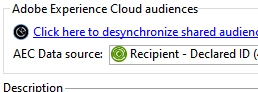
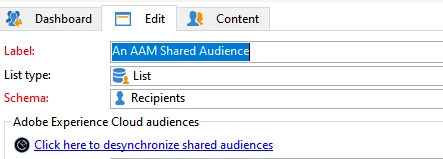
I am attempting to dsync an AAM list in preparation to delete the list, when I click on the dsync button in the edit screen and save, nothing happens. 


Dieses Thema wurde für Antworten geschlossen.
Beste Antwort von Craig_Thonis

Hi Ken,

Unless someone else has seen this before, I would recommend reaching out to Campaign or AAM Support. At the very least, I would recommend attempting the desync again and then reviewing the web logs to see if any errors are being thrown at the time of the desync.

2 Antworten

Craig_Thonis
Adobe Employee
Adobe Employee
February 22, 2024

Hi Ken,

Unless someone else has seen this before, I would recommend reaching out to Campaign or AAM Support. At the very least, I would recommend attempting the desync again and then reviewing the web logs to see if any errors are being thrown at the time of the desync.

Ken_Qrious
Level 4
February 22, 2024

Thanks for the reply Craig, I'll raise this with adobe support.