This conversation has been locked due to inactivity. Please create a new post.
I would like to add custom images to Report Icon. I followed the below steps , however it is not displaying any images.
1) Uploaded images to Configuration -> Images
2) Selected the image in the reports -> View -> Image
3) Saved and Published
After the publishing the report , looked at the image Icon. it is getting displayed as Blank. Am i missing anything here?
Solved! Go to Solution.
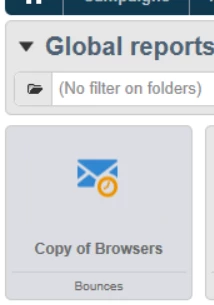
You are trying to change the thumbnail of a report in the dashboard
On icon on actual report page?
Because by what you described you will change the thumbnail. Which worked for me ![]()
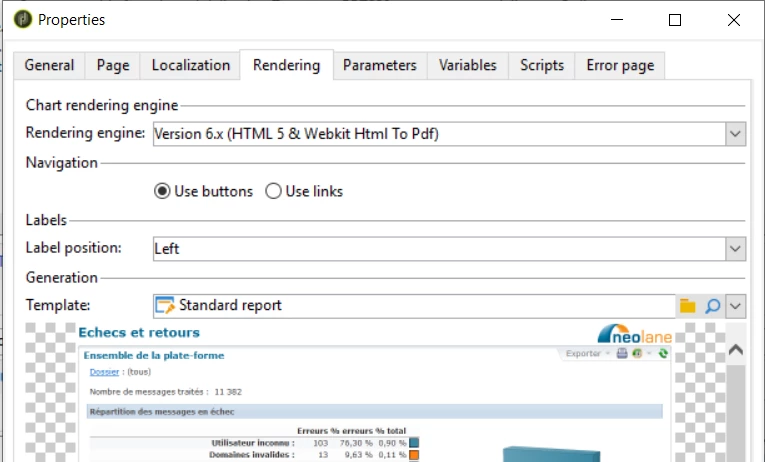
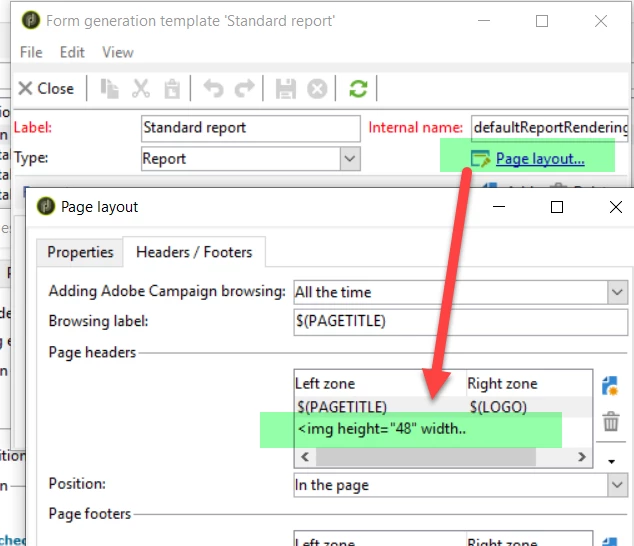
If you want to change the icon on report page you need to change the rendering template or its header properties
Click on the magnifier glass > page layot and tab headers/footers
Marcel
You are trying to change the thumbnail of a report in the dashboard
On icon on actual report page?
Because by what you described you will change the thumbnail. Which worked for me ![]()
If you want to change the icon on report page you need to change the rendering template or its header properties
Click on the magnifier glass > page layot and tab headers/footers
Marcel
I try to change the Thumbnail -
1) I created PNG file outside of adobe.
2) uploaded the Images to ( through image import )
3) selected the image as thumbnail in the report
4) Saved and published.
5) Checked in Reports tab - no thumbnails are displayed.
Views
Replies
Total Likes
Views
Likes
Replies
Views
Likes
Replies
Views
Likes
Replies
Views
Likes
Replies