Adding Images to Adobe Custom Report | Community
Skip to main content
asktam1410
Level 3
October 7, 2019
Solved

Adding Images to Adobe Custom Report

  • October 7, 2019
  • 2 replies
  • 2963 views

I would like to add custom images to Report Icon. I followed the below steps , however it is not displaying any images.

1) Uploaded images to Configuration -> Images

2) Selected the image in the reports -> View -> Image

3) Saved and Published

After the publishing the report , looked at the image Icon. it is getting displayed as Blank. Am i missing anything here?

This post is no longer active and is closed to new replies. Need help? Start a new post to ask your question.
Best answer by Marcel_Szimonisz

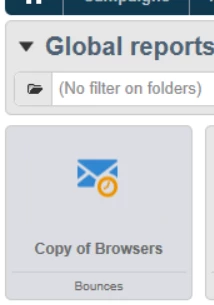
You are trying to change the thumbnail of a report in the dashboard

On icon on actual report page?

Because by what you described you will change the thumbnail. Which worked for me

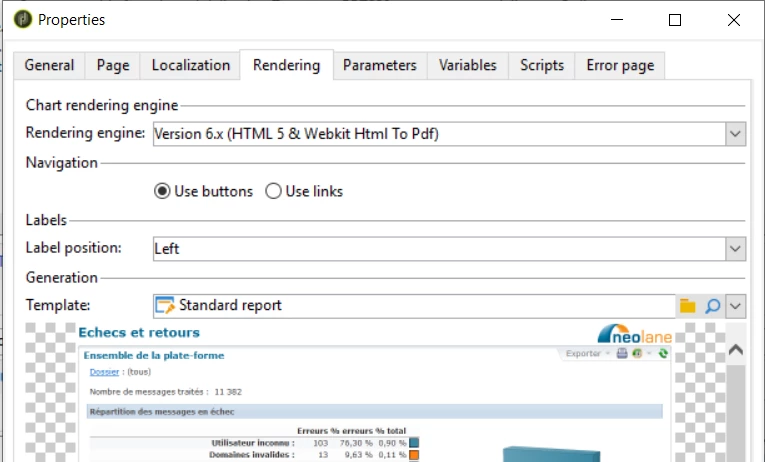
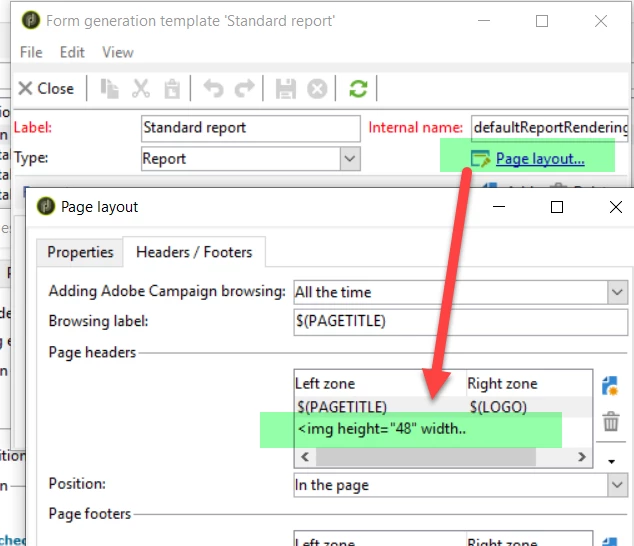
If you want to change the icon on report page you need to change the rendering template or its header properties

Click on the magnifier glass > page layot and tab headers/footers

Marcel

2 replies

Marcel_Szimonisz
Community Advisor
Marcel_SzimoniszCommunity AdvisorAccepted solution
Community Advisor
October 21, 2019

You are trying to change the thumbnail of a report in the dashboard

On icon on actual report page?

Because by what you described you will change the thumbnail. Which worked for me

If you want to change the icon on report page you need to change the rendering template or its header properties

Click on the magnifier glass > page layot and tab headers/footers

Marcel

ask1410
October 22, 2019

I try to change the Thumbnail -

1) I created PNG file outside of adobe.

2) uploaded the Images to ( through image import )

3) selected the image as thumbnail in the report

4) Saved and published.

5) Checked in Reports tab - no thumbnails are displayed.