Adding a custom column with name scenarionX in transition of the workflow | Community
Skip to main content
Level 5
June 11, 2024
Solved

Adding a custom column with name scenarionX in transition of the workflow

  • June 11, 2024
  • 1 reply
  • 977 views

Hi there, 


I have a scenario where I need to share data about unpicked customers during a workflow execution that runs on a scheduler.

I have multiple scenarios, each with different filters. To handle these, I have added query activities and split activities to filter and separate records with incomplete data. I aim to name these scenarios as "scenario1," "scenario2," etc., by adding a custom column in the transition. However, I encountered an issue: when I add a segment name in the query activity, it gets overridden by the segment codes from the split activity.

Please let me know if this approach is possible.
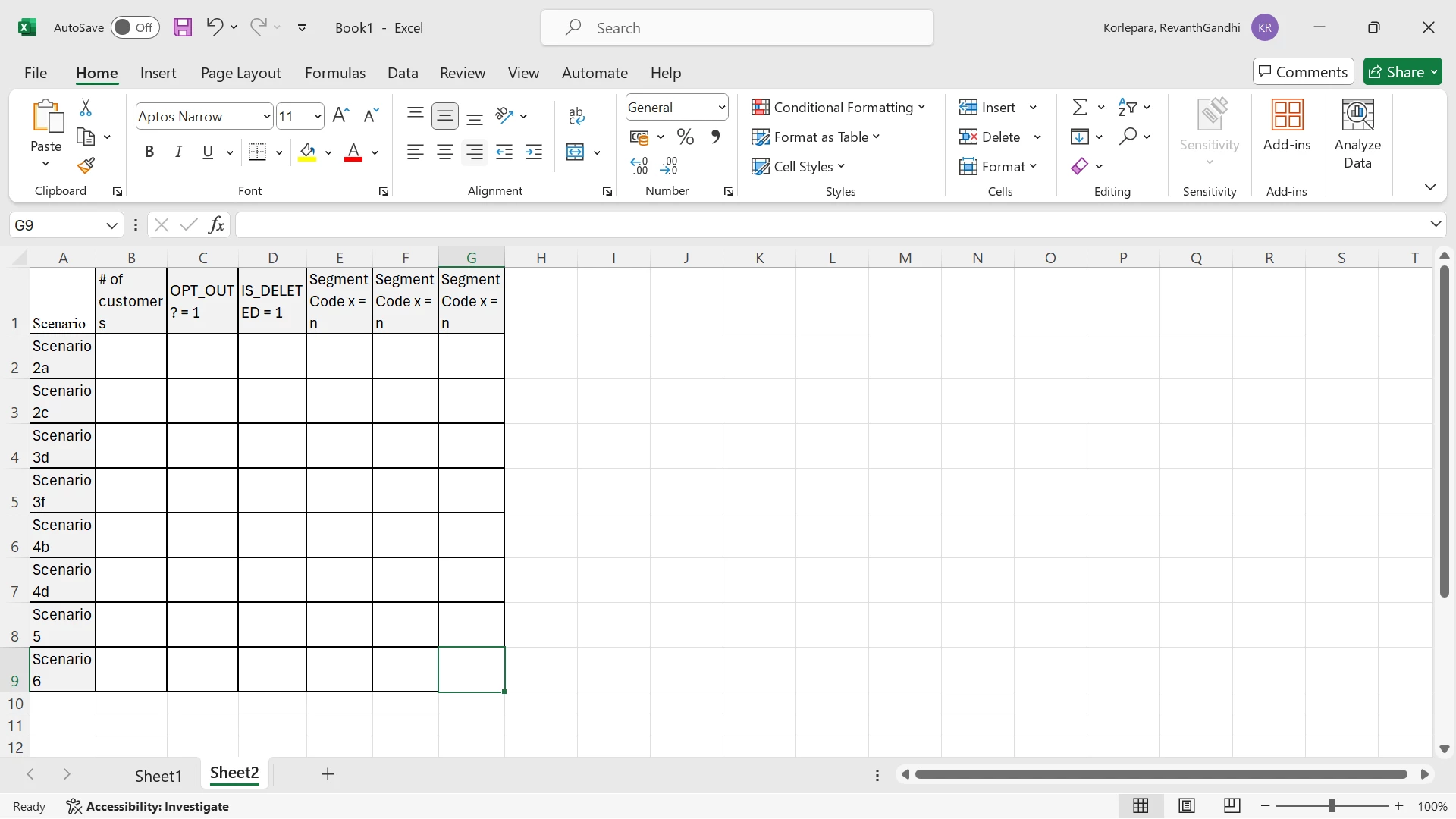


Thank you in advance


This post is no longer active and is closed to new replies. Need help? Start a new post to ask your question.
Best answer by ParthaSarathy

@rvnth , after each split's subset transition place a JS activity and store the recCount value in a variable as below

instance.vars.countOfSegmentCode1 = vars.recCount;

and call all this variable in your alert activity.

1 reply

ParthaSarathy
Community Advisor
Community Advisor
June 11, 2024

Hi @rvnth ,

In split activity 'General' tab, enable 'concatenate the code of each segment with the code found in the inbound population' and select 'Use the addition data only' radio button.


This will concatenate Query's segmentCode with Split subset's segment code.

~  ParthaSarathy S~  Click here to join ADOBE CAMPAIGN USER GROUP for Quarterly In-person | Hybrid | Virtual Meetups
rvnthAuthor
Level 5
June 11, 2024

Thank you @parthasarathy This helped. 

Now, I need to select a few columns and send an alert email that includes the total number of customers based on each scenario.

For example:

My segment codes include:

  • Scenario2a_OptOut
  • Scenario2a_IS_DELETED

I am unsure how to break this down further and include the total number of records only in Scenario2a or Scenario2c.


Please suggest how to achieve this. I have added a JavaScript activity that selects the segment code column along with other columns such as Opt_out and IS_DELETE. Now, I need to get the count based on the segment code in alert activity.

rvnthAuthor
Level 5
June 12, 2024


Thank you @parthasarathy Is there a method to group them by the initial characters of the segment code? For example, if the segment code is "scen3_IS_DELETED," this value should be placed under the row labeled "Scen3," with a column named "IS_DELETED" set to 1 that gets the data from

instance.vars.countOfSegmentCode1 = vars.recCount;

. Please suggest


Hi @parthasarathy 

I tried using the script below in the JS activity, but I encountered the error: 'it is not contained in either aggregate function or GROUP BY clause.' I am now attempting to use a subquery and will update you on the progress.


var fquery = xtk.queryDef.create ( <queryDef schema = {vars.targetSchema} operation = "select" > <select> <node expr="Substring(@segmentCode,'_',1)" alias="SegmentCode"/> <node expr="Sum(Case(When(@segmentCode LIKE '%_IS_DELETED', 1), Else(0)))" alias="@IS_DELETED"/> </select> <groupBy> <node expr="Substring(@segmentCode,'_',1)"/> </groupBy> </queryDef> ); var itemsXMLF = fquery.ExecuteQuery(); // DOMElement var itemsXMLFStr2 = itemsXMLF.toString(); vars.itemsXMLFString2 = itemsXMLF.toXMLString(); //logInfo("itemsXMLF = " + itemsXMLF.toString());