Add Default Script to 'Delivery' form in 'Workflow (xtk)' input form | Community
Skip to main content
Level 3
August 28, 2025
Solved

Add Default Script to 'Delivery' form in 'Workflow (xtk)' input form

  • August 28, 2025
  • 2 replies
  • 1844 views

Hi,


We would like to add a default value for the 'script' container within the 'delivery' form as defined in 'Workflow (xtk)' input form, as shown below:
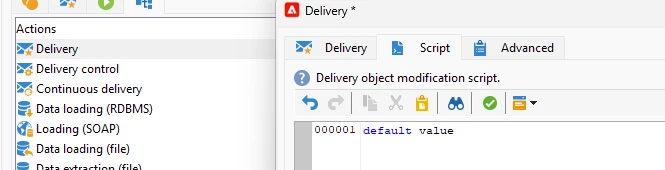


How can we get a string to populate in the delivery script automatically whenever the delivery activity is chosen?


Thanks,

Skyler
Best answer by Amine_Abedour

Hello @skylerqu2,


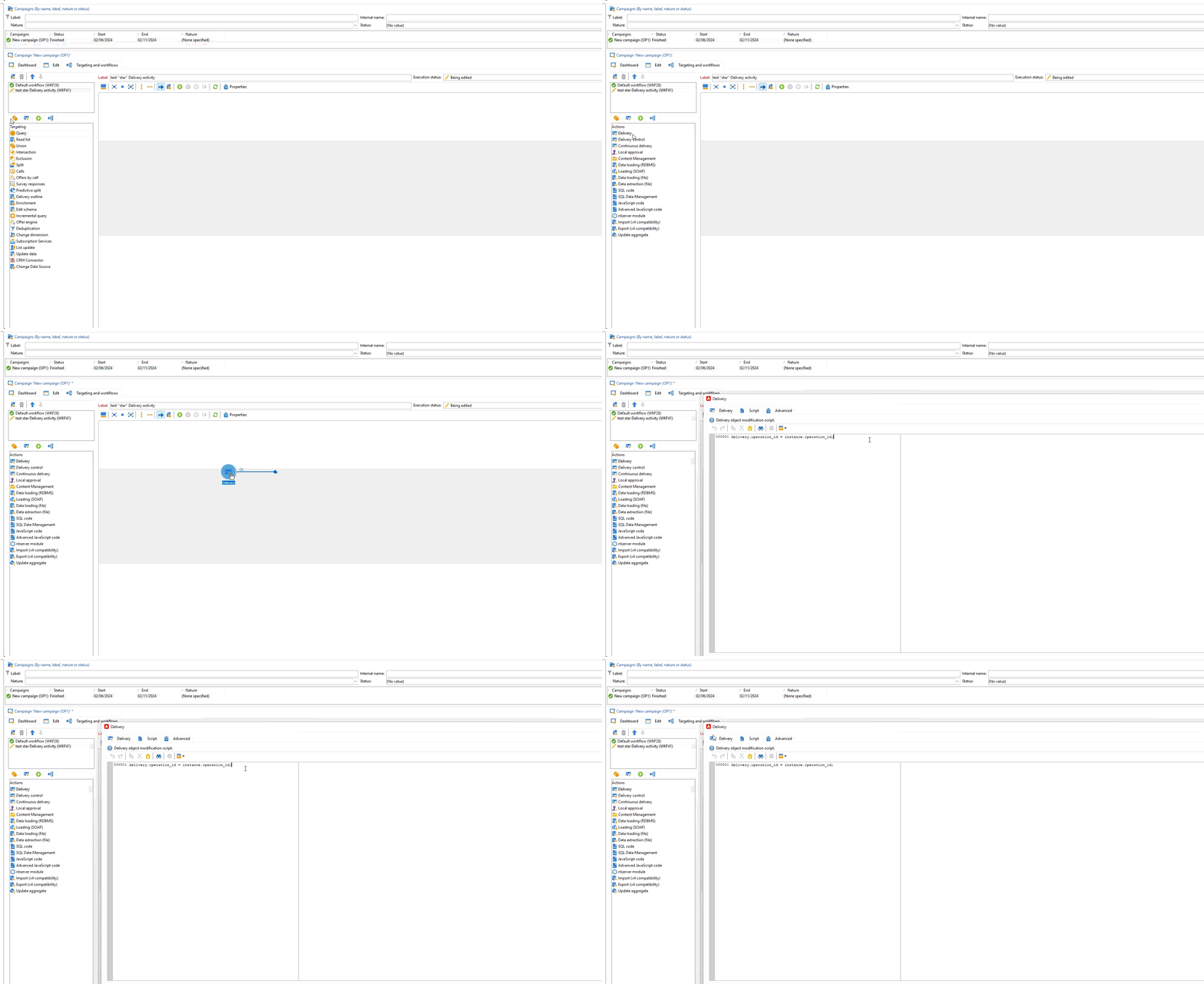
What can meet your need is to set a default value to the ''script'' of the ''star'' delivery activity.
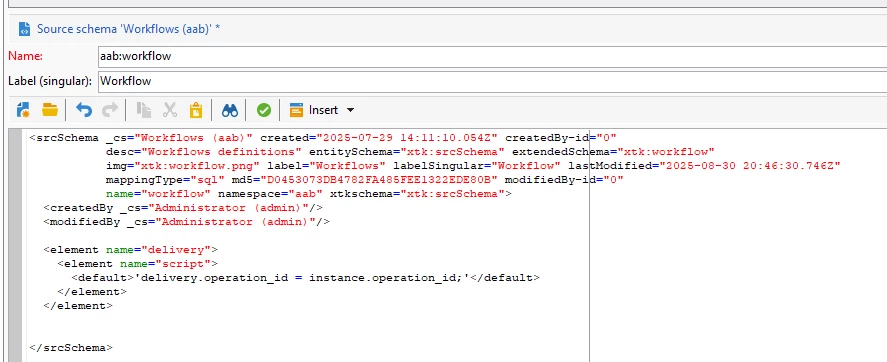
To do this, you need to extend the xtk:workflow schema (or, if you have already extended the schema for another purpose, use the same extension) and add this piece of XML:


<element name="delivery"> <element name="script"> <default>'delivery.operation_id = instance.operation_id;'</default> </element> </element>

 it should look like this :


After that, clear the local cache, reconnecte, and test adding a new delivery activity to a workflow. It is working on my end.

Br,


2 replies

Rch_
Level 3
August 29, 2025

Hey @skylerqu2,


Unfortunately, there’s no supported way to auto-fill the script field in a Delivery activity via the input form. Because the script uses a rich text/code editor, it doesn’t accept default or defaultValue attributes, and injecting XML defaults won’t apply when the activity is added.

The only reliable option is to set your default script inside the delivery template itself. That way, whenever users select that template, the script is pre-populated.


Thanks,

SkylerQu2Author
Level 3
August 29, 2025

Hi @rch_  is there a way to add a custom script to the out-of-the-box delivery activity that will run when the workflow activity is executed?

Rch_
Level 3
August 29, 2025

@skylerqu2,


Would you mind sharing a bit more about what you’re trying to do with the custom script in the delivery activity? For example — is the goal to modify the delivery content, control when it sends, apply some logic to recipients, or something else?

Once we understand the use case a little better, we can figure out whether a typology rule, JS activity, or some other approach makes the most sense.

Happy to help once we see the full picture.

Thanks,

Amine_Abedour
Community Advisor
Amine_AbedourCommunity AdvisorAccepted solution
Community Advisor
August 30, 2025

Hello @skylerqu2,


What can meet your need is to set a default value to the ''script'' of the ''star'' delivery activity.
To do this, you need to extend the xtk:workflow schema (or, if you have already extended the schema for another purpose, use the same extension) and add this piece of XML:


<element name="delivery"> <element name="script"> <default>'delivery.operation_id = instance.operation_id;'</default> </element> </element>

 it should look like this :


After that, clear the local cache, reconnecte, and test adding a new delivery activity to a workflow. It is working on my end.

Br,


Amine ABEDOUR