Solved
Access change group
- September 4, 2023
- 2 replies
- 1204 views
Hi @ashwinibh ,
'Administration' folder is also missing in the above screenshot.
Cross check the below,
- open the 'operator' profile, and cross check you're able to see 'ADMINSTRATION' in dashboard as below
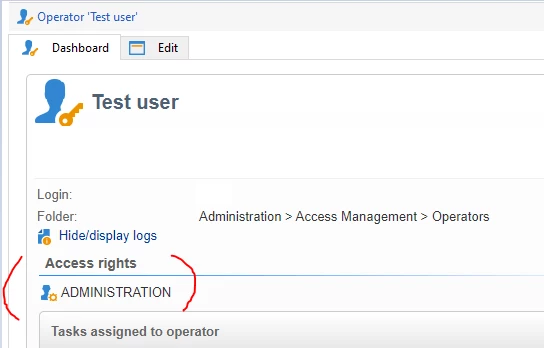
- Make sure, the operator logged in to the same instance (Dev/stage/PROD environment) where you have provided 'ADMINISTRATION' rights.
- Ask the operator to clear the local cache (File > Clear the local cache) and disconnect and reconnect. Now the operator can able to see 'Administration' folder.
Enter your E-mail address. We'll send you an e-mail with instructions to reset your password.