ACC display contents of sub-folders not working | Adobe Higher Education
Skip to main content
October 27, 2021
解決済み

ACC display contents of sub-folders not working

  • October 27, 2021
  • 2 の返信
  • 1088 ビュー

Hi,  I don't know what happend, the content of any subfolder are not displaying, when I try click on the "display contents of sub-folders" button, it displays a "loading details..." message for a sec, then nothing happens.
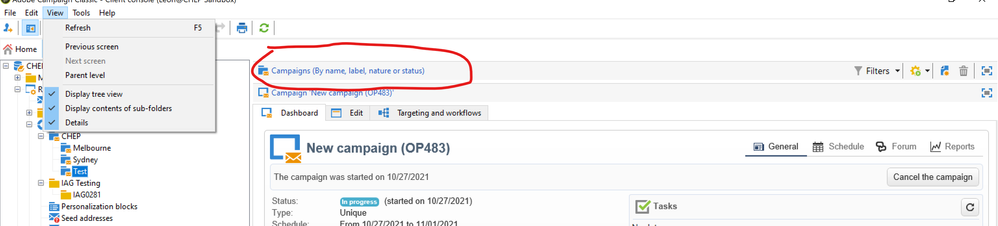
 

I have tried to using another PC and network, switch to different ACC instances, use another user/ change user access rights, clean local cache, delete the console and configuration files then reinstall, but nothing changes.

can anyone help?


このトピックへの返信は締め切られました。
ベストアンサー Jyoti_Yadav

Hi @sachima-sama ,


You need to click on below highlighted button.

Thanks,

Jyoti


2 の返信

Jyoti_Yadav
Level 8
October 28, 2021

Hi @sachima-sama ,


You need to click on below highlighted button.

Thanks,

Jyoti


Sachima-Sama作成者
October 29, 2021

Thank you, work like a magic, problem gone.


Level 2
March 21, 2024

Hi 

I've the same problem and even if I try to resize using the buttons that are highlighted I keep seeing only the folder header with no content and the first item of the list.


May it depend on the client version?

Fabio


