Using SQL Expression | Community
Skip to main content
Level 2
June 29, 2018
Solved

Using SQL Expression

  • June 29, 2018
  • 4 replies
  • 3450 views

Hello.

I'm Daeho.

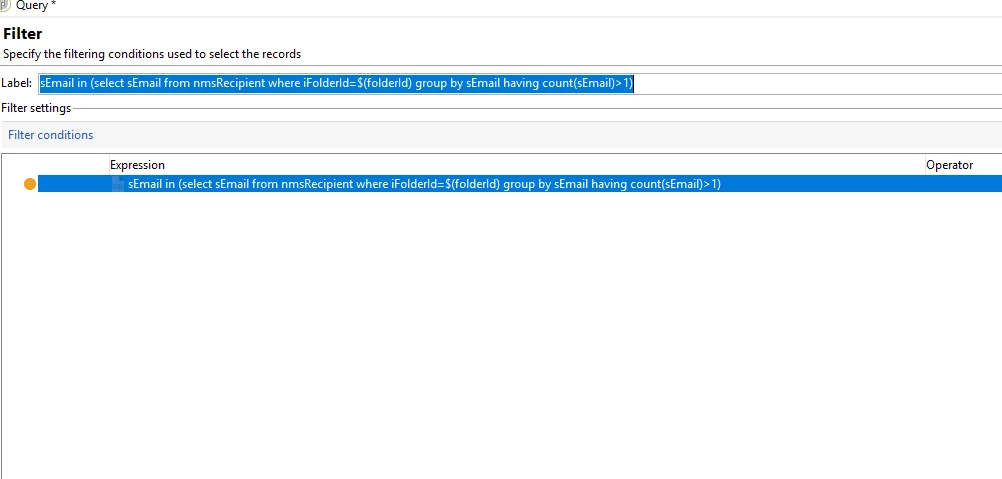
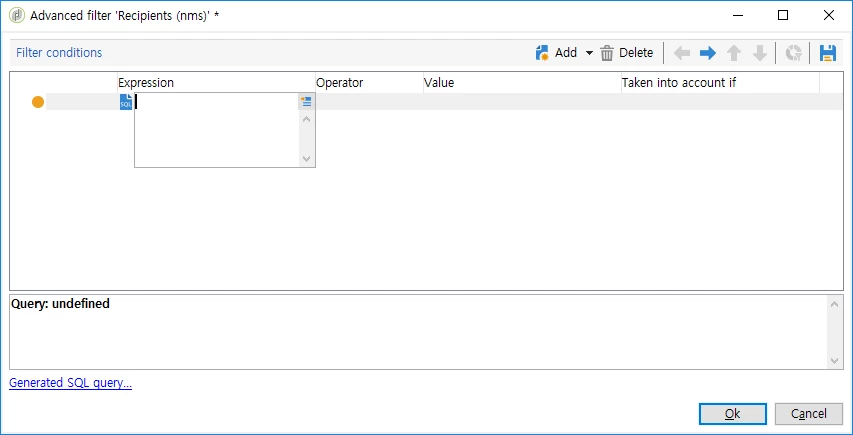
Please let me know about SQL expression in filtering condition.

I don't know how to define filter by using SQL Expression.

If you have any experience about that or best practice, please let me know that.

Thanks,

Regards

Daeho
This post is no longer active and is closed to new replies. Need help? Start a new post to ask your question.
Best answer by Amit_Kumar

Hi Daeho,

This option was available in old neolane versions. Adobe introduced a new security patch in 6.1 which will not allow this. This can be enabled by updating allowSQLInjection  in server configurations.

Read this for more details: General configurations

Regards,

Amit

4 replies

Amit_Kumar
Amit_KumarAccepted solution
Level 10
June 29, 2018

Hi Daeho,

This option was available in old neolane versions. Adobe introduced a new security patch in 6.1 which will not allow this. This can be enabled by updating allowSQLInjection  in server configurations.

Read this for more details: General configurations

Regards,

Amit

Level 2
July 2, 2018

Thank you for your response.

I want use 'REGEXP' in Oracle.

So I tried to use SQL Expression.

Could you please any advice about this topic?

Thanks

Best Regards,

Daeho

Amit_Kumar
Level 10
July 3, 2018

Hi,

Regex is not supported by ootb but i did some digging and you can use a regex like this if you are using PostgreSQL

// sample query using regEX ^\\d{8}

var queryCountPopulation = xtk.queryDef.create(

<queryDef schema="nms:recipient" operation="select">

<select>

<node expr="@mobilePhone" alias="@mobile"/>

</select>

<where>

<condition expr="@mobilePhone ~ '^\\d{8}'" boolOperator="AND"/>

</where>

</queryDef>);

var resCountPopulation = queryCountPopulation.ExecuteQuery();

logInfo(resCountPopulation);

alternatively,

<condition boolOperator="AND" compositeKey="" dependkey="" enabledIf="" expr="@mobilePhone ~ '^\\d{8}'"

internalId="554827878"/>

Above can be used in workflow by editing the xml

Level 2
July 3, 2018

Hi,

Wow!

Thank you so much for helping me.

Thanks,

Best Regards,

Daeho