Using a VARS in a query activity filter | Community
Skip to main content
salvdangelo
Level 5
December 20, 2017
Solved

Using a VARS in a query activity filter

  • December 20, 2017
  • 2 replies
  • 4698 views

Hi,

I'm trying to execute a query on nms:broadLogRcp table with a filter @eventDate AFTER $(vars/lastDate)
where  vars.lastDate is a global variable set in JS code in this way:

vars.lastDate = getOption("lastDateOption");
with lastDateOption -> DateTime type

The issue is that I always get 0 results from this query
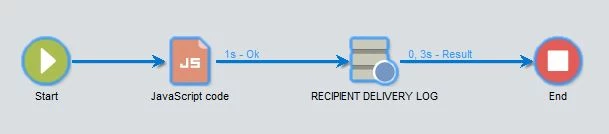

You are able to understand how can I solve?


I believed that the problem was the DATE format, but I use a similar filter with a Integer number and I still get no results
I'm sure that in both the cases the filter shoud give N>0 results

Thanks in advance,

Salvatore

Jean-Serge Biron

Adhiyan

@nkur

kirti.rawat

Adobe Campaign

This post is no longer active and is closed to new replies. Need help? Start a new post to ask your question.
Best answer by saikatk2447661

Hi Salvatore,

Use $(vars/@lastDate) instead of $(vars/lastDate).

Regards

Saikat

2 replies

Jean-Serge_Biro
Level 10
December 21, 2017

Hi Salvatore,

Exact, it is a date format type issue.

Firstly, try to force your variable to have date or datetime format (either in Javascript in the variable declaration, or in the Worfklow properties, Variables tab.

Otherwise use the formatDate or other JS methods to convert to date. But if it is in the Query activity wizard, use the ToDateTime in the Expression editor :

Regards
JS

saikatk2447661
saikatk2447661Accepted solution
Level 4
December 27, 2017

Hi Salvatore,

Use $(vars/@lastDate) instead of $(vars/lastDate).

Regards

Saikat