


Solved
Scenario 3 - Filling a campaign audience
I want to send a delivery to all of my premium customers, but if the target size is less than a maximum target size, fill with standard customers. How would you do this in a workflow?
I want to send a delivery to all of my premium customers, but if the target size is less than a maximum target size, fill with standard customers. How would you do this in a workflow?
This workflow shows one way of implementing the scenario:
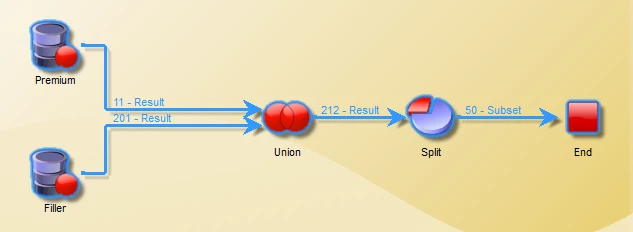
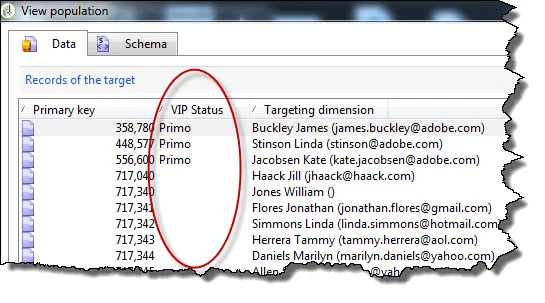
Start with one Query that selects the preferred audience and add additional data - a column to indicate records from this query, i.e. "VIP".
After the Union, the records from the filler Query will have the additional data column as well, but it will contain a null value.
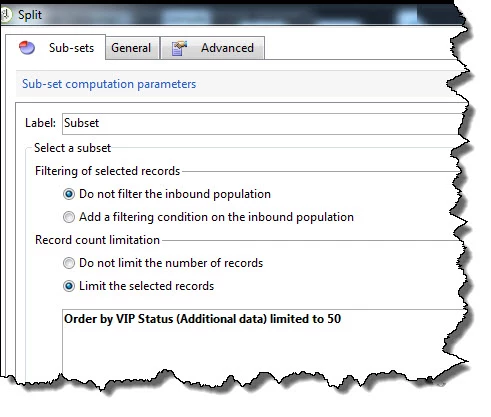
Then in the Split, create a Subset to sort (by the additional data column) and limit the number of records.
Enter your E-mail address. We'll send you an e-mail with instructions to reset your password.