New Alerting group | Community
Skip to main content
Level 9
November 11, 2020
Solved

New Alerting group

  • November 11, 2020
  • 2 replies
  • 1911 views

Hi Community,

Is it possible for me to create a new alerting group where I can include specific users and then use this group in the delivery alerting dashboard?

This post is no longer active and is closed to new replies. Need help? Start a new post to ask your question.
Best answer by shelly-goel

@mmbb110 

I think you might have missed some step in between, few things to check:

1. While creating profile in admin console, type the Profile name by following this exact syntax: Campaign Standard- instance name - ID of the security group

2. For newly created Profile (SG in admin console) to be completely synced, you also need to create them in Adobe Campaign.

3. The ID needs to be the same as the one chosen in the Admin console.

4. Try adding the new profile to the desired user in admin console after SG is created in ACS

5. Try logging in a new incognito browser if you still don't see your user in new SG


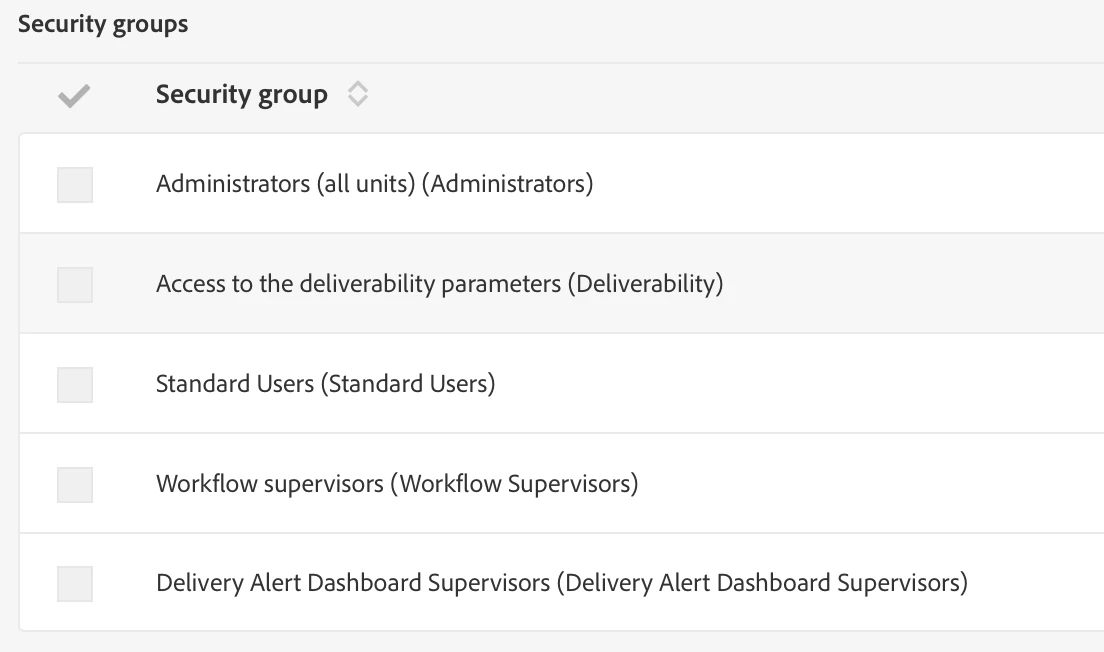
Below is what I see under my users' Security Groups and my user shows up under the new SG in ACS too

If you still face challenges, please share screenshot of what you have done in admin console and ACS SG configuration

2 replies

shelly-goel
Adobe Employee
Adobe Employee
November 11, 2020

Yes you can create a new Security Group of the specific users and choose this new group in your Delivery Dashboard.


Administration > Users & Security > Security Groups

mmbb110Author
Level 9
November 11, 2020
@shelly-goel , I created a new security group and used organisational unit as all and also assigned a administration role, however under users I don't see anything nor any option to add. Is there any step missing?
shelly-goel
Adobe Employee
shelly-goelAdobe EmployeeAccepted solution
Adobe Employee
November 12, 2020

@mmbb110 

I think you might have missed some step in between, few things to check:

1. While creating profile in admin console, type the Profile name by following this exact syntax: Campaign Standard- instance name - ID of the security group

2. For newly created Profile (SG in admin console) to be completely synced, you also need to create them in Adobe Campaign.

3. The ID needs to be the same as the one chosen in the Admin console.

4. Try adding the new profile to the desired user in admin console after SG is created in ACS

5. Try logging in a new incognito browser if you still don't see your user in new SG


Below is what I see under my users' Security Groups and my user shows up under the new SG in ACS too

If you still face challenges, please share screenshot of what you have done in admin console and ACS SG configuration

mmbb110Author
Level 9
November 12, 2020
Thank you, I got this to work, the key part I probably think is the group that you create in ACS where you enter the Label and ID, you need to use the last part of whatever you named it as in the Admin Console in both the fields. "Campaign Standard- instance name - ID of the security group" . "just the ID of the security group" also what I was doing is after creating profile in Admin console I was assigning product to my user first and then going to ACS and creating a new group. anyways its all working now, Thanks again.