Managing rights in ACS, can't find the same rights on administration console | Community
Skip to main content
EDMOND_Kevin
Level 2
November 2, 2017

Managing rights in ACS, can't find the same rights on administration console

  • November 2, 2017
  • 1 reply
  • 9320 views

Hello.

I'm currently working on a ACS implementation done by another team.

I need to change/remove some rights as the team evolved.

According to the documentation, all rights are now managed in the adminitration console (and it should be synchronized on ACS).

Actually it,s not working that way.

If you watch at the first screen capture, some rights are assigned in ACS interface
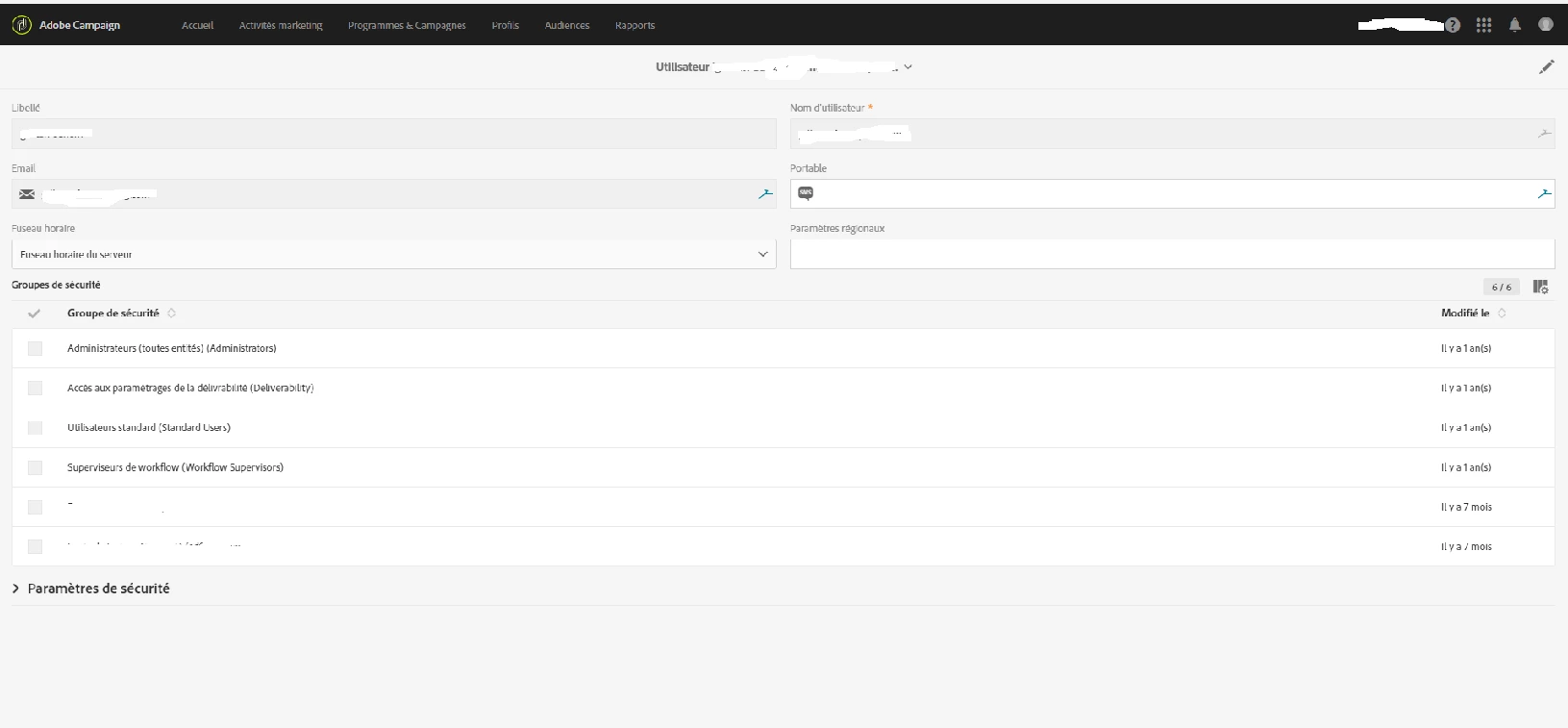
and when we look on the administration console, we couldn't find them (screen 2)
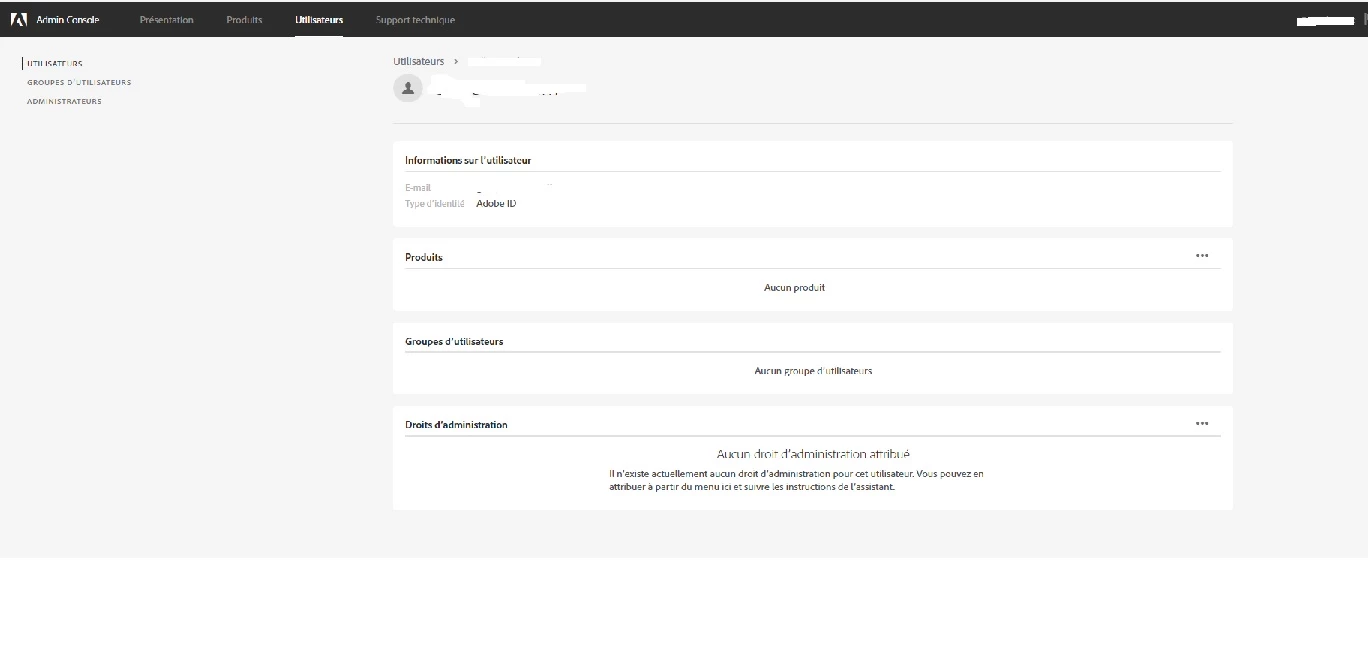
Is there a way to synchronize it back so we can't work on it in Administration console.

As for now there are no way to remove some rights to people in ACS.

Thank you.

Kevin

This post is no longer active and is closed to new replies. Need help? Start a new post to ask your question.

1 reply

florentlb
Level 10
November 3, 2017

Hello Kevin,

Your first screenshot is about roles in ACS, and your second screenshot should show groups in your admin console.

ACS roles are not synced with your admin console. Groups are.

Basically:

  1. You create groups in ACS.
  2. You assign roles to groups in ACS
  3. You create corresponding groups in the admin console. With the correct syntax, it will sync with the group created in ACS at step 1.
  4. When you add users, you add them to a group created at step 3.
    Adding and removing rights is done by adding them or removing them from a security group. This is done in admin console.

Have you tried following this documentation? https://docs.campaign.adobe.com/doc/standard/en/ADM_Users_e_security_Managing_groups_and_users.html

I see that your screenshots are in French so I assume you looked at French documentation, which at the moment does not reflect the very last changes around this topic. So I'd advise to rather look at the English docs.

Hope this helps,

Florent

EDMOND_Kevin
Level 2
November 3, 2017

Hello.

Thank you for the answer.

Actually it doesn't solve my point here.

If I talked about group, the first screenshot show that the account is in the native group Workflow supervisor.

In the second screenshot, i can't find the link between the account and the group (it should be in the "groupe d'utilisateur" part).

So if i want to remove that account from the group, i just can't right now.

(Maybe i look at it the wrong way, if it's the case  I'm sorry)

I will still look at the documentation during that time.

Thank you.

Kevin

florentlb
Level 10
November 17, 2017

Hi Kevin,

I'm not sure exactly of what you mean.

I'll take your example of workflow supervisors.

In my Adobe Campaign instance, I'm one of the workflow supervisors:

If I want to remove myself from that group, I can do it by going to the adminconsole, find the correct group in the list, and then remove myself from the group (not actually doing it since I like to supervise workflows )

Then it will sync with ACS and I will be removed from the group.

What surprises me is that you see nothing in the users detail from the adminconsole. You should have all the groups listed under the Products menu as well.

If that's not the case, I'd recommend getting in touch with support, as it should be synced as I just showed in my screenshots.

Florent