In-app messages not received on the device
Hi Community,
I am having problems to make In-App notification sendings, I have all the configurations done both from the mobile app and ACS, following the Adobe Campaign documentation. When I make an In-App sending the result is all correct, but the notification is not received on the device.

Comparing the In-App delivery with the push delivery (works correctly) I can see a difference in the delivery address of the notification, in push notifications (the notification is received on the device) as delivery address is used "Registration token", on the other hand, in the case of In-App notifications is used "Experience Cloud ID", I think this is the error.
Device data registered in the application:

Push notification
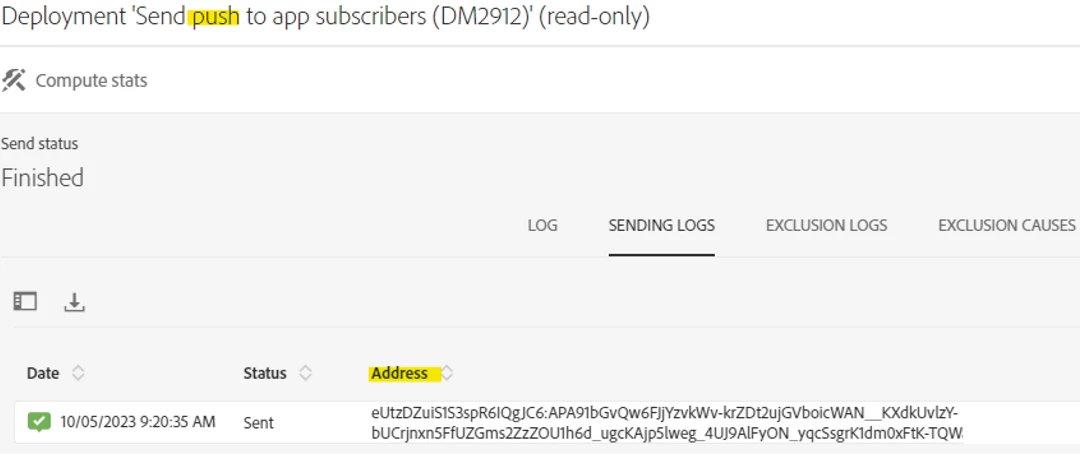
In-App Messaging
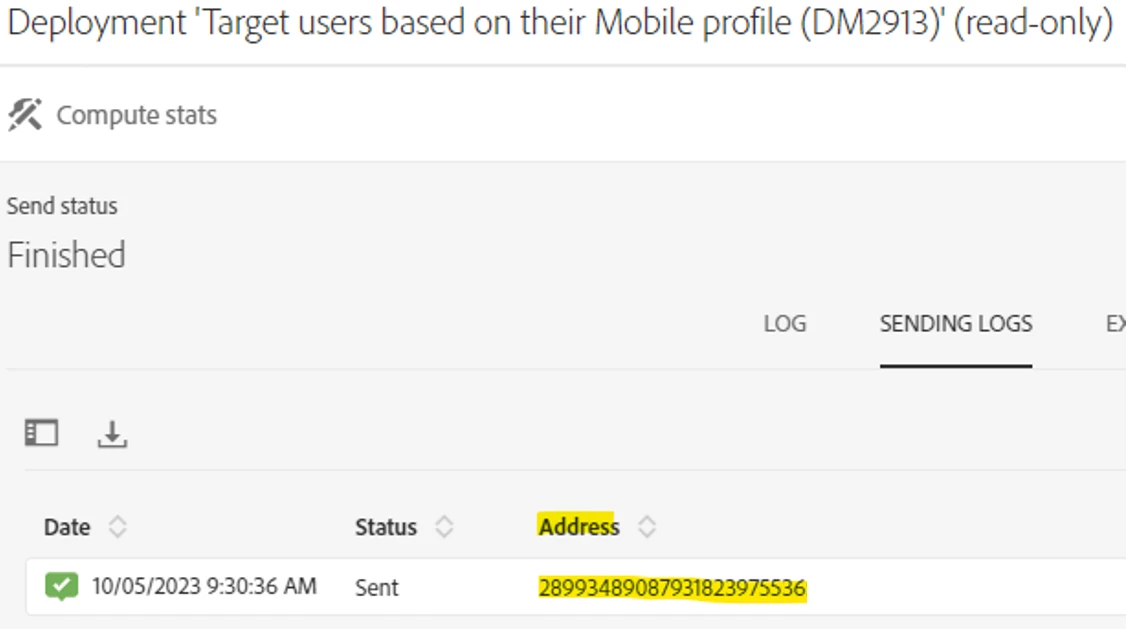
Could you please help me to know how do I change the delivery address in In-App notifications? Or in case you know what the problem is, how to fix it.
Thanks in advance for your help.