How to use IF condition to remove blank spaces in email | Community
Skip to main content
February 23, 2024
Solved

How to use IF condition to remove blank spaces in email

  • February 23, 2024
  • 1 reply
  • 965 views

Hi,

Is there a way to use the conditional content/IF condition to ensure that if a field is blank, there is no gap in the email?


We're currently using the below as data is pulling through from a file but some of these fields will be blank (e.g. address line 2 or 3) and we'd like to avoid a blank space in the email if possible.


 <%= targetData.Address_1 %> 

 <%= targetData.Address_2_ %> 

 <%= targetData.Address_3 %> 

 <%= targetData.Town %> 

 <%= targetData.Postcode %> 


Sorry if I haven't explained this very well, not very familiar with all of this.


Thanks

This post is no longer active and is closed to new replies. Need help? Start a new post to ask your question.
Best answer by SatheeskannaK

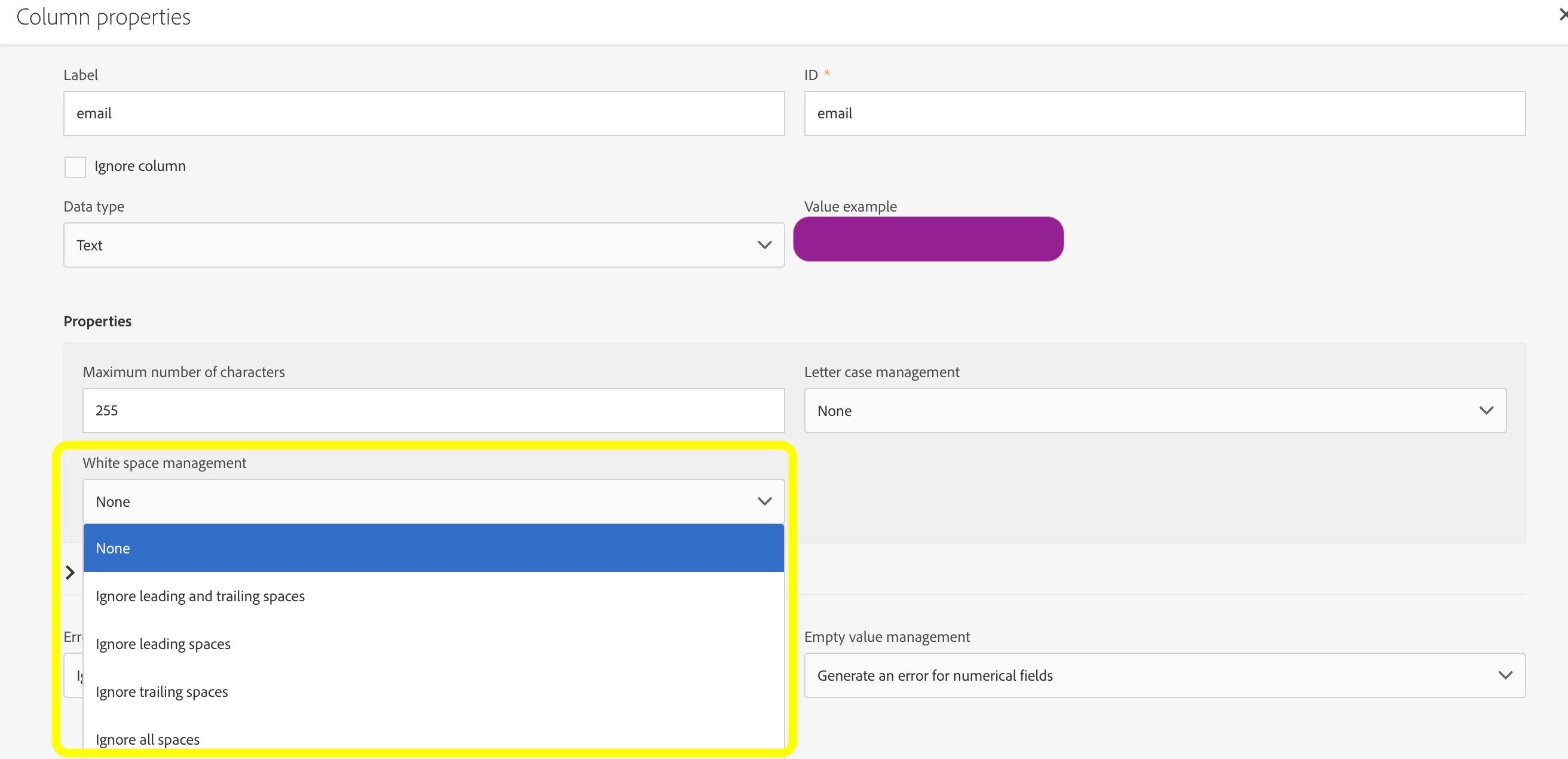
@amyki1, I would suggest removing whitespaces while loading the data in ACS instead of handling it at the email delivery level. In a file load activity use this option to remove the whitespaces.

Another thing you can setup a workflow to update all the profiles to remove the whitespace. You can use the Ltrim/Rtrim function for this purpose.

1 reply

SatheeskannaK
Community Advisor
SatheeskannaKCommunity AdvisorAccepted solution
Community Advisor
February 26, 2024

@amyki1, I would suggest removing whitespaces while loading the data in ACS instead of handling it at the email delivery level. In a file load activity use this option to remove the whitespaces.

Another thing you can setup a workflow to update all the profiles to remove the whitespace. You can use the Ltrim/Rtrim function for this purpose.

Thanks, Sathees