How to add an unsubscribe survey to ACS Landing Page? | Community
Skip to main content
Level 2
January 17, 2019
Solved

How to add an unsubscribe survey to ACS Landing Page?

  • January 17, 2019
  • 3 replies
  • 4087 views

Hi Adobe friends,

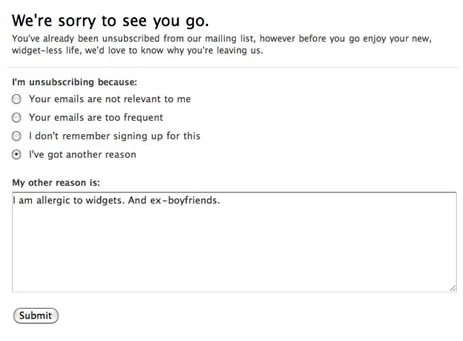
I'm looking to add unsubscribe survey ("reason for unsubscribing"), using either check-boxes or a text box form where users can explain why they are no longer interested in receiving emails.

Example:
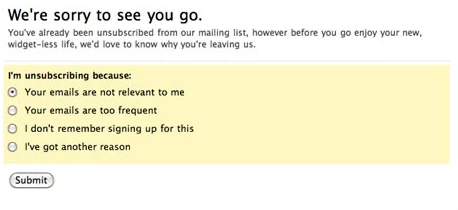
Has anyone been able to create a survey like this on an unsubscribe landing page or a preference center?

Or I'm assuming you could use the redirect function after confirmation?

Any guidance on how to accomplish this would be appreciated!

Thanks,

- Mike N

This post is no longer active and is closed to new replies. Need help? Start a new post to ask your question.
Best answer by jonasn92134656

Hi,

This should be doable by simply adding input fields connected to fields on the profile while creating the landing page.

The major caveat though is that you only seem to be able to store stuff directly under the profile. So you would have to create a "Unsubscription reason" string field (or multiple flags/booleans in the case of checkboxes) in your profile custom resource that you connect your inputs on the landing page to.

This means more complex surveys would potentially cause issues as your profile would be cluttered. I've seen cases where "generic" survey response fields on the profile have been used, and then a workflow running at set intervals extracts the values from the profile and stores in another resource. Not a very nice solution though.

Regards,

Jonas

3 replies

jonasn92134656Accepted solution
Level 3
January 17, 2019

Hi,

This should be doable by simply adding input fields connected to fields on the profile while creating the landing page.

The major caveat though is that you only seem to be able to store stuff directly under the profile. So you would have to create a "Unsubscription reason" string field (or multiple flags/booleans in the case of checkboxes) in your profile custom resource that you connect your inputs on the landing page to.

This means more complex surveys would potentially cause issues as your profile would be cluttered. I've seen cases where "generic" survey response fields on the profile have been used, and then a workflow running at set intervals extracts the values from the profile and stores in another resource. Not a very nice solution though.

Regards,

Jonas

bableenk6370391
Level 2
February 21, 2019

Hi Jonas,

I have the same issue and i have done the same thing , created check boxes and extended fields in profile resource. and connected the fields in landing page . But the responses are not getting stored in acs rather its showing error page to me . So what could be the possible reason for this ? Please help .

Thanks

Bableen

Level 3
February 22, 2019

Hi,

I'm not sure. What is the debug output saying? (If you check the "Enable debug mode" checkbox when testing the LP).

Regards,

Jonas