Date Range on Reports | Community
Skip to main content
Level 2
September 25, 2018
Solved

Date Range on Reports

  • September 25, 2018
  • 1 reply
  • 1546 views

I am trying to take the OOB reports on the system to add a date range selection so that a report can be pulled per month or per the days that is selected. I.E. from 1 April 2017 to 14 January 2018.

I have gone so far as to add the dates to be selected to the Filter, but as soon as I select the From date, the To date also populates. And so far the filter does not link to the creation date of the delivery.

Any advise on how to add date range to the OOB reports?

This post is no longer active and is closed to new replies. Need help? Start a new post to ask your question.
Best answer by Garima_Gakhar

Hi Lizani4

There is no way you could define explicit date range in case of OOB Reports, there are preconfigured time frames available in the drop down for the same.

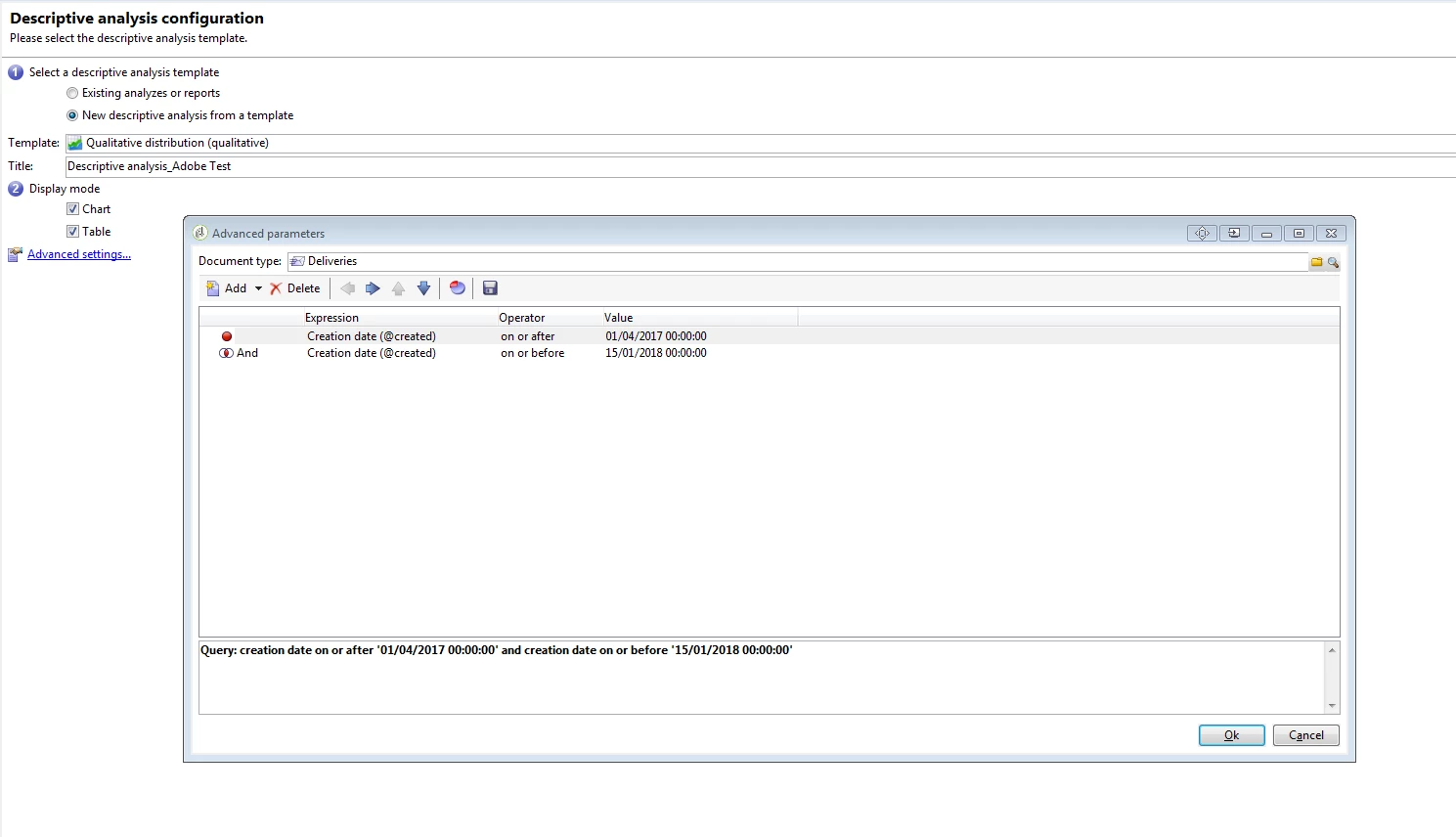
One approximate way could be to define a Descriptive Analysis Report and then select the document type/required entity from list of Schemas along with desired date range.

See if that helps!

1 reply

Garima_Gakhar
Adobe Employee
Garima_GakharAdobe EmployeeAccepted solution
Adobe Employee
September 26, 2018

Hi Lizani4

There is no way you could define explicit date range in case of OOB Reports, there are preconfigured time frames available in the drop down for the same.

One approximate way could be to define a Descriptive Analysis Report and then select the document type/required entity from list of Schemas along with desired date range.

See if that helps!