Adobe Campaign A\B testing
Hi All,
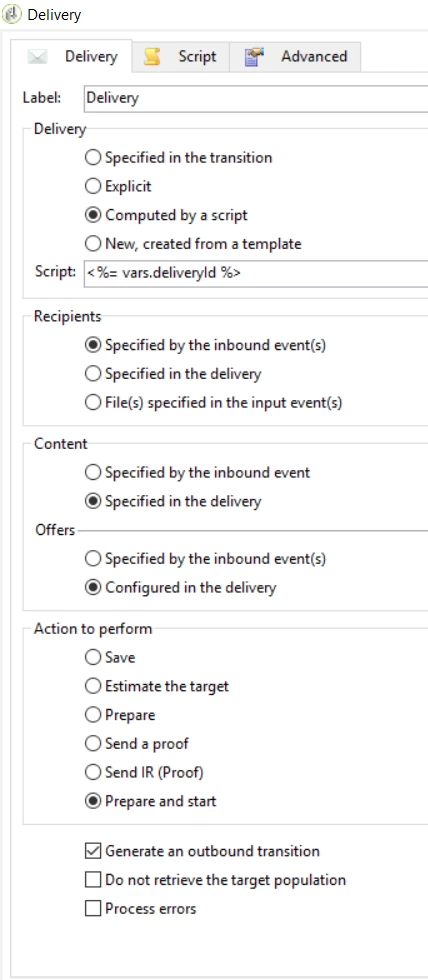
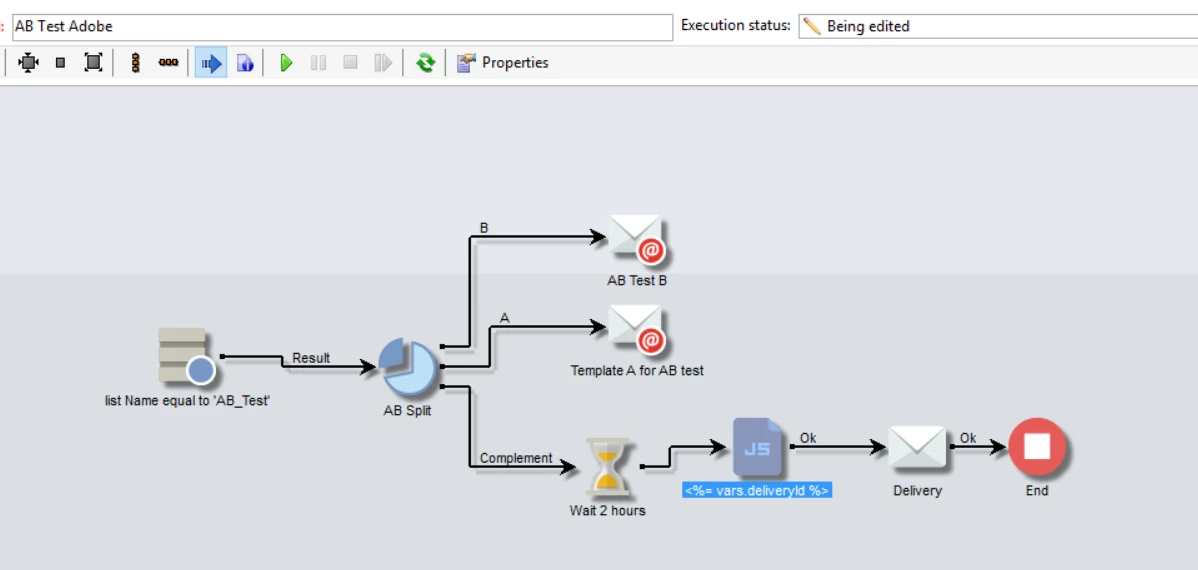
I have tried to use the A\B Testing workflow JS code from the A/B testing from the Adobe Campaign 6.1 document. It creates the A B populations and selects a winner but it is always A even if B has opens and A does not. I have inserted the <%= vars.deliveryId %> variable in the delivery and tried both the manual and automatic option for validationMode.
delivery.scheduling.validationMode = "manual"
delivery.scheduling.delayed = 0
If anyone has gotten a similar workflow to work I really would apreciate any insights you may have.
I will past screen shots of my workflow and the JS code I used.
Thanks, Karl
// query the database to find the winner (best open rate)
var winner = xtk.queryDef.create(
<queryDef schema="nms:delivery" operation="get">
<select>
<node expr="@id"/>
<node expr="@label"/>
<node expr="[@operation-id]"/>
<node expr="[@workflow-id]"/>
</select>
<where>
<condition expr={"@FCP=0 and [@workflow-id]= " + instance.id}/>
</where>
<orderBy>
<node expr="[indicators/@estimatedRecipientOpenRatio]" sortDesc="true"/>
</orderBy>
</queryDef>).ExecuteQuery()
// create a new delivery object and initialize it by doing a copy of
// the winner delivery
var delivery = nms.delivery.create()
delivery.Duplicate("nms:delivery|" + winner.@id)
// append 'final' to the delivery label
delivery.label = winner.@label + " final"
// link the delivery to the operation to make sure it will be displayed in
// the campaign dashboard. This attribute needs to be set manually here since
// the Duplicate() method has reset it to its default value => 0
delivery.operation_id = winner.@["operation-id"]
delivery.workflow_id = winner.@["workflow-id"]
// adjust some delivery parameters to make it compatible with the
// "Prepare and start" option selected in the Delivery tab of this activity
delivery.scheduling.validationMode = "manual"
delivery.scheduling.delayed = 0
// store the new delivery Id in event variables
vars.deliveryId = delivery.id
| // save the delivery in database | delivery.save() |