Adding dynamic segment code gives an error | Community
Skip to main content
robayzma
Level 3
November 11, 2020
Solved

Adding dynamic segment code gives an error

  • November 11, 2020
  • 2 replies
  • 2371 views

Hi,


Anyone knows how to add a dynamic segment code in a transition without triggering an error in a workflow?

I have tried something really simple like:
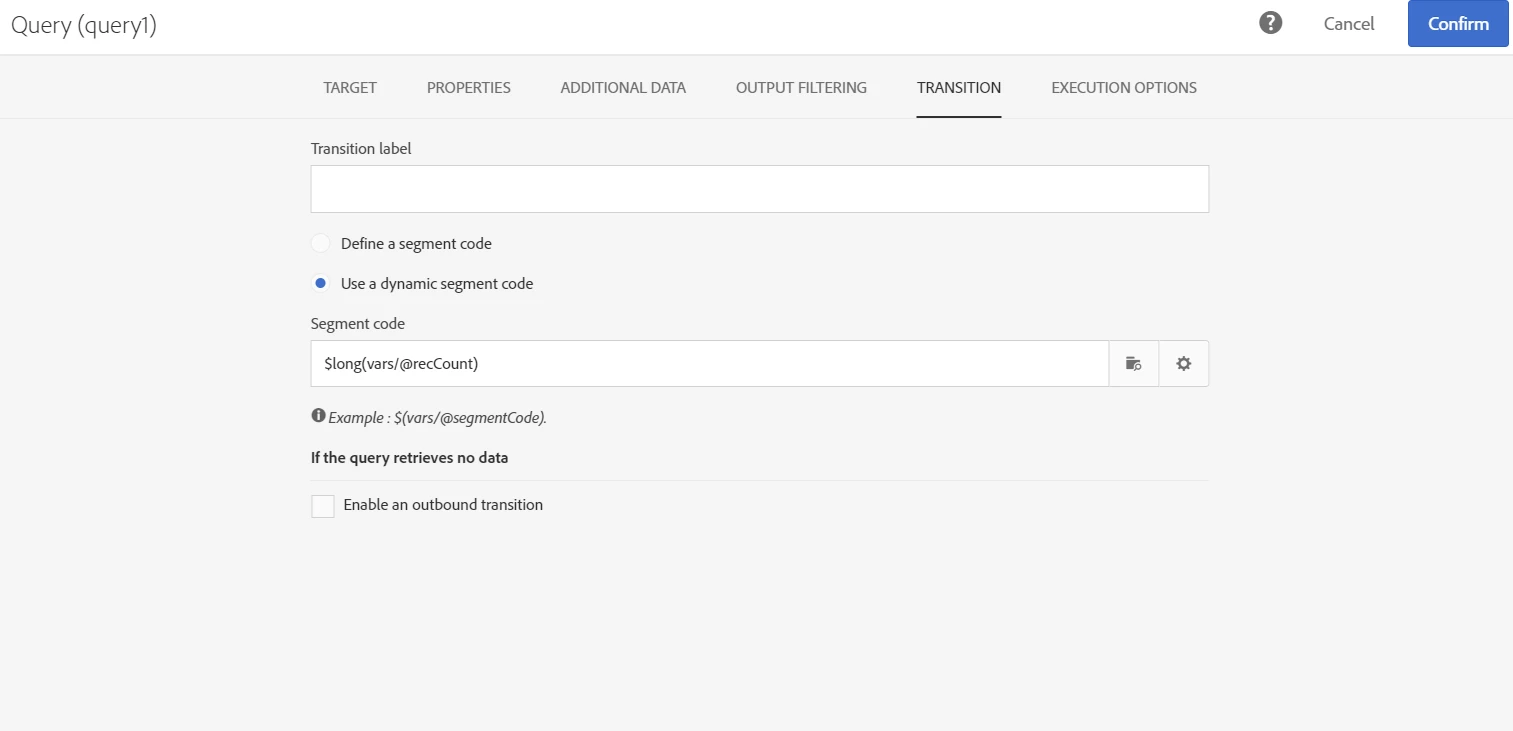
But I get an SQL insert error in the workflow.

-Robert

This post is no longer active and is closed to new replies. Need help? Start a new post to ask your question.
Best answer by bisswang

If you want to do it to have the segment code available on the delivery logs, there is no need to use the dynamic segmentation code feature.

Easier might be to use an Enrichment. Then just in Additional Data add an attribute and as field name use @segmentCode.

This will process the value in the same way then defined elsewhere but gives you great flexibility in defining the value.

2 replies

Level 3
November 11, 2020

Hello @robayzma,


I just tried reproducing the dynamic segment in a query, I do have an SQL error.

I think the reason is that the expression $long(vars/@recCount) can't be applied here since there are no inbound transition to the query.


If your need is to have the segment named with the count resulting from the query, you can add an enrichment after the query and put your expression there :


Outbound transition from the query :

Enrichment with dynamic segment code :

Outbound transition from the enrichment :


robayzma
robayzmaAuthor
Level 3
November 13, 2020

Can you do something like $(vars/@customerID)?

bisswangAdobe EmployeeAccepted solution
Adobe Employee
November 16, 2020

If you want to do it to have the segment code available on the delivery logs, there is no need to use the dynamic segmentation code feature.

Easier might be to use an Enrichment. Then just in Additional Data add an attribute and as field name use @segmentCode.

This will process the value in the same way then defined elsewhere but gives you great flexibility in defining the value.