Add Data to Temporary Table | Community
Skip to main content
pavlinao8032150
Level 2
October 21, 2016
Solved

Add Data to Temporary Table

  • October 21, 2016
  • 1 reply
  • 1937 views

Hello team,

I am trying to create the following split:
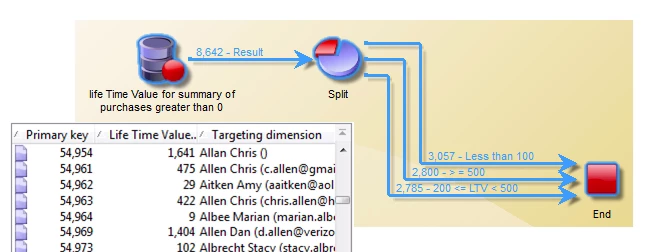
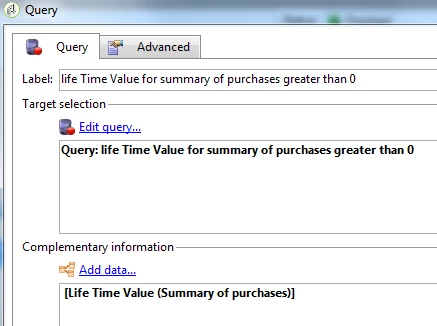
For this purpose, in the query activity I have my Targeting and Filtering Dimensions set to Recipients and filtered for those whose LTV is greater than 0.

I want to add the actual LTV to the temporary table so that I can make my split based on the value.

So, I click on Add data..., then Data linked to the filtering dimension.


Question:

Is there any difference in those two approaches?

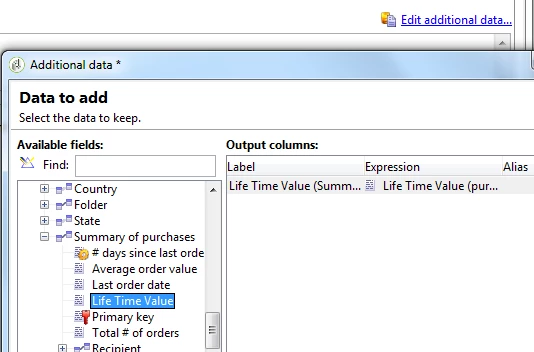
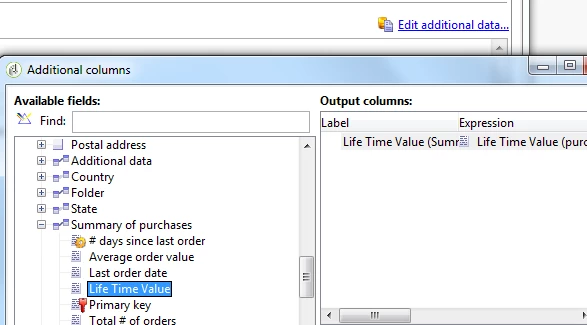
1) Select "Data of the filtering dimension", then from the linked table Summary of purchases - Life Time Value
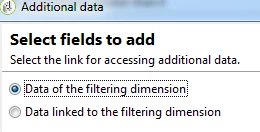
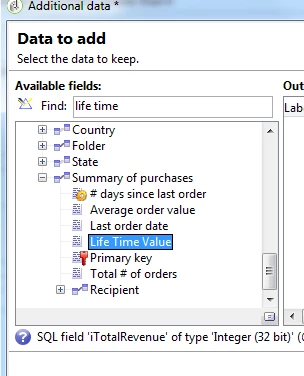
OR

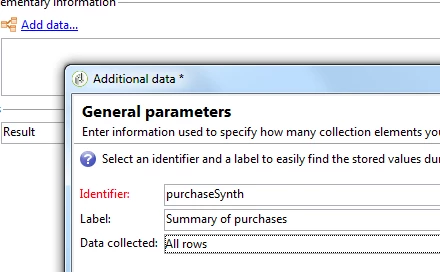
2) Select "Data linked the filtering dimension", I see the linked table Summary of Purchases
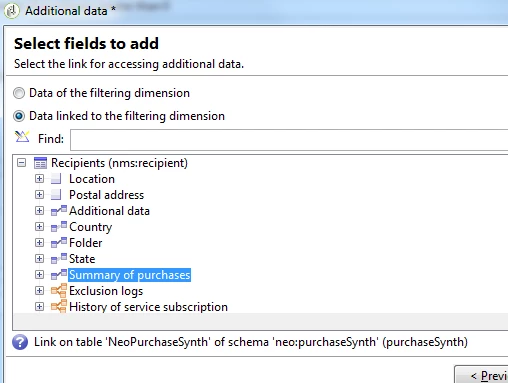
According to my testing, no difference in the two approaches. Perhaps the first one is slightly faster to set up. Am I right?

Thanks for your help.

This post is no longer active and is closed to new replies. Need help? Start a new post to ask your question.
Best answer by vraghav

Hi Pavlina,

Since the two tables have a 1:1 linking between them, you should opt for the first method which is to pick Data of the filtering dimension.

This will create a JOIN query between two tables and hence will perform faster.

Second method should be used when you are planning to query on 1:N link.

Hope this helps.

Regards,

Vipul Raghav

1 reply

vraghav
Adobe Employee
vraghavAdobe EmployeeAccepted solution
Adobe Employee
October 21, 2016

Hi Pavlina,

Since the two tables have a 1:1 linking between them, you should opt for the first method which is to pick Data of the filtering dimension.

This will create a JOIN query between two tables and hence will perform faster.

Second method should be used when you are planning to query on 1:N link.

Hope this helps.

Regards,

Vipul Raghav