Translating/updating image and text link in web form | Community
Skip to main content
Level 3
October 27, 2019

Translating/updating image and text link in web form

  • October 27, 2019
  • 1 reply
  • 15562 views

Hi,

I am working on creating a web form in English and French. I am able to translate the text but not the images and hyperlinks. Is there any way to use different images and link for different languages. I can't find image or hyperlink from the translation setting below.
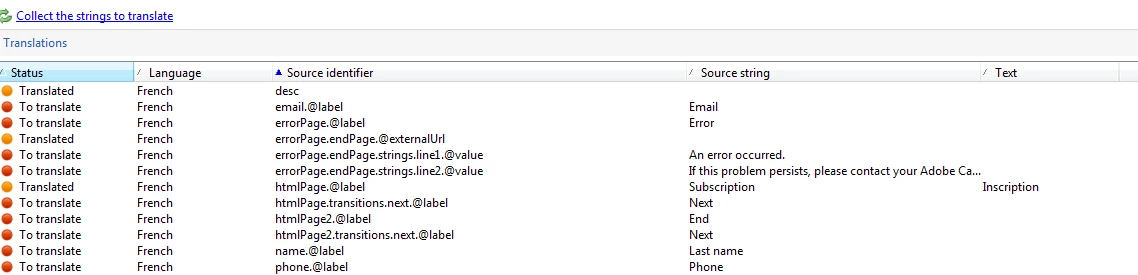
Thanks,

This post is no longer active and is closed to new replies. Need help? Start a new post to ask your question.

1 reply

Jyoti_Yadav
Level 8
October 29, 2019

Hi,

You can add URL translation at :

Administration --> Configuration --> Global Dictionary --> User Dictionary.

Enter your url in preferred language. Choose correct language and approve your translation.

Note: Make sure sourceId and sourceStringId is correctly mapped. Your translation should be mapped to correct webApp, so that it can translate it correctly.

Thanks.

Level 3
October 29, 2019

Hi,

Thanks for your reply.

My issue is I don't know that what SourceID and SourceStringId to be used in HTML for URLs.

For example the HTML code below, I am able to translate "Learn more", but not sure how to add sourceID to the URL "http://www.google.com" to translate to "http://www.google.fr"

<div><a class="nl-dce-translate" id="subNewsletter.htmlPage.line11" href="http://www.google.com/en" data-nl-localizable="true">Learn more</a></div>

Please send me an example on how to add the sourceID to the URL above.

Thanks,

Level 3
November 4, 2019

Hi,

This is not resolved, can anyone help with this?

Thanks,