Send an email to a list | Community
Skip to main content
Level 2
August 2, 2022
Solved

Send an email to a list

  • August 2, 2022
  • 3 replies
  • 3095 views

Hi all,

We would like to send an email (service email) to a list of emails using the list (upload a list, attach it and send the email) but the email does not fire and neither does the proof. Would you happen to know why? Not sure how much details you need but none of the emails are in our recipients as this is a very ad hoc campaign for a service email.

  • should we change the from sender email address?
  • remove the typology?

Thanks heaps!

This post is no longer active and is closed to new replies. Need help? Start a new post to ask your question.
Best answer by Kishore_Padamata

Hello @coralie1 
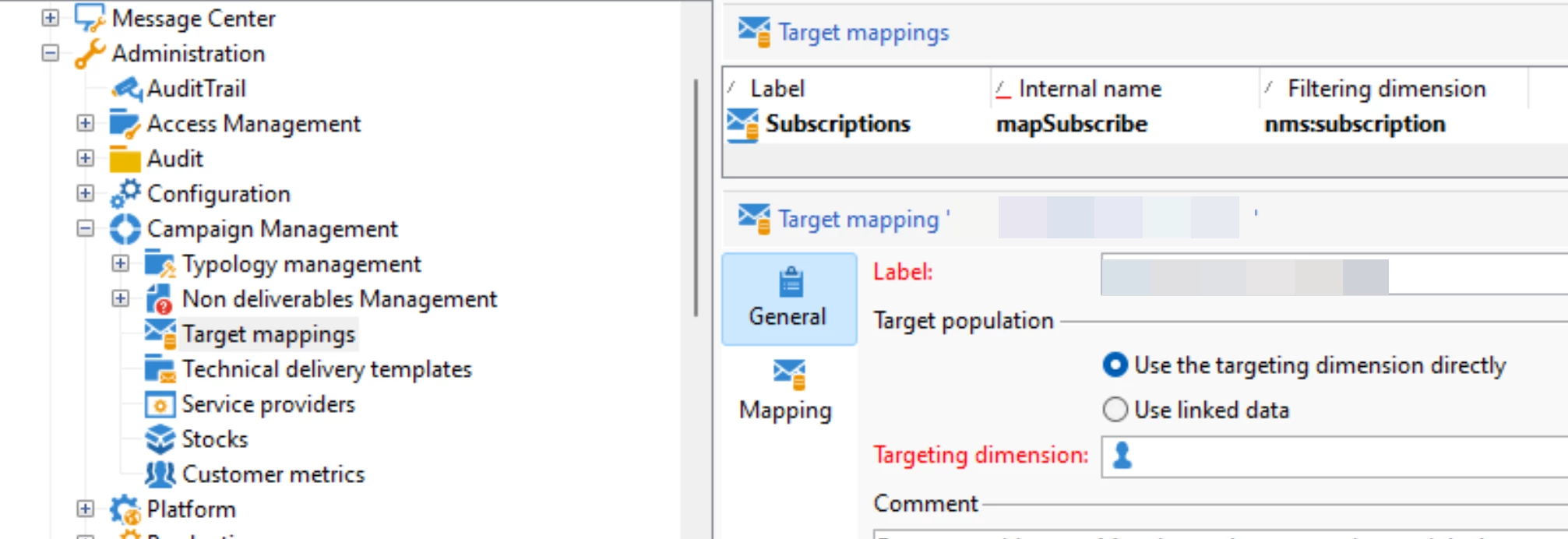
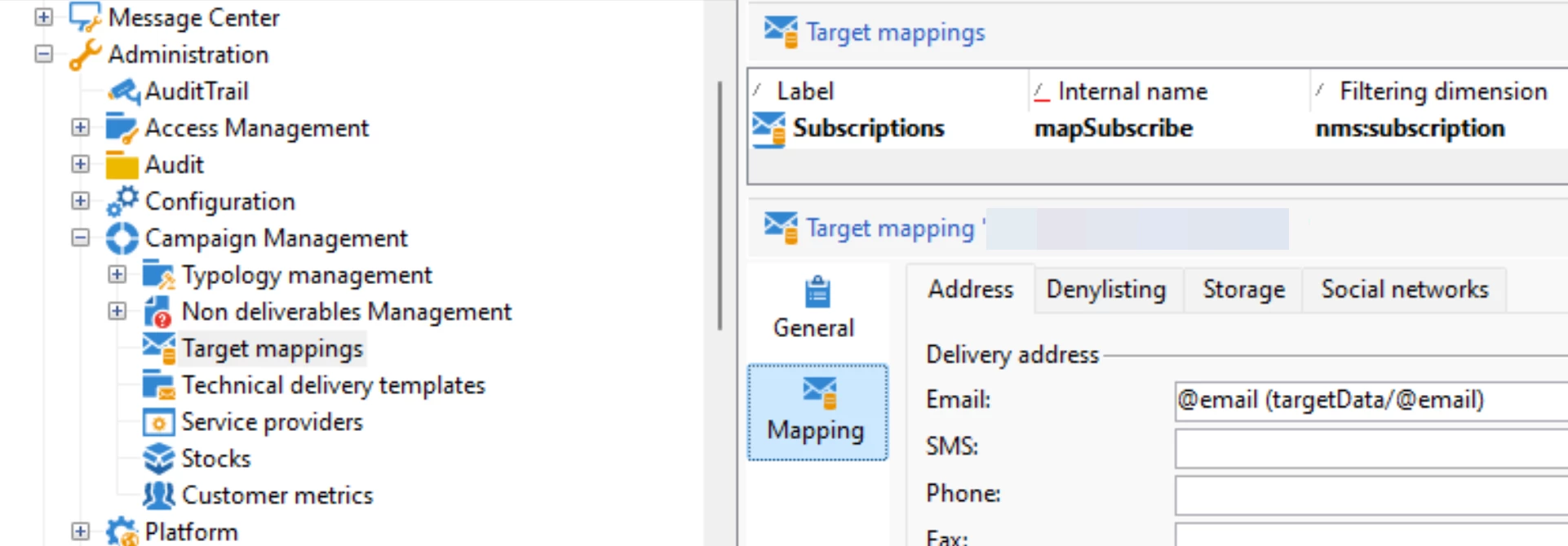
Step1: Create a new target mapping with below configurations
No target dimension

Email as targetData/@email


Step2: In the workflow, ensure you have email in the expression @email, that is targetData/@email we mapped in targetMapping

Step3: Delivery settings
To > TargetMapping : assign the targetMapping created in Step1
Exclusions : uncheck all
Properties > Typology : you cannot apply any typology rules which has a reference to recipient targeting dimension. Create a new Typology, maybe assign a simple control-type typology which returns true.

Hope this helps!

3 replies

Adobe Employee
August 2, 2022

Hi,


Would it be possible to provide more context and details? Maybe attach a print screen with your workflow being executed.

coralie1Author
Level 2
August 2, 2022

we have the start then the list then an enrichment due to some seed lists we have to include, the delivery and the end. 

coralie1Author
Level 2
August 2, 2022

Can you check the delivery summary tab for any exclusions? Maybe GDPR requirements are not met.


Ionut


Oh - it looks like the @237776 is not passing from the file (parsed expression)

Sukrity_Wadhwa
Community Manager
Community Manager
August 10, 2022

Hi @coralie1,

Were you able to resolve this query or do you still need more help here? Do let us know.

Thanks!

Sukrity Wadhwa
coralie1Author
Level 2
August 18, 2022

Hi Sukrity,


we tried a lot of different approaches but it doesn't seem to be working.
 we also tried directly pushing the emails in from a csv file. 


there is a difference between a list and file in adobe - but we tried both and neither worked. the error message is as follows:


Kishore_Padamata
Adobe Employee
Kishore_PadamataAdobe EmployeeAccepted solution
Adobe Employee
August 19, 2022

Hello @coralie1 
Step1: Create a new target mapping with below configurations
No target dimension

Email as targetData/@email


Step2: In the workflow, ensure you have email in the expression @email, that is targetData/@email we mapped in targetMapping

Step3: Delivery settings
To > TargetMapping : assign the targetMapping created in Step1
Exclusions : uncheck all
Properties > Typology : you cannot apply any typology rules which has a reference to recipient targeting dimension. Create a new Typology, maybe assign a simple control-type typology which returns true.

Hope this helps!

Sukrity_Wadhwa
Community Manager
Community Manager
September 8, 2022

Hi @coralie1,

Was @kishore_padamata's solution helpful to resolve your query or do you still need more help here? Do let us know.

Thanks!

Sukrity Wadhwa