
Replacement for Crypto library | Adobe Higher Education
Skip to main content
Milan_Vucetic
Level 9
December 4, 2019
해결됨

Replacement for Crypto library

  • December 4, 2019
  • 1 답변
  • 2038 조회

Hi everyone,

I am looking for similar function on AC for Crypto library.

So, this piece of code should be adapted/translated to run on AC Classic:

...

const crypto = require('crypto');

sig = crypto.createHmac('sha1', appsecret).update(text).digest('bin');

...

I have found this AC function below but not sure is that good replacement.
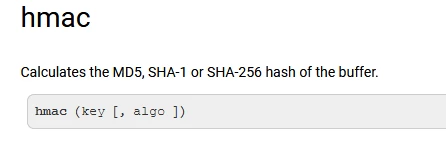
Any suggestion?

Regards,

Milan
이 주제는 답변이 닫혔습니다.
최고의 답변: Florian_Courgey

Hi,

You may use hmac as follow (hmacStr is deprecated):


var appsecret = "SECRET" var text = "hello" //var sig = hmacStr(text, appsecret, 'SHA1'); // @2371202 var mbKey = new MemoryBuffer(); // init memory buffer for the key mbKey.fromString(appsecret, "utf-8"); // convert from string var mbSignature = new MemoryBuffer(); // init memory buffer for the signature mbSignature.fromString(text, "utf-8"); // convert from string var sig = mbSignature.hmac(mbKey, 'SHA1'); // compute SHA-1 HMAC with key logInfo('text:', text); // "hello" logInfo('sig:', sig); // rAqO5eBQ+Z8pPOhAPsaztYNsKxQ=


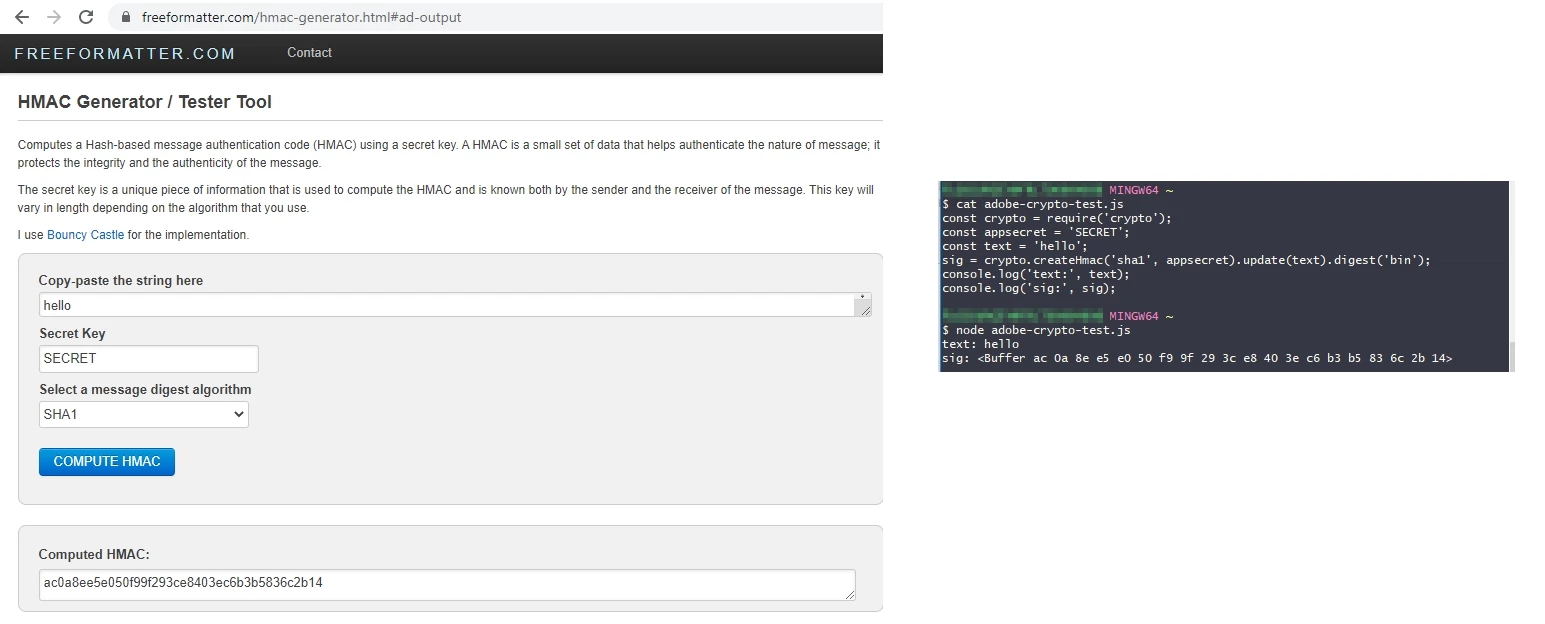
However, it's not the digest in hexadecimal format as in nodeJS:


To do get the hex hmac, you have to use an external library, like jshashes:

loadLibrary('vendor:jshashes_1.0.8'); var appsecret = "SECRET"; var text = "hello"; var SHA1 = new Hashes.SHA1; logInfo('SHA1: ' + SHA1.hex_hmac(appsecret, text)); // "SHA1: ac0a8ee5e050f99f293ce8403ec6b3b5836c2b14"

Follow this link to import a js library in adobe campaign.

Best

Florian

1 답변

Florian_Courgey
Level 4
September 29, 2020

Hi,

You may use hmac as follow (hmacStr is deprecated):


var appsecret = "SECRET" var text = "hello" //var sig = hmacStr(text, appsecret, 'SHA1'); // @2371202 var mbKey = new MemoryBuffer(); // init memory buffer for the key mbKey.fromString(appsecret, "utf-8"); // convert from string var mbSignature = new MemoryBuffer(); // init memory buffer for the signature mbSignature.fromString(text, "utf-8"); // convert from string var sig = mbSignature.hmac(mbKey, 'SHA1'); // compute SHA-1 HMAC with key logInfo('text:', text); // "hello" logInfo('sig:', sig); // rAqO5eBQ+Z8pPOhAPsaztYNsKxQ=


However, it's not the digest in hexadecimal format as in nodeJS:


To do get the hex hmac, you have to use an external library, like jshashes:

loadLibrary('vendor:jshashes_1.0.8'); var appsecret = "SECRET"; var text = "hello"; var SHA1 = new Hashes.SHA1; logInfo('SHA1: ' + SHA1.hex_hmac(appsecret, text)); // "SHA1: ac0a8ee5e050f99f293ce8403ec6b3b5836c2b14"

Follow this link to import a js library in adobe campaign.

Best

Florian