Looking for delivery templates with an operation (operation id > 0) | Community
Skip to main content
Level 4
February 27, 2020
Solved

Looking for delivery templates with an operation (operation id > 0)

  • February 27, 2020
  • 1 reply
  • 5387 views

Hello,


From a delivery (continuous, recurring, create from tpl...), when we look for a delivery template, ACC automatically adds a condition "[@operation-id] = 0". Why is the reason behind this?


We would like our deliveries created from the delivery template to be linked to an operation/campaign.


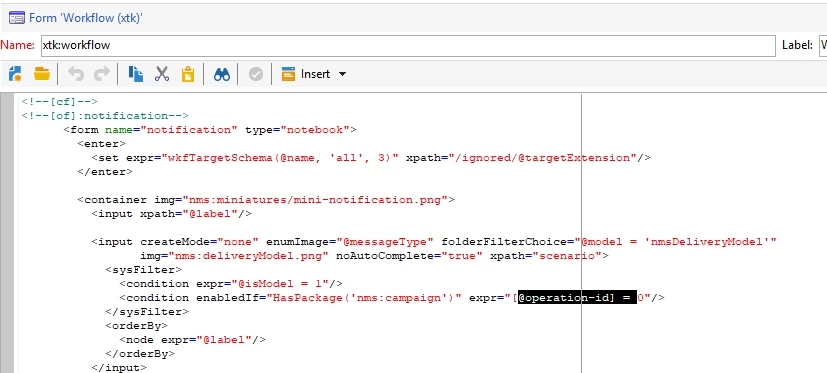
With traceview we found out that this condition is added by the workflow input form:
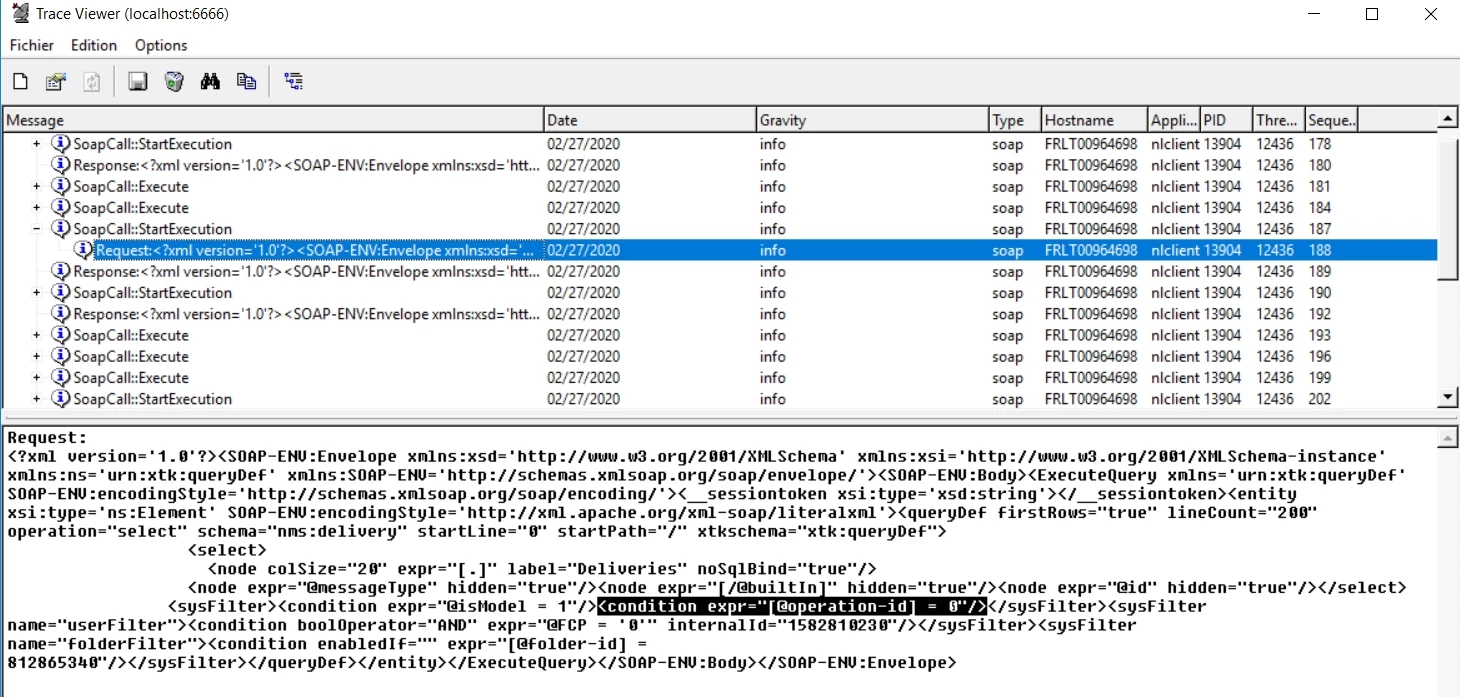
 

Is it safe to comment this line and completely turn off this feature?


Best regards

Florian

This post is no longer active and is closed to new replies. Need help? Start a new post to ask your question.
Best answer by anupk2111

Hi Florian,

If you use a recurring delivery or Email delivery activity, you might have noticed that the deliveries are linked to the campaigns already and the operation ID is not zero. However in case of Standard or continuous delivery you need to use an additional script to link the delivery to the campaign/workflow. This script can be added in Javascript code activity just after the delivery. The following code can be used to do so.


var delivery = NLWS.nmsDelivery.load(vars.deliveryId);
delivery.operation_id=instance.operation_id;
delivery.workflow_id=instance.id;
delivery.save();


I hope that helps.


Thanks,

Anup

1 reply

anupk2111
anupk2111Accepted solution
Level 2
February 28, 2020

Hi Florian,

If you use a recurring delivery or Email delivery activity, you might have noticed that the deliveries are linked to the campaigns already and the operation ID is not zero. However in case of Standard or continuous delivery you need to use an additional script to link the delivery to the campaign/workflow. This script can be added in Javascript code activity just after the delivery. The following code can be used to do so.


var delivery = NLWS.nmsDelivery.load(vars.deliveryId);
delivery.operation_id=instance.operation_id;
delivery.workflow_id=instance.id;
delivery.save();


I hope that helps.


Thanks,

Anup

Level 2
February 2, 2023

Hi  @anupk2111 


This solution works.


Thanks.

Amine_Abedour
Community Advisor
Community Advisor
February 3, 2023

hello @neelamb91,


If you want an even simpler solution, you can put directly the bellow code in the script tab of the delivery activity :

delivery.operation_id=instance.operation_id; delivery.workflow_id=instance.id;

Like this : 

With this solution, you'll have one less JS activity in your workflow, and no need to load then save the delivery.


Br,

Amine 

Amine ABEDOUR