How to truncate a table? | Community
Skip to main content
Level 6
September 23, 2023
Solved

How to truncate a table?

  • September 23, 2023
  • 1 reply
  • 1513 views

I have a table called: LEAD, with namespace: abc. I'm using V7 Classic.

I've to remove all rows, since data is flawed and load new data. 

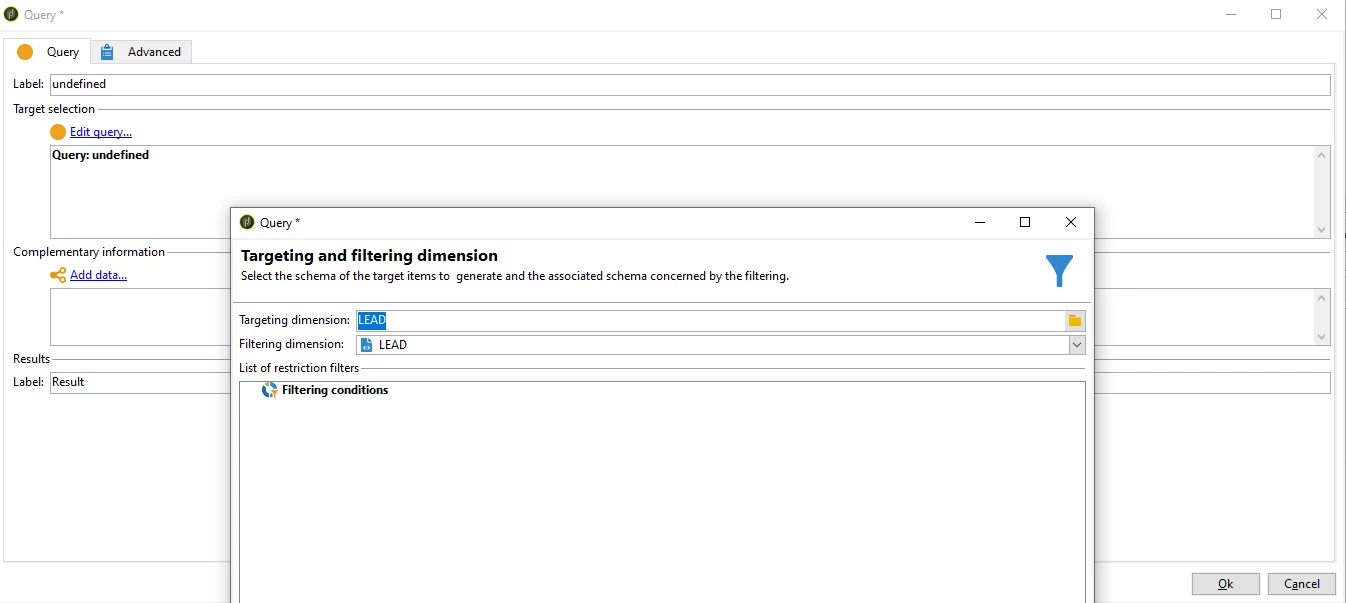
1.- Create workflow that: Loads Table Lead:  with no filtering condition since I want to remove all rows from all columns, right?
 

2.- In a SQL Activity just use:  only LEAD or abc:LEAD (adding the namespace)?
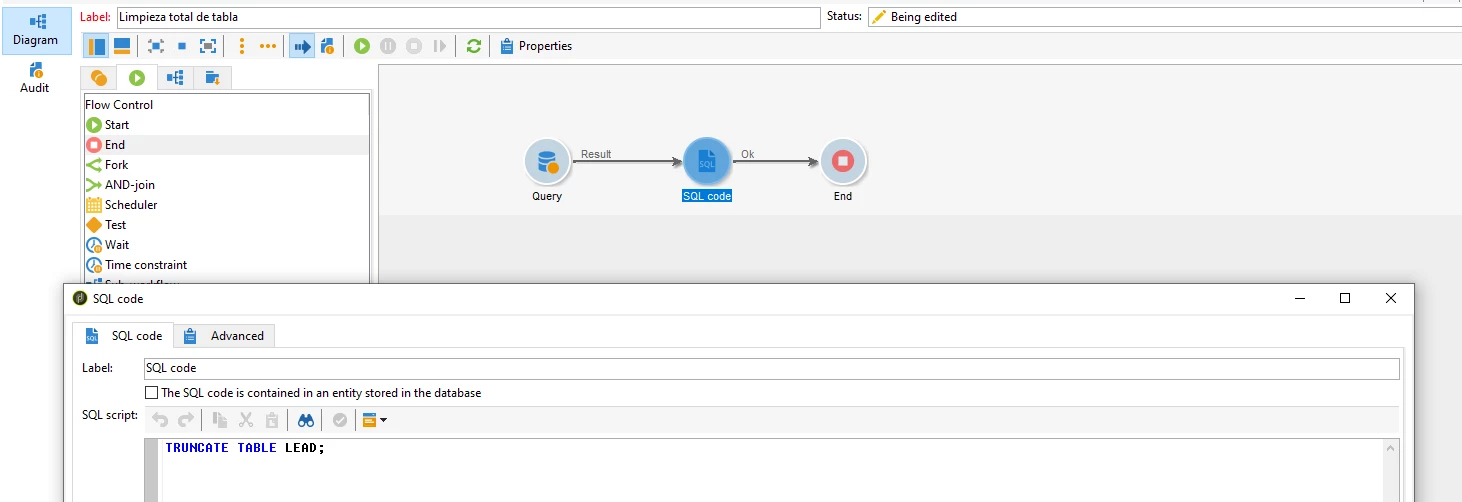


3.-  Should I TRUNCATE and RESTART IDENTITY?

TRUNCATE TABLE table_name
RESTART
IDENTITY;

My Lead schema is: 

<srcSchema _cs="LEAD (abc)" created="2020-11-18 16:13:03.156Z" createdBy-id="0" entitySchema="xtk:srcSchema"
img="xtk:schema.png" label="LEAD" lastModified="2022-08-12 19:59:36.347Z"
md5="9031FA3A1C8D10C7DCAD432B12E1F32B" modifiedBy-id="0" name="LEAD" namespace="abc"
xtkschema="xtk:srcSchema">
<element autopk="true" label="LEAD" name="LEAD">

<attribute label="Id Recipient" name="RECIPIENTID" type="long"/>
<attribute label="Segmento Comercial" name="DESSEGMENTOCOMERCIAL" type="string"/>
<element integrity="normal" label="Recipient" name="recipient" noDbIndex="true"
revIntegrity="normal" revLabel="Recipient Lead Link" revLink="LEAD"
target="nms:recipient" type="link">
<join xpath-dst="@id" xpath-src="@RECIPIENTID"/>
</element>
<dbindex name="CODLOTEOFERTA">
<keyfield xpath="@CODLOTEOFERTA"/>
</dbindex>
</element>
</srcSchema>


EDIT 1: 

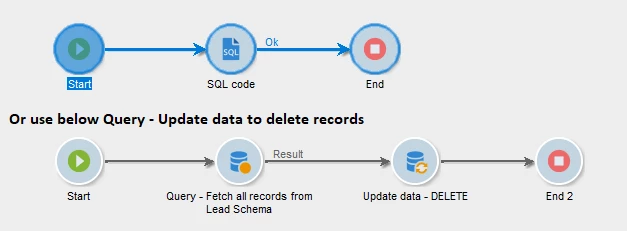
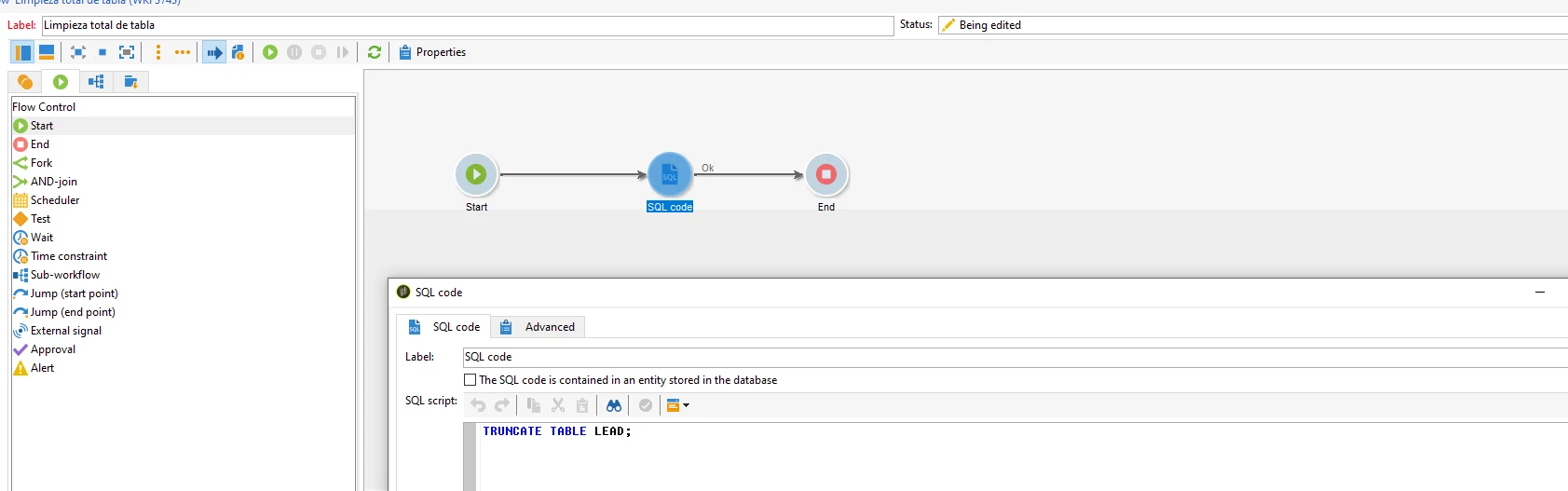
I think I can do it without the QUERY ACTIVITY? Only using the SQL Activity?

Like this:


This post is no longer active and is closed to new replies. Need help? Start a new post to ask your question.
Best answer by ParthaSarathy

Hi @god_prophet ,

In general it will be, NamespaceSchemaInternalName 

Example, If your namespace is abc and internalName of schema is lead,

then table name is AbcLead


If you want to cross check and find the table name, go to your data schema > preview tab > and search for sqltable. you can find as below,

<element label="LEAD" name="lead" sqltable="AbcLead" ...>


TRUNCATE TABLE AbcLead;


1 reply

Manoj_Kumar
Community Advisor
Community Advisor
September 23, 2023

Hello @god_prophet 


After the query activity, use the update data activity and select the delete operation.


No need to write an SQL query for this. If you can achieve something with an out-of-the-box activity then always use that option.

Manoj  | https://themartech.pro
Level 6
September 23, 2023

Actually, according to documentation TRUNCATE is better to delete all rows from a table. See: 

The  TRUNCATE TABLE statement deletes all data from a table without scanning it. This is the reason why it is faster than the DELETE statement.

In addition, the TRUNCATE TABLE statement reclaims the storage right away so you do not have to perform a subsequent VACUMM operation, which is useful in the case of large tables.

That been said: In the SQL activity the table name is LEAD or abc:LEAD (taking into account the space name).

ParthaSarathy
Community Advisor
ParthaSarathyCommunity AdvisorAccepted solution
Community Advisor
September 23, 2023

Hi @god_prophet ,

In general it will be, NamespaceSchemaInternalName 

Example, If your namespace is abc and internalName of schema is lead,

then table name is AbcLead


If you want to cross check and find the table name, go to your data schema > preview tab > and search for sqltable. you can find as below,

<element label="LEAD" name="lead" sqltable="AbcLead" ...>


TRUNCATE TABLE AbcLead;


~  ParthaSarathy S~  Click here to join ADOBE CAMPAIGN USER GROUP for Quarterly In-person | Hybrid | Virtual Meetups