Get Mirror page from preview of a delivery | Community
Skip to main content
This post is no longer active and is closed to new replies. Need help? Start a new post to ask your question.
Best answer by isahore

Hi @heku_,


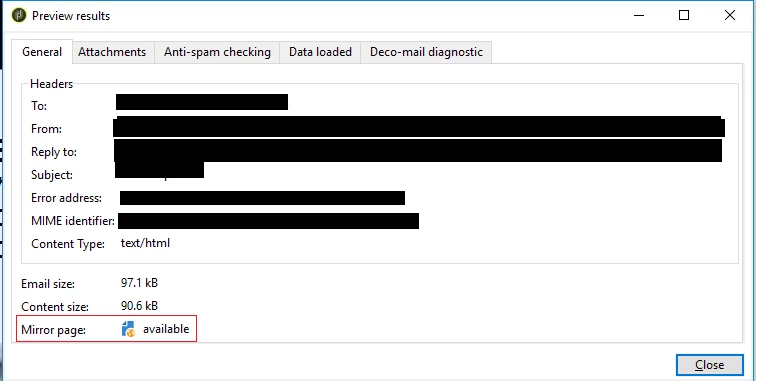
This info in the screenshot does mean that the mirror page for the delivery preview is available for viewing it (the preview itself) in the web browser.


The availability of mirror page here informs us whether the link to mirror page has been included somewhere in the delivery content or not. In case not, the message here will display "unavailable".


There is one more case where this will always show "available", when the delivery properties > validity tab > mirror page management is set to force generation of mirror page even if the mirror page link is not included in delivery content.


BR,

Ishan

1 reply

isahore
Community Advisor
isahoreCommunity AdvisorAccepted solution
Community Advisor
March 14, 2024

Hi @heku_,


This info in the screenshot does mean that the mirror page for the delivery preview is available for viewing it (the preview itself) in the web browser.


The availability of mirror page here informs us whether the link to mirror page has been included somewhere in the delivery content or not. In case not, the message here will display "unavailable".


There is one more case where this will always show "available", when the delivery properties > validity tab > mirror page management is set to force generation of mirror page even if the mirror page link is not included in delivery content.


BR,

Ishan