downloading a file from internal companys sftp server | Community
Skip to main content
Level 4
July 13, 2020
Solved

downloading a file from internal companys sftp server

  • July 13, 2020
  • 1 reply
  • 1388 views

Hi Team,


I have a requirement where i need to get a file from internal SFTP server and send emails to them. 


i have the url like this : https://fileshare.XX(companyname)XX.com/

username and password. 


here is my file : 
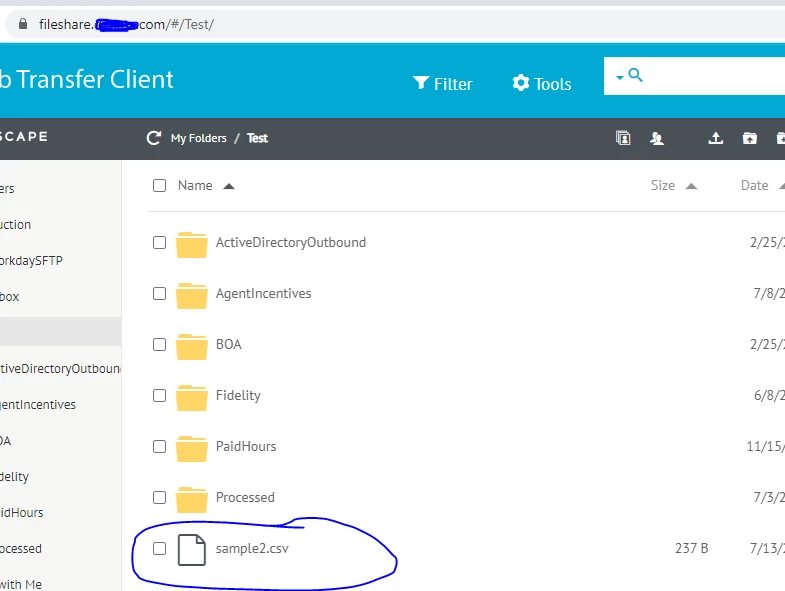


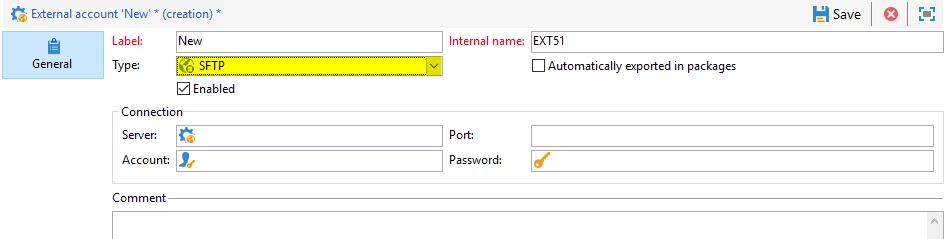
How do i configure sftp in adobe and how can i get this file pulled from sftp to adobe. 

what are the details i need to configure this. 
 

This post is no longer active and is closed to new replies. Need help? Start a new post to ask your question.
Best answer by Darren_Bowers

Hi @ramaswami -that URL you provided is a HTTPS connection. Normally, FTP servers will prefix in your browser with e.g. ftp://fileshare.XX(companyname)XX.com/ - check that you actually have SFTP access to this area.

Then have a look at the documentation for Campaign sFTP external account: https://docs.adobe.com/content/help/en/campaign-standard/using/administrating/application-settings/external-accounts.html#sftp-external-account

Check that there is network access between the Campaign server and the sFTP server. Depending on the organisation, ICT likes to block sFTP network traffic by default (TCP 22)

Cheers Darren


1 reply

Darren_Bowers
Darren_BowersAccepted solution
Level 9
July 13, 2020

Hi @ramaswami -that URL you provided is a HTTPS connection. Normally, FTP servers will prefix in your browser with e.g. ftp://fileshare.XX(companyname)XX.com/ - check that you actually have SFTP access to this area.

Then have a look at the documentation for Campaign sFTP external account: https://docs.adobe.com/content/help/en/campaign-standard/using/administrating/application-settings/external-accounts.html#sftp-external-account

Check that there is network access between the Campaign server and the sFTP server. Depending on the organisation, ICT likes to block sFTP network traffic by default (TCP 22)

Cheers Darren


RamaswamiAuthor
Level 4
July 14, 2020
thanks Darren, i have added sftp before the link and removed http and it worked. Thanks for this.