Datamatrix barcode look & feel in an email | Community
Skip to main content
Level 4
March 9, 2026
Solved

Datamatrix barcode look & feel in an email

  • March 9, 2026
  • 1 reply
  • 10 views

I am trying to display Datamatrix Barcode in an email sent via Message Center.


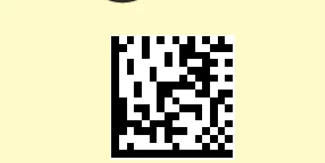
I was able to do this however, image that appears is different than the desired one.
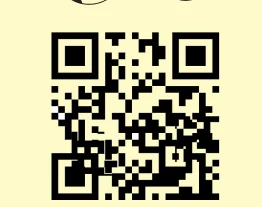
 

Desired One
Actual One


I have used the code for href as --  …/barcode/tDATAMATRIX/h200/s4/v…./barcode.gif


Can anyone please help with this?


Thanks,

Vinay
    Best answer by Manoj_Kumar

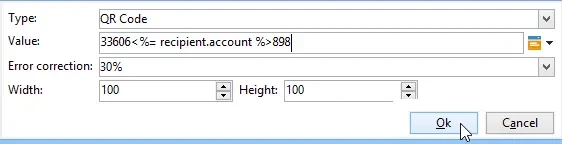
    Hi ​@vinay16  You have selected the datamatrix 2d as barcode type. Select the barcode type to QR Code and it will work as expected.


    Ref Document:
    https://experienceleague.adobe.com/en/docs/campaign/campaign-v8/send/emails/defining-the-email-content#insert-a-barcode

    1 reply

    Manoj_Kumar
    Community Advisor
    Manoj_KumarCommunity AdvisorAccepted solution
    Community Advisor
    March 10, 2026

    Hi ​@vinay16  You have selected the datamatrix 2d as barcode type. Select the barcode type to QR Code and it will work as expected.


    Ref Document:
    https://experienceleague.adobe.com/en/docs/campaign/campaign-v8/send/emails/defining-the-email-content#insert-a-barcode

    Manoj  | https://themartech.pro
    vinay16Author
    Level 4
    March 16, 2026

    Thank you. I thought Datamatrix will appear like the desired one in terms of look & feel.