Alert activity | Community
Skip to main content
This post is no longer active and is closed to new replies. Need help? Start a new post to ask your question.
Best answer by ParthaSarathy

Hi @abhinav99 ,

You can find solution for it in below link,

https://experienceleaguecommunities.adobe.com/t5/adobe-campaign-standard/alert-error-after-split-activity/qaq-p/266729

Try the same troubleshooting by adding a wait activity before Alert activity.

Regards,

ParthaSarathy S

2 replies

ParthaSarathy
Community Advisor
ParthaSarathyCommunity AdvisorAccepted solution
Community Advisor
October 1, 2020

Hi @abhinav99 ,

You can find solution for it in below link,

https://experienceleaguecommunities.adobe.com/t5/adobe-campaign-standard/alert-error-after-split-activity/qaq-p/266729

Try the same troubleshooting by adding a wait activity before Alert activity.

Regards,

ParthaSarathy S

~  ParthaSarathy S~  Click here to join ADOBE CAMPAIGN USER GROUP for Quarterly In-person | Hybrid | Virtual Meetups
abhinav99
abhinav99Author
Level 4
October 6, 2020

Hey @parthasarathy, It works with the wait activity. Thanks!

tarvind_singh1
October 3, 2020

Hi Abhinav,

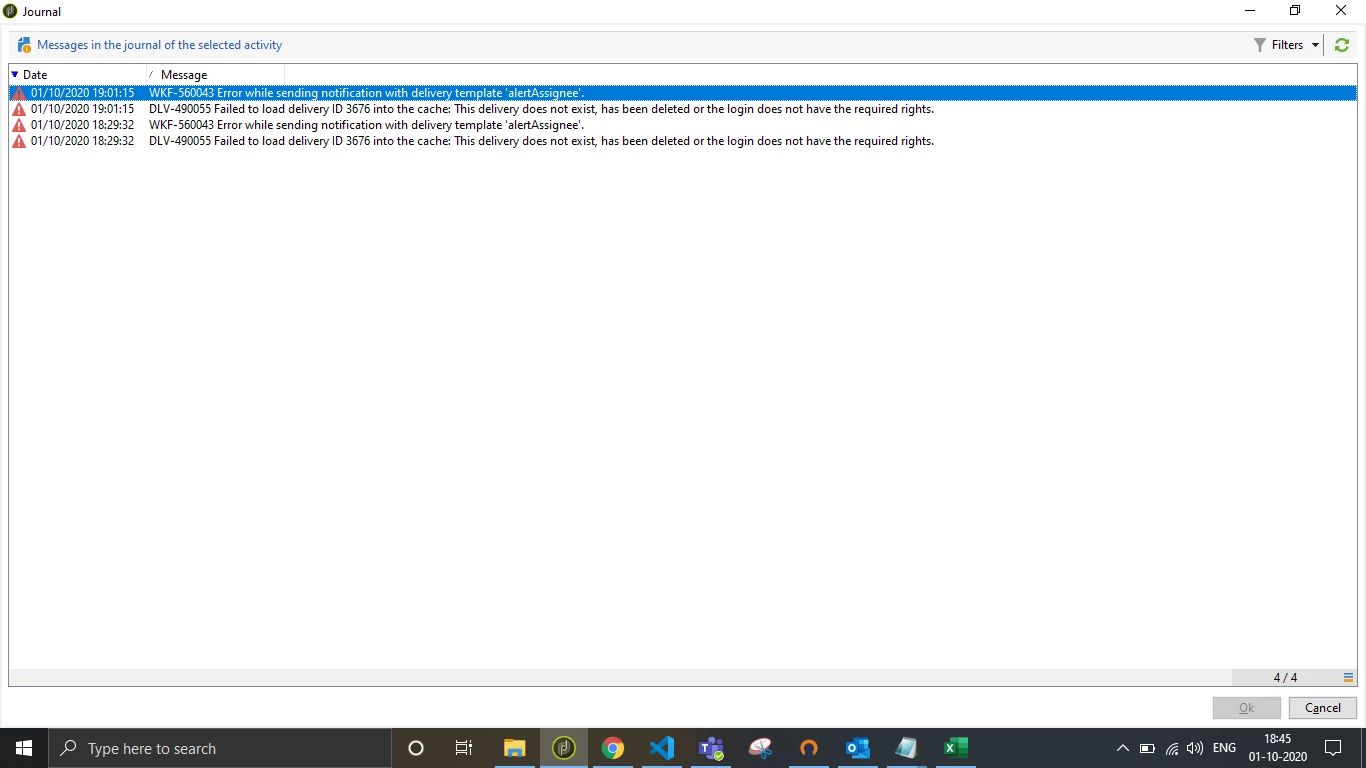
Please check the user who is running this workflow has access to "Administration>CampaignManagement> Technical delivery templates" nav tree.  see attached


Otherwise,

In the alert activity, click Advanced Settings. choose template, "alertAssignee" again. if you are not able to find the template, resolve above access issue.

regards,

Tarvind