Adobe campaign classic v8 & salesforce CRM integration | Community
Skip to main content
June 9, 2022
Solved

Adobe campaign classic v8 & salesforce CRM integration

  • June 9, 2022
  • 1 reply
  • 2324 views

Hi Team,


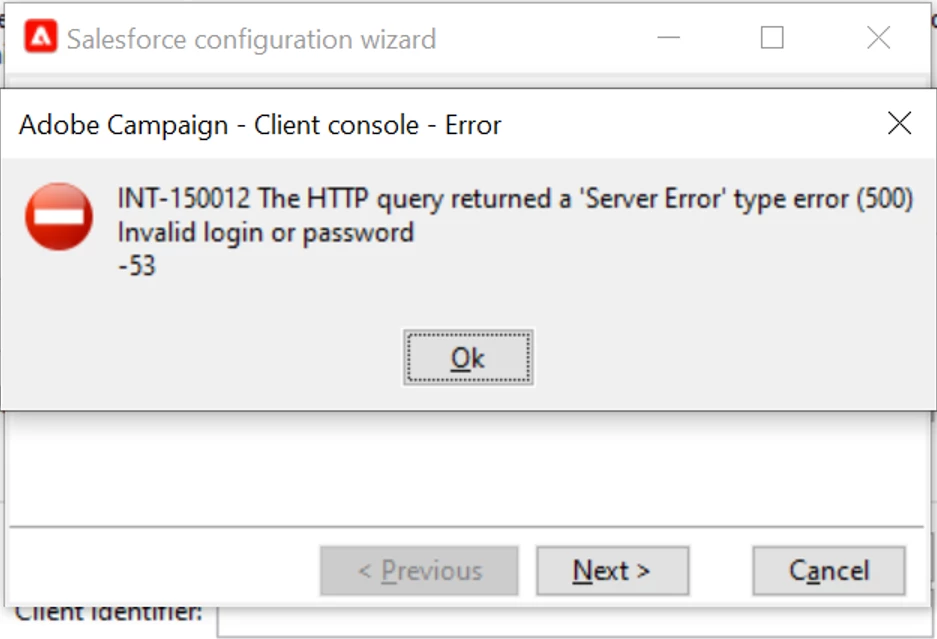
I am trying to get connected with salesforce, but getting an error Invalid login & password. Further on this I checked & salesforce credentials i have is working fine. PFA error snap for reference.

Looking for best possible solutions.


Thanks


This post is no longer active and is closed to new replies. Need help? Start a new post to ask your question.
Best answer by Parvesh_Parmar

Hello @sayadav , 


I would like to suggest you following points to debug it. 


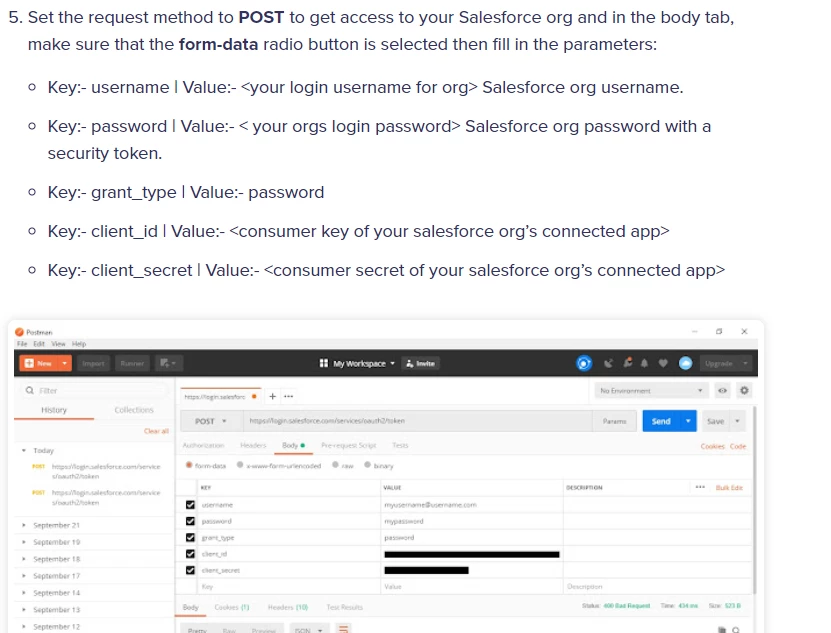
1. First try to validate your credential are correct.You can use postman to validate it.

Salesforce REST API Postman: Simplified 101 (hevodata.com)

There i see, they are using same parameters as in campaign.
 

2. If your request is validate in post man then try to look on your network side. 

3. If you are using adobe campaign in  your company internal network then discuss with your infra team to check the logs of this request on firewall. 

4. If possible, try to do a request form AC instance which is not in any internal network. I see many time connection is working form local server but not from  server hosted by company. This is due to network issue. 

Normally they use NSlookup command to debug it.

5. Check your build version. I see some time old version does not support it and get error even they have this option. If your build is old, try same connection credential in new build.

Thanks. 

Parvesh.


1 reply

Parvesh_Parmar
Community Advisor
Parvesh_ParmarCommunity AdvisorAccepted solution
Community Advisor
June 10, 2022

Hello @sayadav , 


I would like to suggest you following points to debug it. 


1. First try to validate your credential are correct.You can use postman to validate it.

Salesforce REST API Postman: Simplified 101 (hevodata.com)

There i see, they are using same parameters as in campaign.


2. If your request is validate in post man then try to look on your network side. 

3. If you are using adobe campaign in  your company internal network then discuss with your infra team to check the logs of this request on firewall. 

4. If possible, try to do a request form AC instance which is not in any internal network. I see many time connection is working form local server but not from  server hosted by company. This is due to network issue. 

Normally they use NSlookup command to debug it.

5. Check your build version. I see some time old version does not support it and get error even they have this option. If your build is old, try same connection credential in new build.

Thanks. 

Parvesh.


Parvesh Parmar – Adobe Community Advisor https://www.linkedin.com/in/parvesh-parmar/
SayadavAuthor
June 20, 2022

Thanks Parvesh