Adobe Campaign Classic Integration with AEM 6.5 - Email Campaign Templates Not Showing at Page Creation In Aem
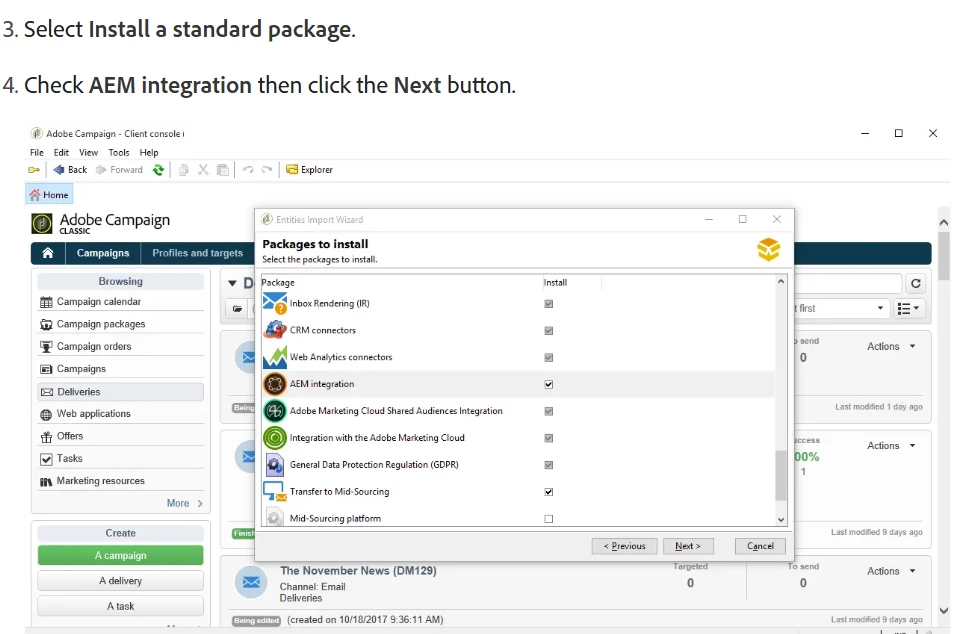
Installed the AEM integration package in Adobe Campaign
You first need to install the AEM integration package.
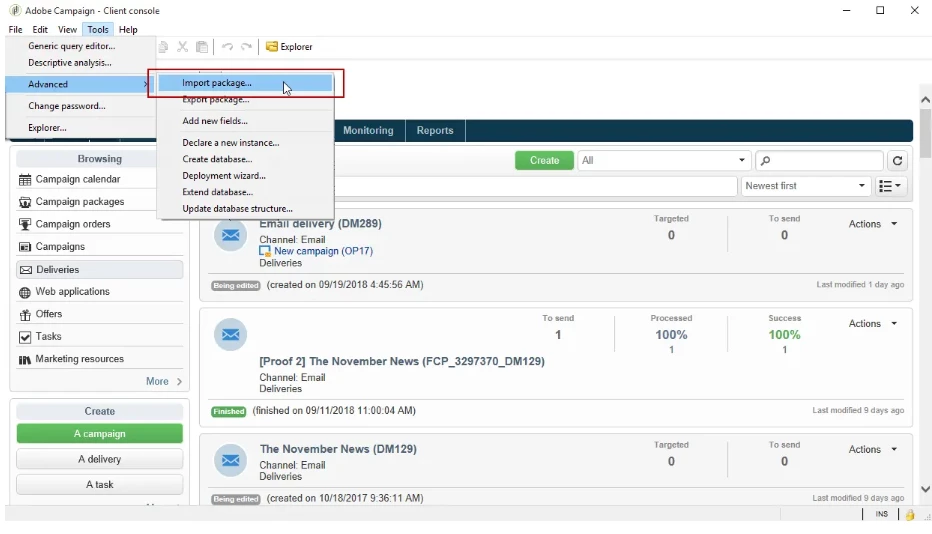
From your Adobe Campaign instance, select Tools from the upper toolbar.
Select Tools > Advanced > Import package
Configure the external account
The AEM integration package created the external account for Adobe Experience Cloud. You need now to configure it to connect with your Adobe Experience Manager instance.
To configure the AEM external account, follow the steps below:
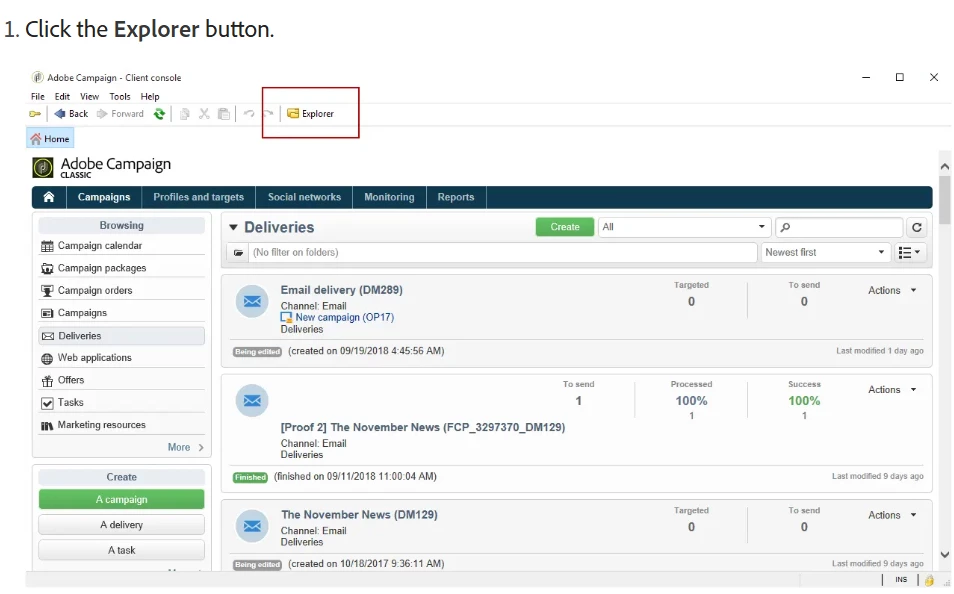
Click the Explorer button.
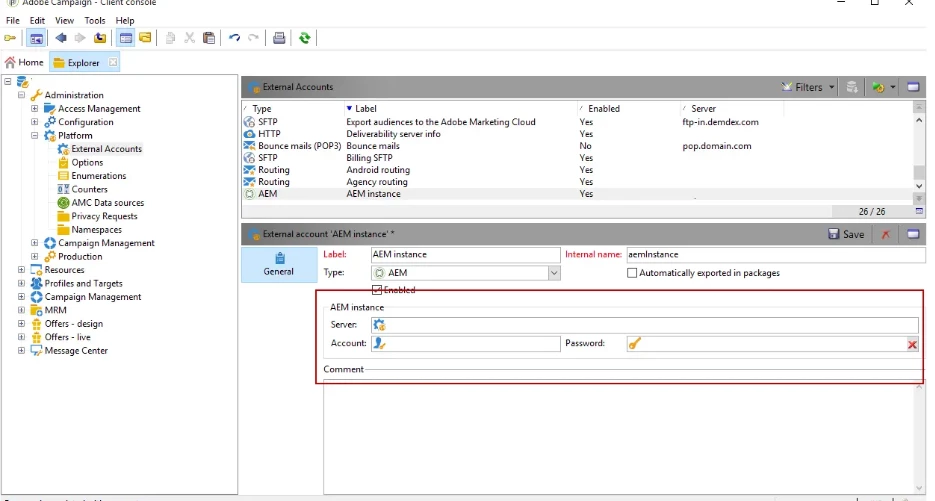
Select Administration > Platform > External accounts.
From the External account list, select AEM instance.
Enter the parameters for your AEM authoring instance:
- Server
- Account
- Password
Configure AEM resources filtering
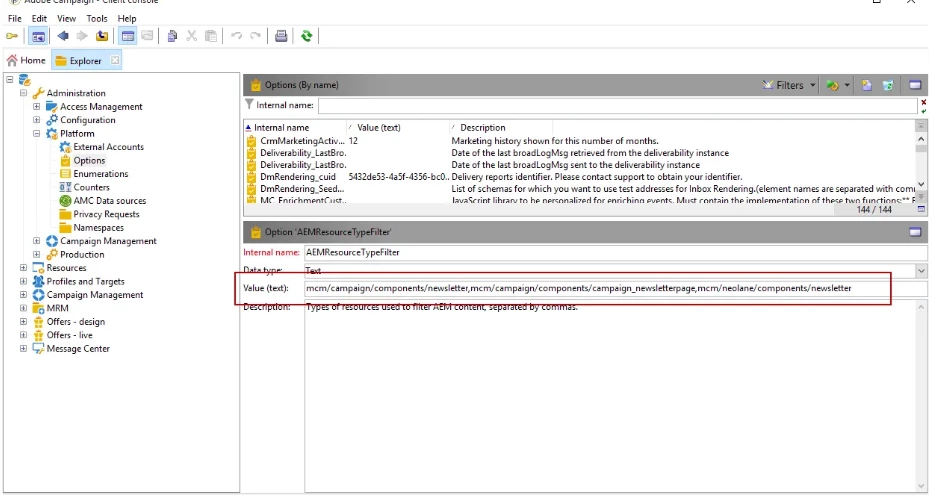
The AEMResourceTypeFilter option is used to filter types of Experience Manager resources that can be used in Adobe Campaign. This allows Adobe Campaign to retrieve Experience Manager contents that are specifically designed to be used in Adobe Campaign only.
To check if the AEMResourceTypeFilter option is configured:
Click the Explorer button.
Select Administration > Platform > Options.
From the Options list, select AEMResourceTypeFilter.
In the Value (text) field, the path should be as follows:
Configuration steps in Adobe Experience Manager
Follow the steps below to start the configuration in Adobe Experience Manager:
Configure the replication to replicate from the AEM authoring instance to the AEM publishing instance.
To learn how to configure replication, refer to Adobe Experience Manager documentation.
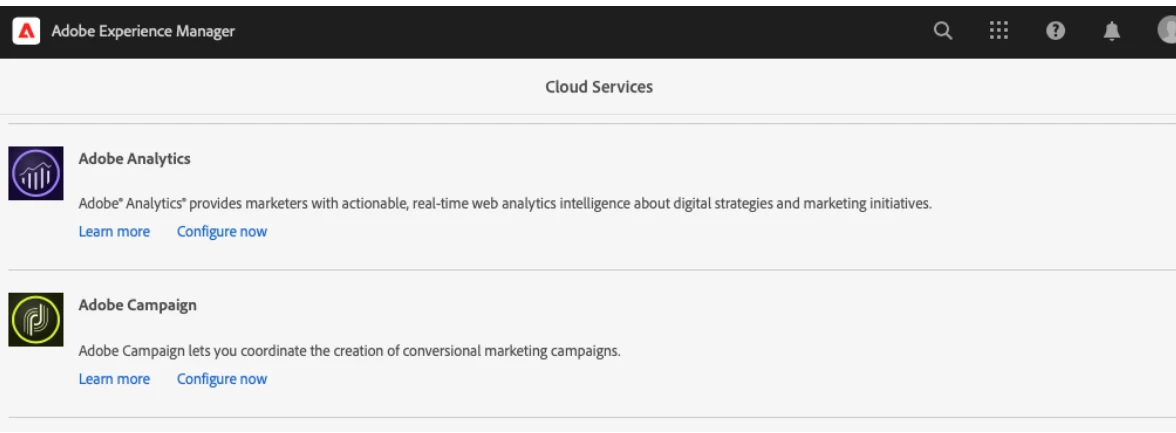
Connect Adobe Experience Manager to Adobe Campaign by configuring a dedicated Cloud Service.
To learn how to connect both solutions via Cloud Services, refer to Adobe Experience Manager documentation .
Configure the Externalizer service.
To learn how to configure it, refer to Adobe Experience Manager documentation
the above steps are done on Adobe campaign side and Below is the steps done for Aem side
Sign into to your AEM authoring instance as an administrator.
From the global navigation side rail, select Tools > Cloud Services > Legacy Cloud Services > Adobe Campaign, then click Configure Now.
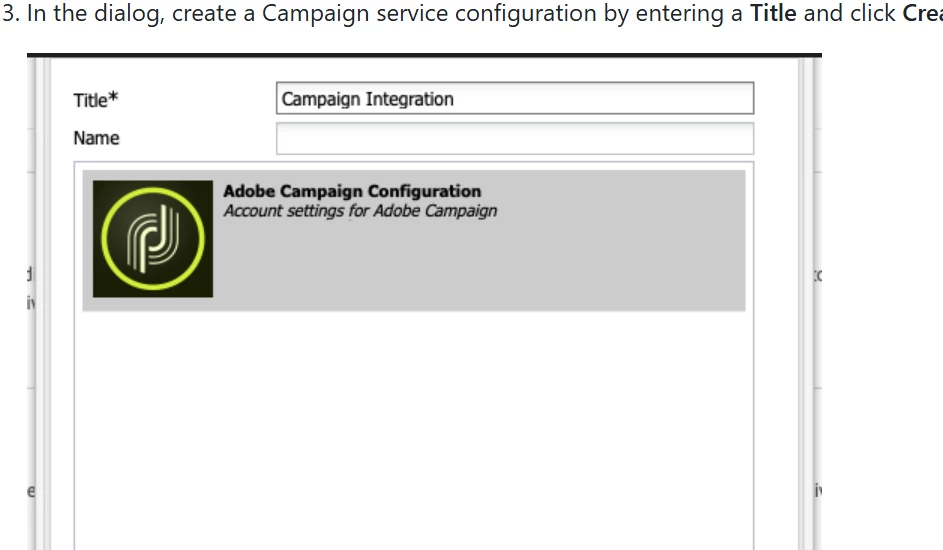
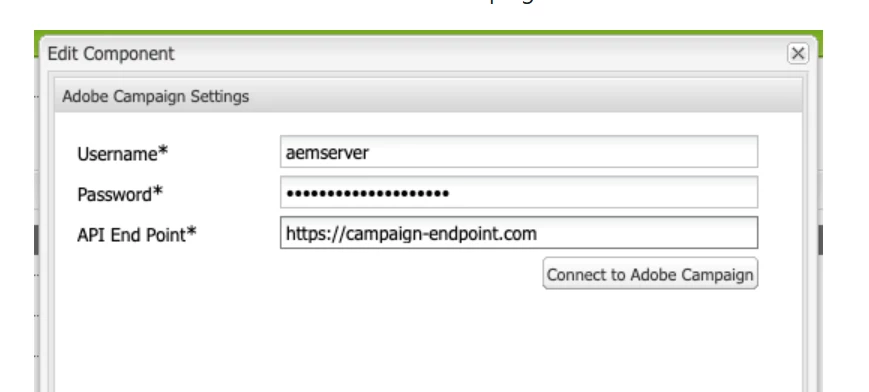
Select Connect to Adobe Campaign to verify the connection and then click OK.
And configured Replication to Aem Publish Instance and Aem ExternalizerConfigured the campaign-remote User in AEM
In order for Campaign to communicate with AEM, you need to set a password for the campaign-remote user in AEM.
- Log into AEM as an administrator.
- On the main navigation console, and click Tools in the left rail.
- Then click Security > Users to open the user administration console.
- Locate the campaign-remote user.
- Select the campaign-remote user and click Properties to edit the user.
- In the Edit User Settings window, click Change Password.
- Provide a new password for the user and note the password in a secure location for future use.
- Click Save to save the password change.
- Click Save & Close to save the changes to the campaign-remote user.
Configured the AEM External Account in Campaign
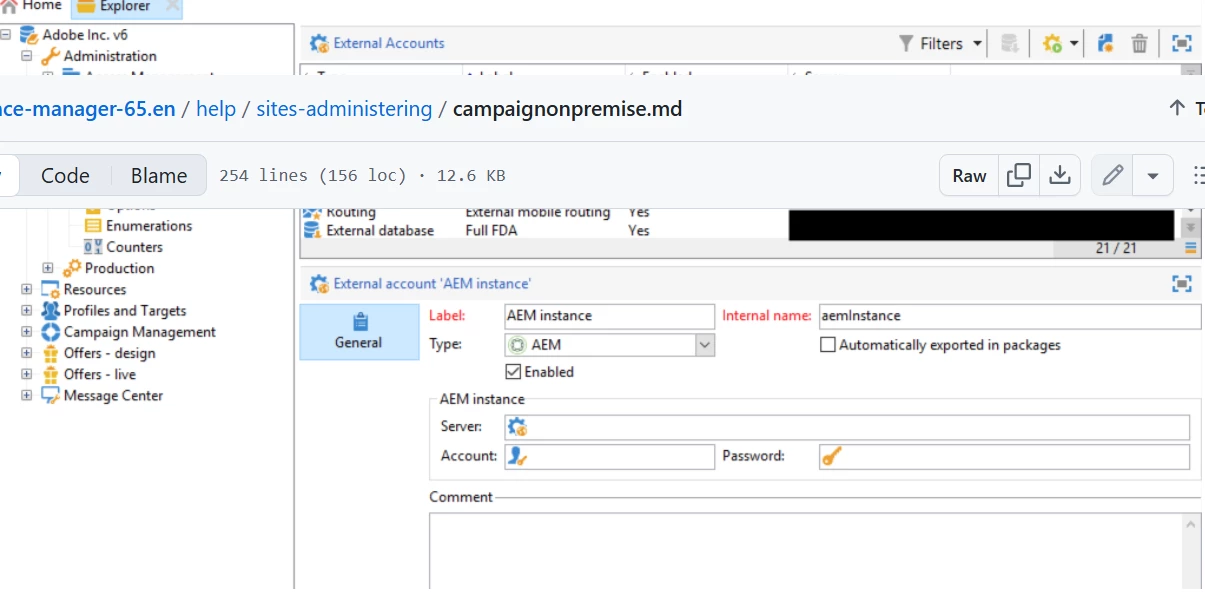
After successfully completing the integration between Adobe Campaign Classic and AEM 6.5, I am unable to see or select the Adobe Campaign email campaign templates when I try to create a new page under Sites > Campaigns in AEM. The integration is configured correctly, and I have installed the AEM Integration package.Could you please help me understand:

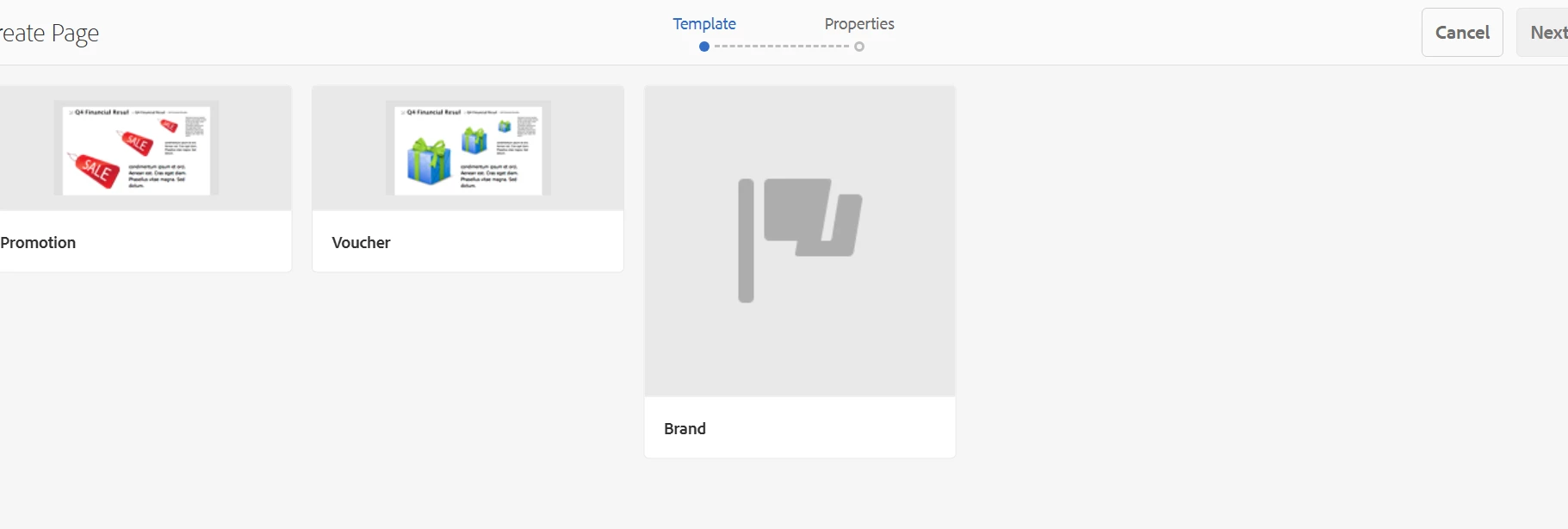
Could you please help me understand:Where exactly should the campaign email templates be located in CRXDE for AEM 6.5?
Are these templates expected to show automatically in the page creation wizard, or do I need to manually create/customize them?
What are the common reasons why these templates might not appear during page creation after integration?
Any specific permissions or properties I should check on the templates or folders?