ADD EMAIL TO A QUERY | Community
Skip to main content
Level 3
November 2, 2023
Solved

ADD EMAIL TO A QUERY

  • November 2, 2023
  • 2 replies
  • 580 views

Hi,


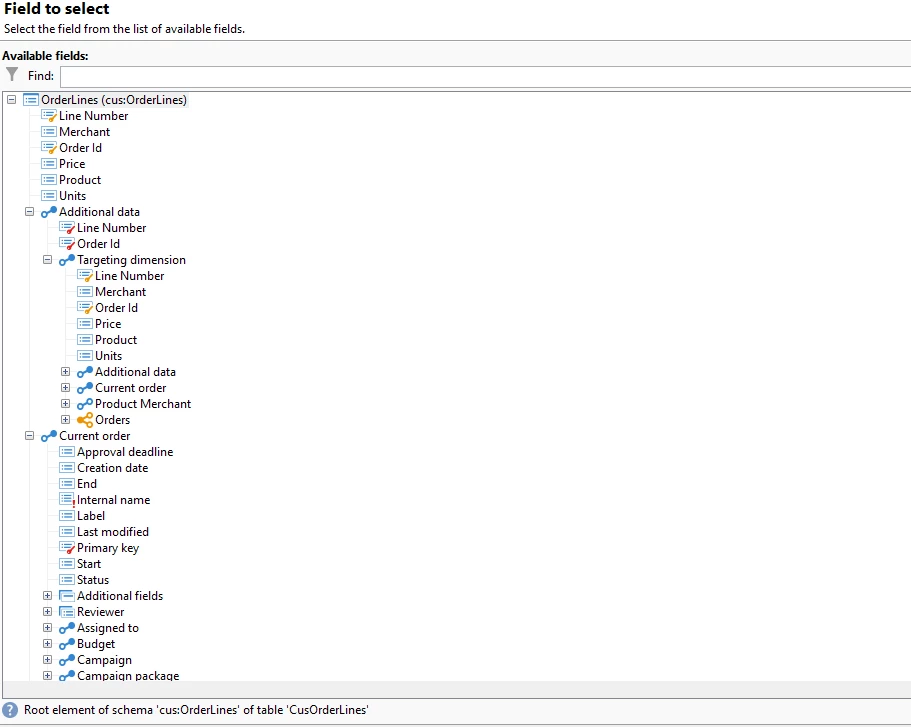
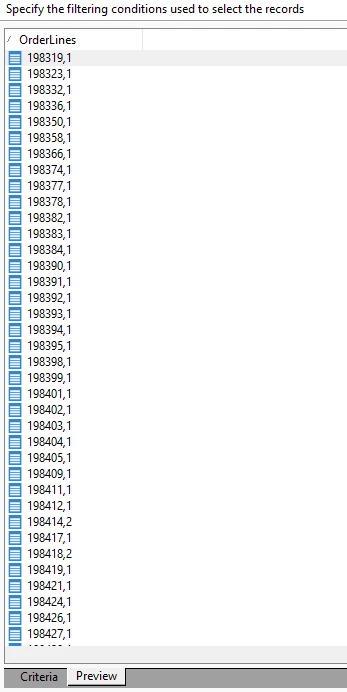
I have created the following query using this targeting dimension:
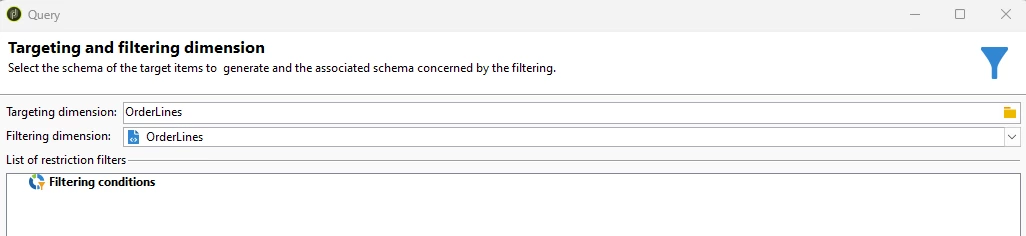


As you can see, the field "email" is not included, and I want to add it because I want to send an email to the resultant population. The email is in the recipients schema. Any way to get it? 😞


Thanks in advance and kind regards,

B

 

This post is no longer active and is closed to new replies. Need help? Start a new post to ask your question.
Best answer by ParthaSarathy

Hi @bcollado ,

You need to link targeting dimension schema with recipient schema using enrichment activity.

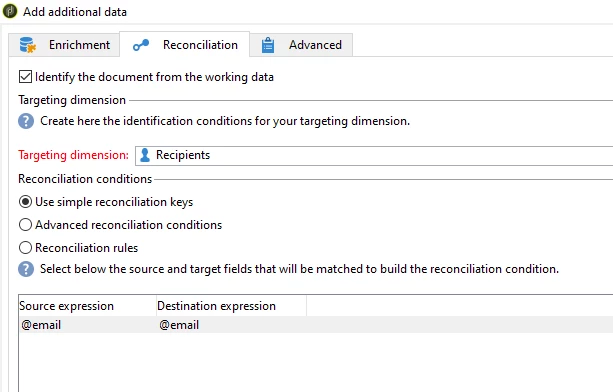
Figure out on what field you're going to link targeting schema with recipient schema and in enrichment> reconciliation tab > enable the checkbox and select targeting dimension as nms: recipient

And in simple join, map the source and destination fields.

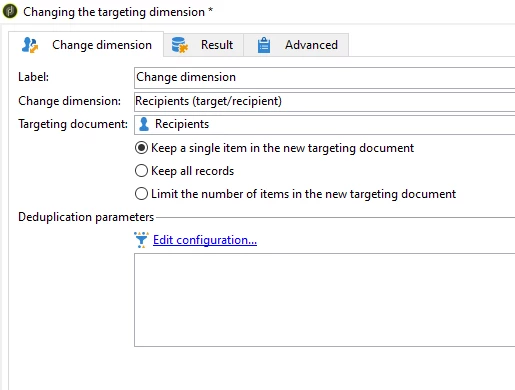
After enrichment, use change dimension and select recipient in it.

So that you can send a delivery to each recipient.

2 replies

bcolladoAuthor
Level 3
November 2, 2023

384 means that there were 384 orders for a product.

ParthaSarathy
Community Advisor
ParthaSarathyCommunity AdvisorAccepted solution
Community Advisor
November 2, 2023

Hi @bcollado ,

You need to link targeting dimension schema with recipient schema using enrichment activity.

Figure out on what field you're going to link targeting schema with recipient schema and in enrichment> reconciliation tab > enable the checkbox and select targeting dimension as nms: recipient

And in simple join, map the source and destination fields.

After enrichment, use change dimension and select recipient in it.

So that you can send a delivery to each recipient.

~  ParthaSarathy S~  Click here to join ADOBE CAMPAIGN USER GROUP for Quarterly In-person | Hybrid | Virtual Meetups