Fusion: How to add users as Resource Managers on a project? | Community
Skip to main content
RandyRoberts
Community Advisor
Community Advisor
February 18, 2023
Solved

Fusion: How to add users as Resource Managers on a project?

  • February 18, 2023
  • 2 replies
  • 1441 views

I have certain people assigned to clients that need access to all projects for that client.

I set them up on a form that is attached to each client (Company).

When a project is opened for that client (Company) it pulls their name from the Company a calc field on the project.

I'm trying to add them as Resource Managers on each of those projects.

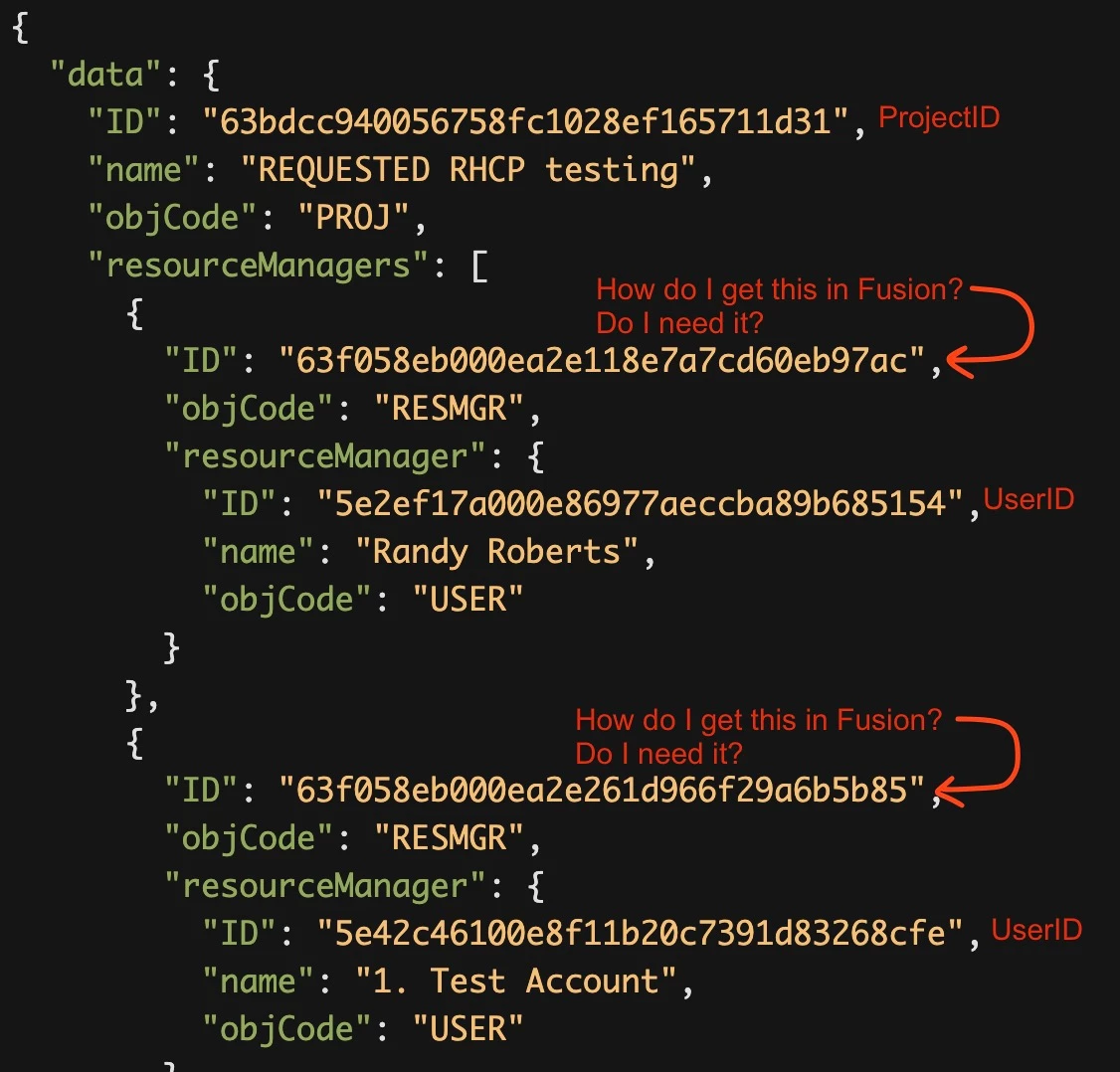
If I do an API call to get the Resource Manager info it looks like 


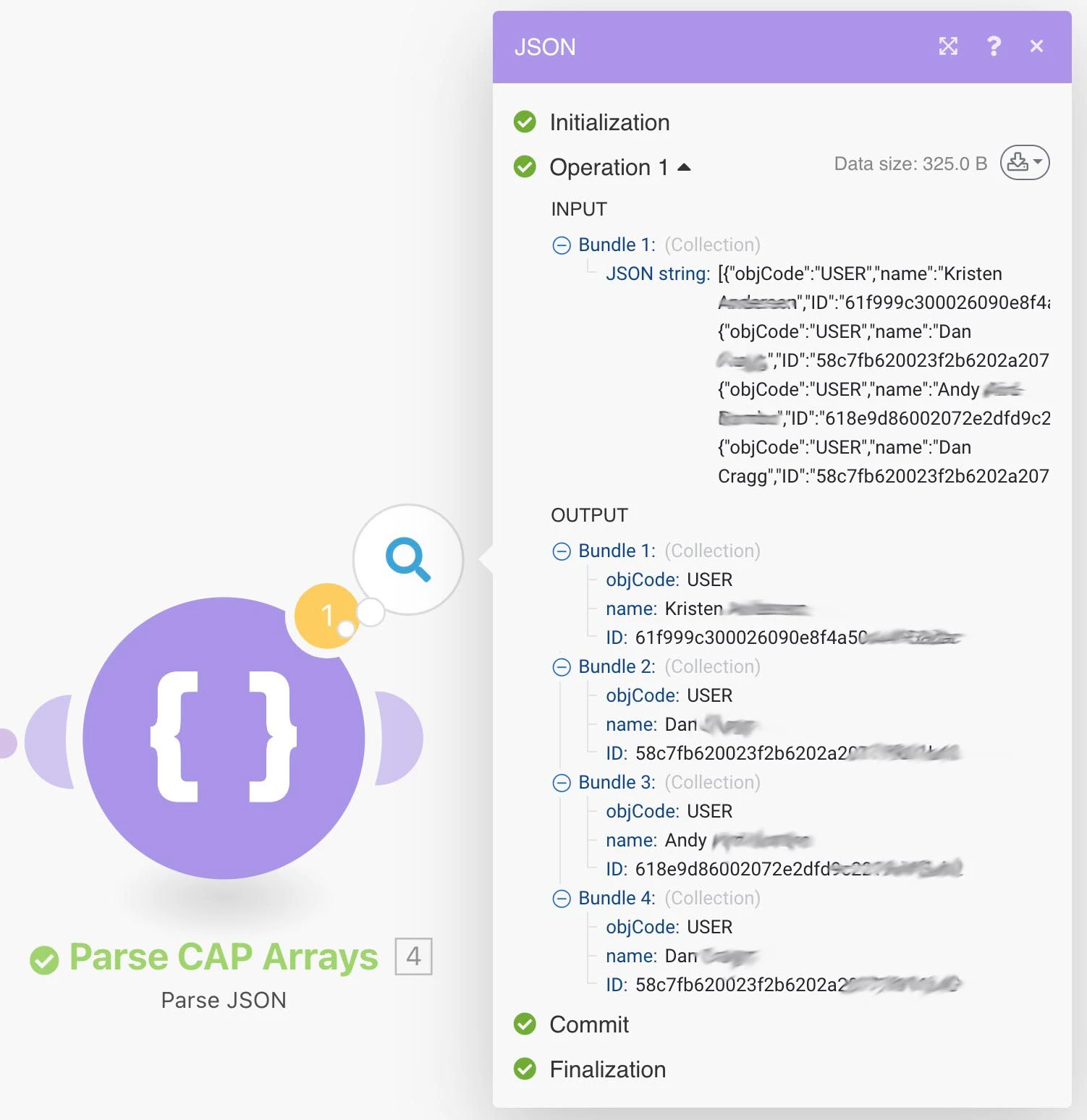
I have a scenario where I can pull the names and IDs of the users I want added from the Company Form but I don't know how to add them as Resource Managers to the project.
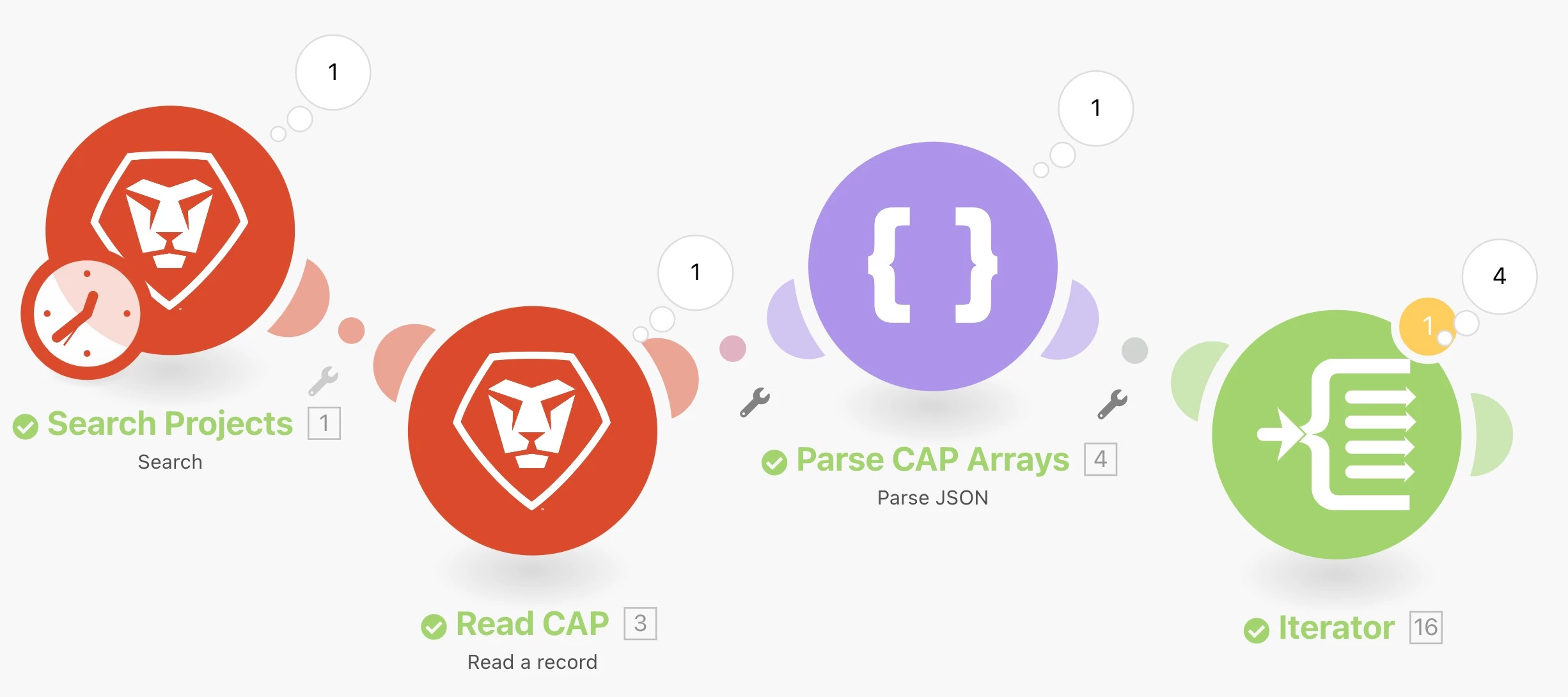
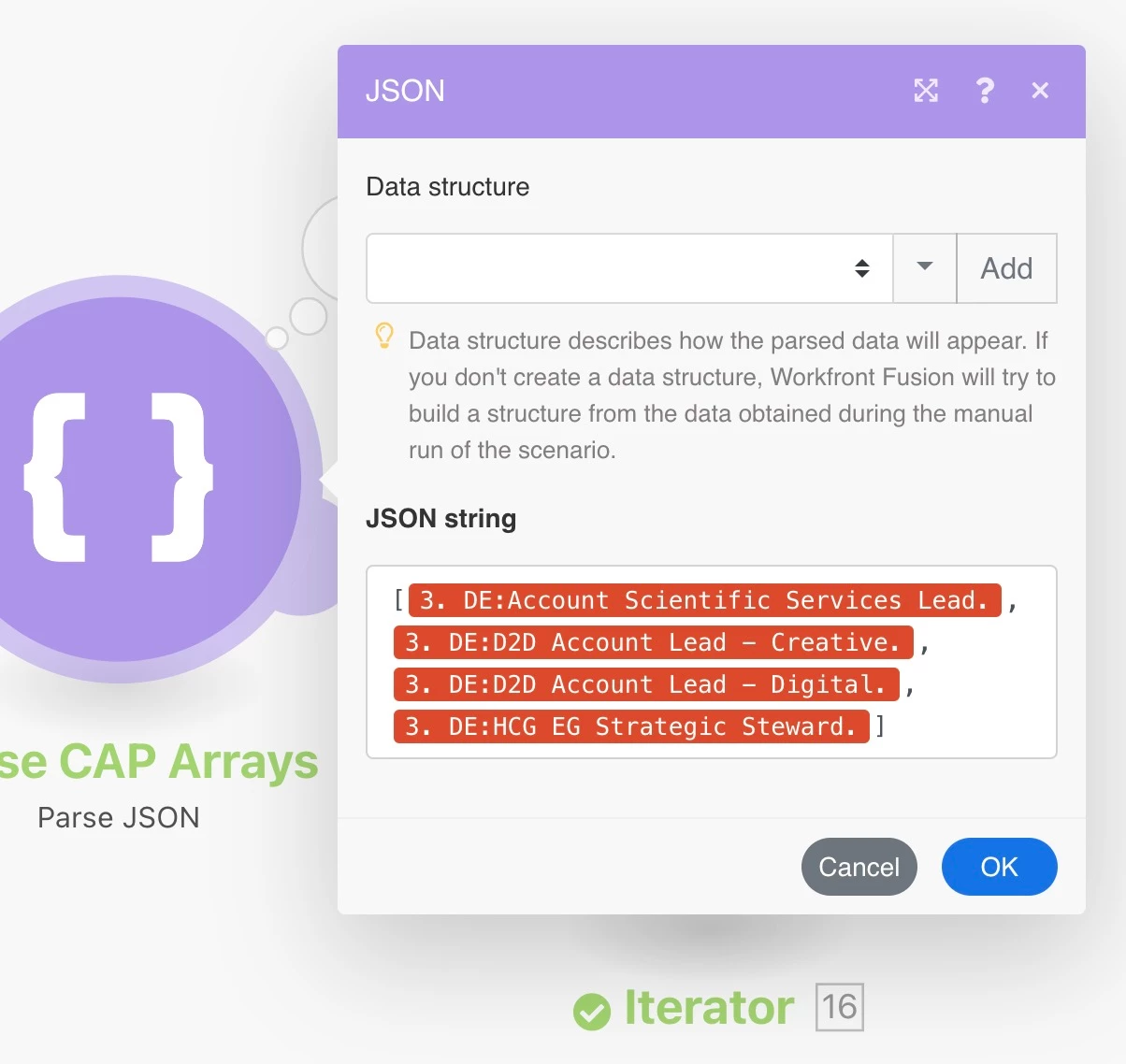


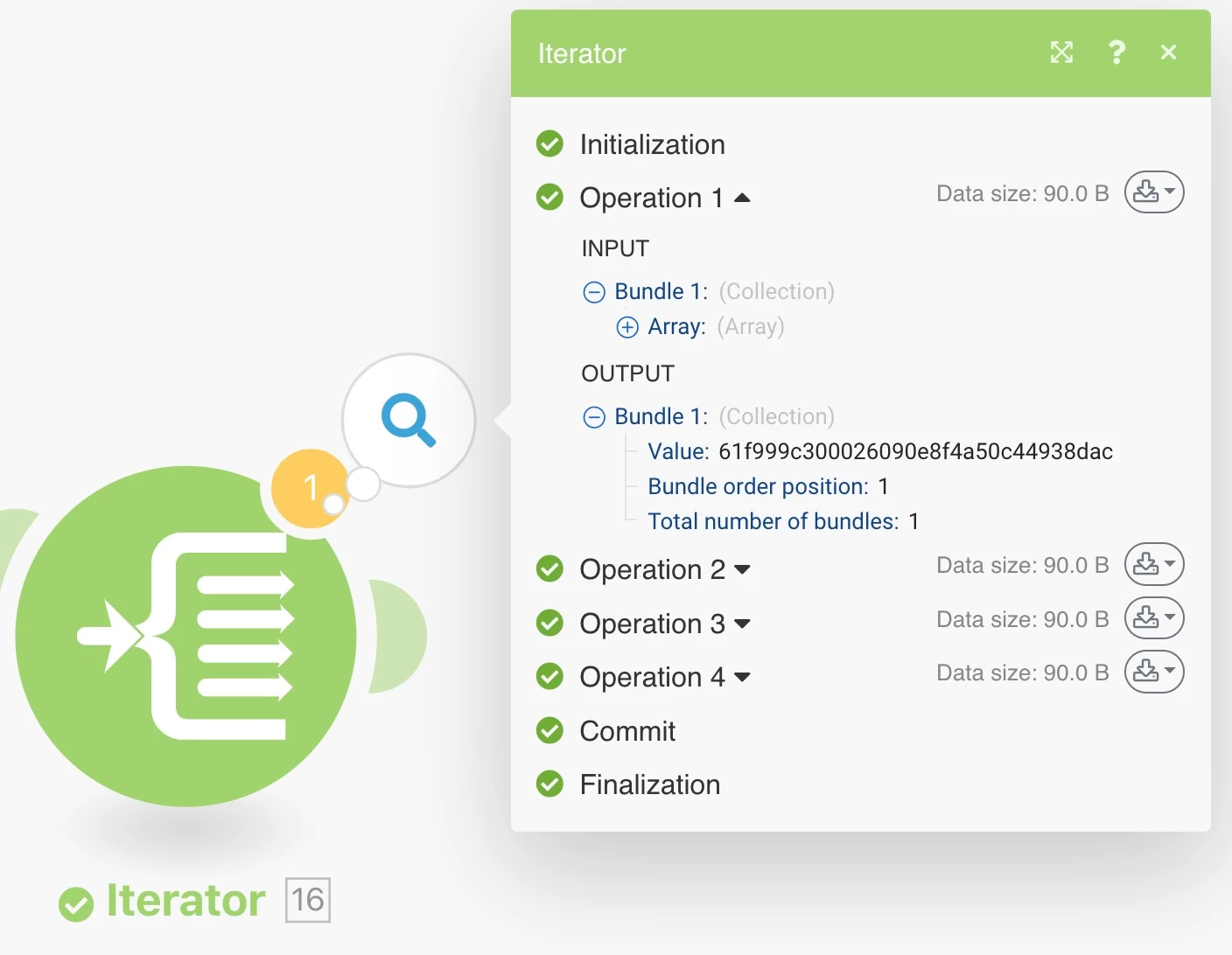
I have all the IDs (4 in this example) as an array and iterated but I don't know how to get them into the Resource Manager collection. The Create a Record and Update a Record didn't seem to work, or at least I couldn't get them to work. Does anyone know how to do this?
This post is no longer active and is closed to new replies. Need help? Start a new post to ask your question.
Best answer by William--

Hi Randy, 

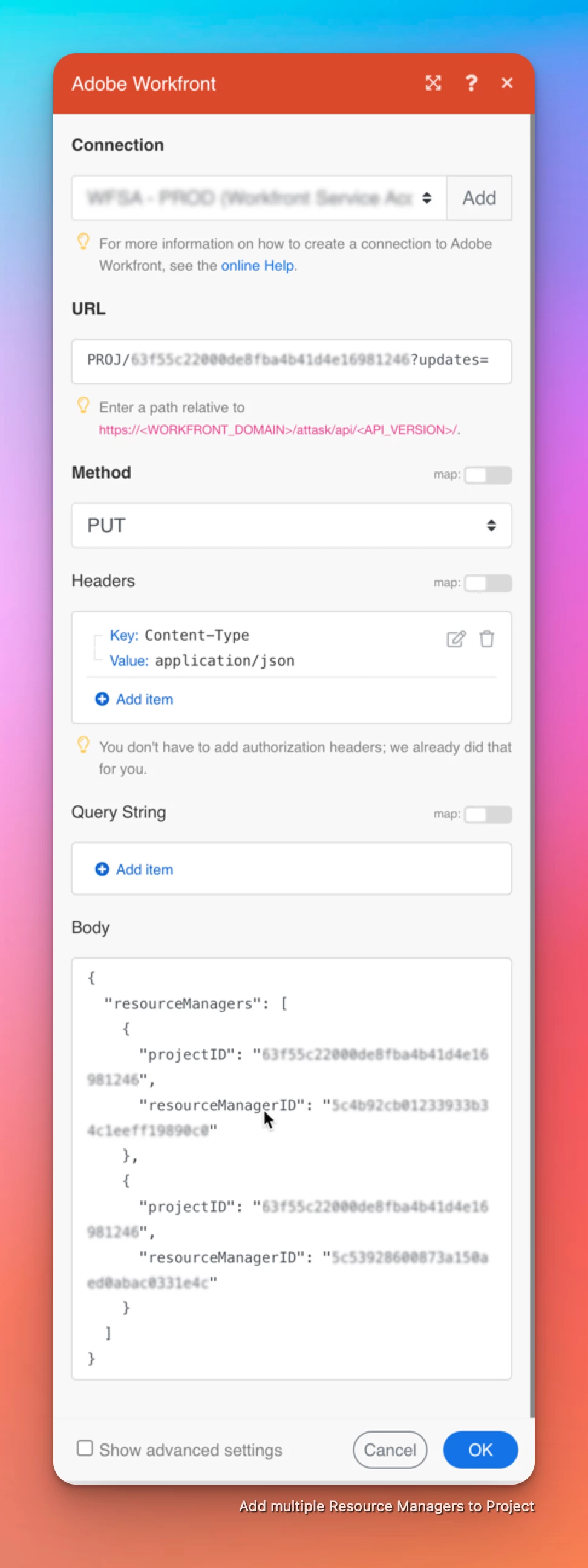
Looked into it and this can be done with a Custom API Call module, no need for the HTTP module. 

Replace the IDs in the below example to replace the existing Resource Managers with those specified in the JSON: 


{ "resourceManagers": [ { "projectID": "replace-with-projectID", "resourceManagerID": "replace-with-userID" }, { "projectID": "replace-with-projectID", "resourceManagerID": "replace-with-userID" } ] }


2 replies

ChrisStephens
Community Advisor
Community Advisor
February 23, 2023

I have done it before, but it's been a bit. Before I go down the rabbit hole of finding my notes, can you make a POST to RESMGR and populate the projectID and the resourceManagerID for each one you want to add?


RandyRoberts
Community Advisor
Community Advisor
February 23, 2023

Hi Chris, thanks for the reply.

I haven't tried doing a custom API call yet because I wasn't sure if that was the best way to approach it, I figured I'd ask the question here first. it seems like an Update Record or Create Record module should work but alas it doesn't. At least I couldn't get it to.

In the following API call, notice how there is a "resourceManagers" field and then two RESMGR records with their own ID, one for each resource manager. Whereas the "owner" and "sponsor" are just standard user records without their own ID. This is what's throwing me off (well, not the ONLY thing). It seems (and I don't know this for sure) that you have to create a RESMGR record in the project record (a record in a record) and then populate it with the userID or name attributes. Then there's the whole issue of iteration on top of it.

/attask/api-unsupported/proj/5db1b6760023ad216ce93c045f273a7a/search?fields=resourceManagers:resourceManager,owner,sponsor


"data": { "ID": "5db1b6760023ad216ce93c045f273a7a", "name": "Working Together", "objCode": "PROJ", "resourceManagers": [ { "ID": "5f603aa0005eb13ba95273ce72a6719a", "objCode": "RESMGR", "resourceManager": { "ID": "573a313f006eabd9d62efdfb8102d490", "name": "Anthony Pernice", "objCode": "USER" } }, { "ID": "5f603aa0005eb13dd218c7ce7ca31a3c", "objCode": "RESMGR", "resourceManager": { "ID": "5e2ef17a000e86977aeccba89b685154", "name": "Randy Roberts", "objCode": "USER" } } ], "owner": { "ID": "5e470f9500d555fe505331c504f12173", "name": "HCG Automation", "objCode": "USER" }, "sponsor": { "ID": "5c59b98b002b0e42a3e9610e59909136", "name": "Jennifer Rodriguez", "objCode": "USER" } } }


ChrisStephens
Community Advisor
Community Advisor
February 24, 2023

That makes sense, owner and sponsor can only be a single user so they can just show a straight reference to the user, whereas the resourceManagers can be many users, so it has to exist as an array of collections, and each item in the array has to have a unique ID so Workfront knows it's looking at the right one, and then inside each RESMGR object is a reference called resourceManager, which is the direct user reference, similar to how the sponsor reference is the direct user reference on the project level. I think the RESMGR object exists outside of the project, and is just referenced using the projectID field in the RESMGR object.


From what I can recall off hand, making that POST call to the RESMGR object should create the resource manager object and associate it with the project/user specified, as long as you specify them. If you could hit the resource manager object with the standard modules you could, but it's not one of the options in the dropdown, so custom call is required.


William--
Community Advisor
William--Community AdvisorAccepted solution
Community Advisor
February 25, 2023

Hi Randy, 

Looked into it and this can be done with a Custom API Call module, no need for the HTTP module. 

Replace the IDs in the below example to replace the existing Resource Managers with those specified in the JSON: 


{ "resourceManagers": [ { "projectID": "replace-with-projectID", "resourceManagerID": "replace-with-userID" }, { "projectID": "replace-with-projectID", "resourceManagerID": "replace-with-userID" } ] }


If you like my content, please take a moment to view and vote on my Idea Requests: https://tinyurl.com/4rbpr7hf