
Decrepancy in HTML between WF notifications/updates via email and within WF platform
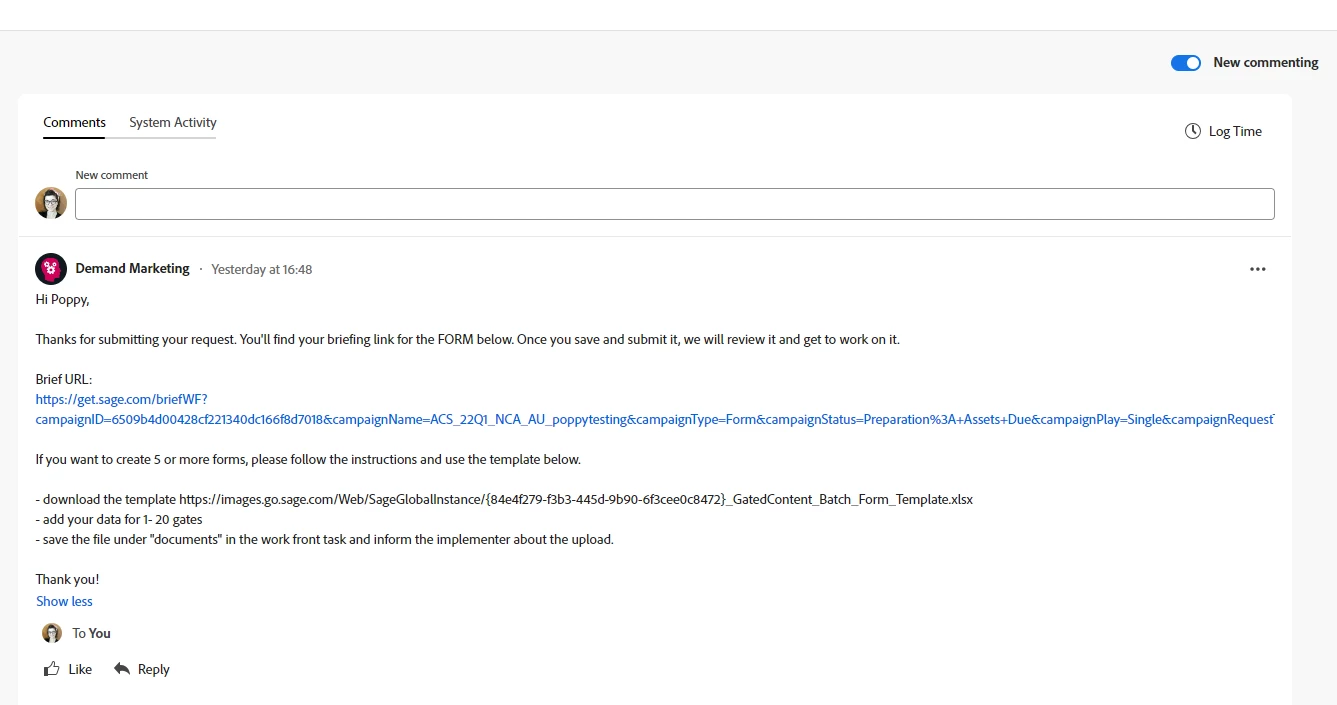
Workfront have rolled out an update to how comments are displayed (now they are centrally aligned). There is still a toggle switch to take it back to the old view but I assume soon enough this will become unavailable.
We send automated messages to our projects via Fusion. The new updates to the message stream recently rolled out by WF strips out any implicit HTML, so rather than our messages being nicely formatted in paragraphs, bullet lists, etc., they are all squashed together in one gigantic string.
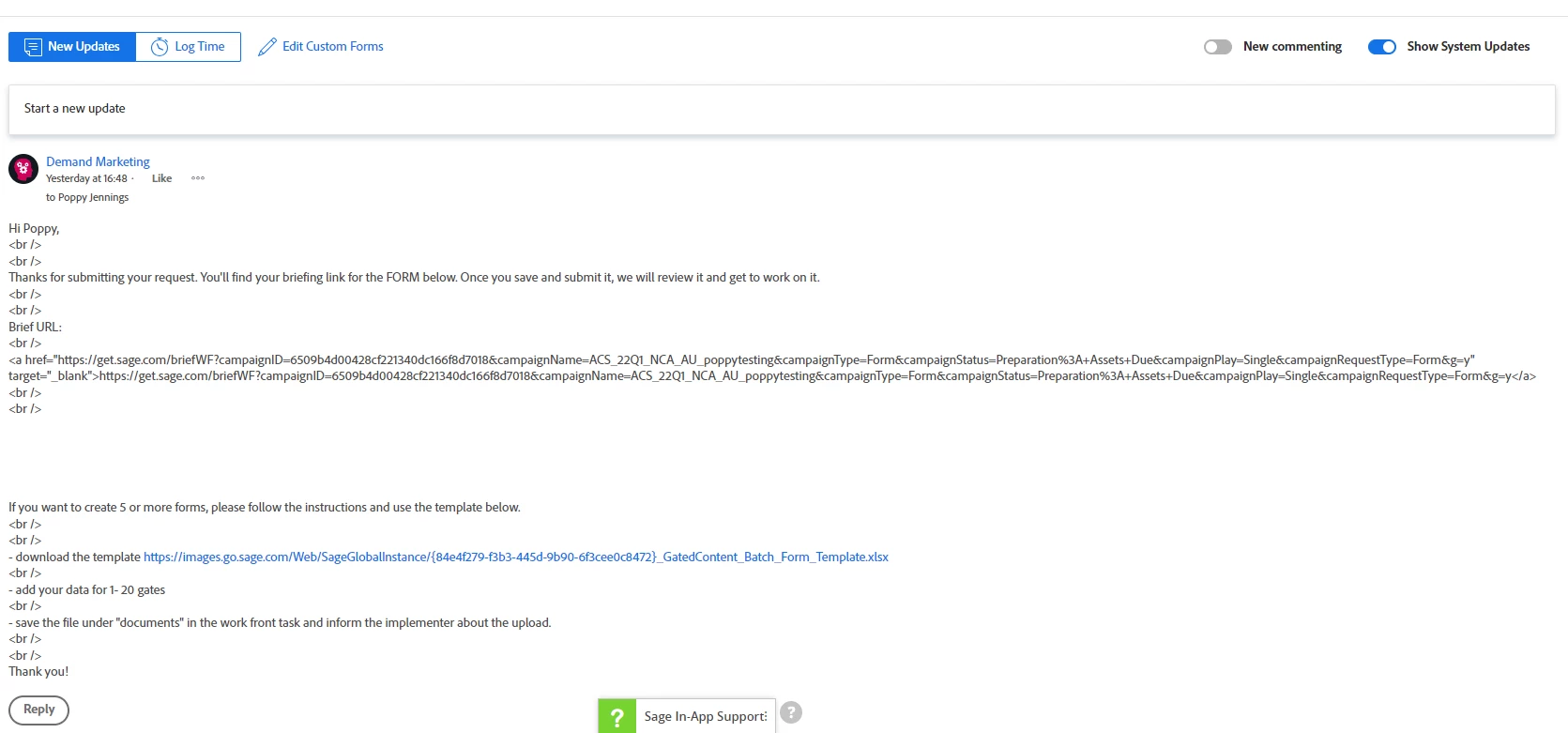
I updated the modules in Fusion with additional HTML and this seems to fix the problem when the messages are viewed in WF in the updated version. However, if you toggle the switch back to the old version, now you see all the additional HTML eg <br /><ul><li>...
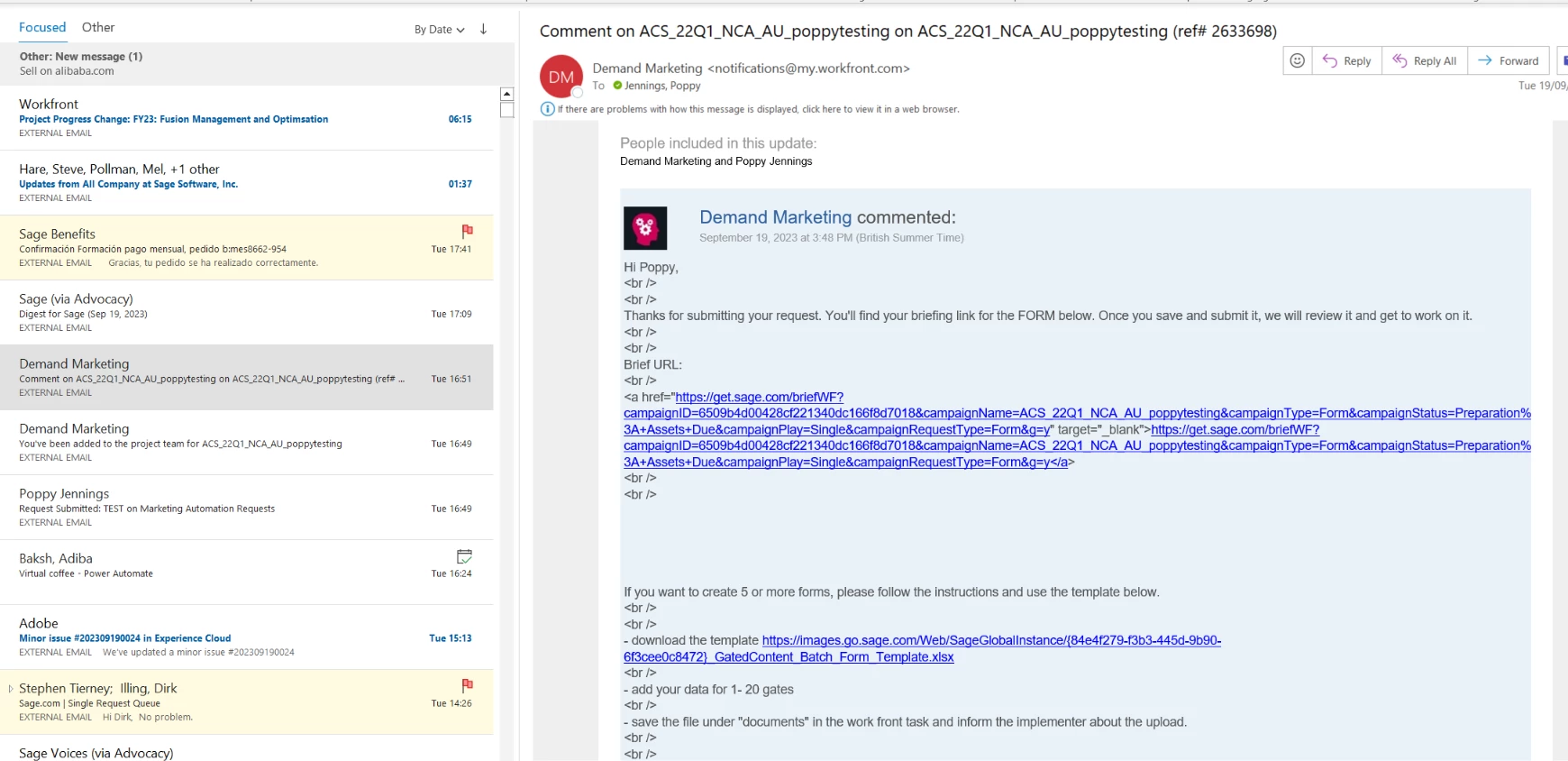
This additional HTML is also shown in the corresponding email notifications sent about the message so the email notifications look terrible!
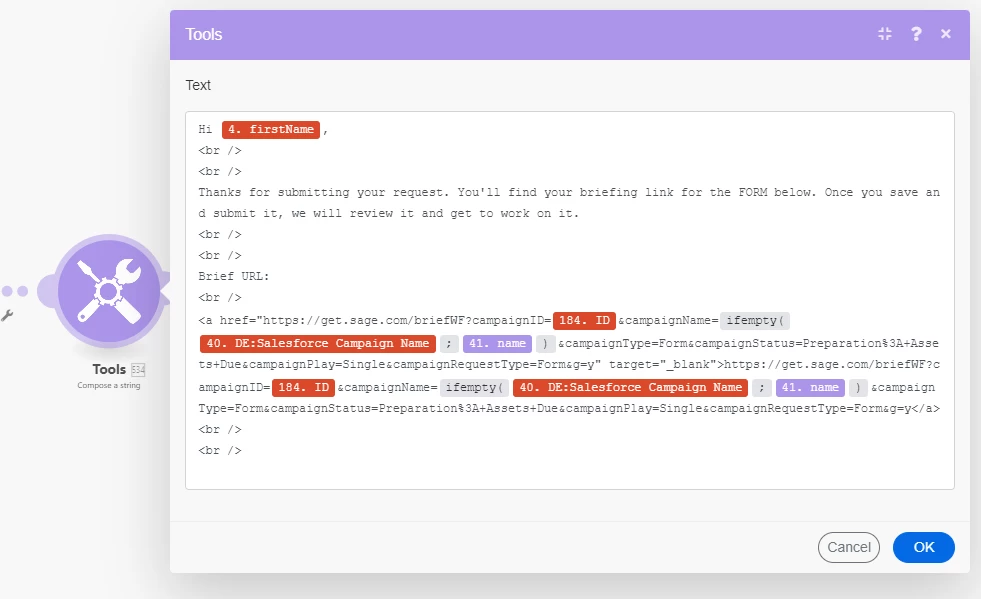
I am using a Compose a String module first and then putting that into a Create Record module to add the update and send out the notification in WF.
It has the same problem whether I write the text directly in the Create a record module or use a Compose a string module prior to this. There is a difference between whether the html is picked up in the update posted in WF vs. the notification that is sent as an email.
Modules being used

Text for the message/update/notification as written in Fusion with the additional HTML code
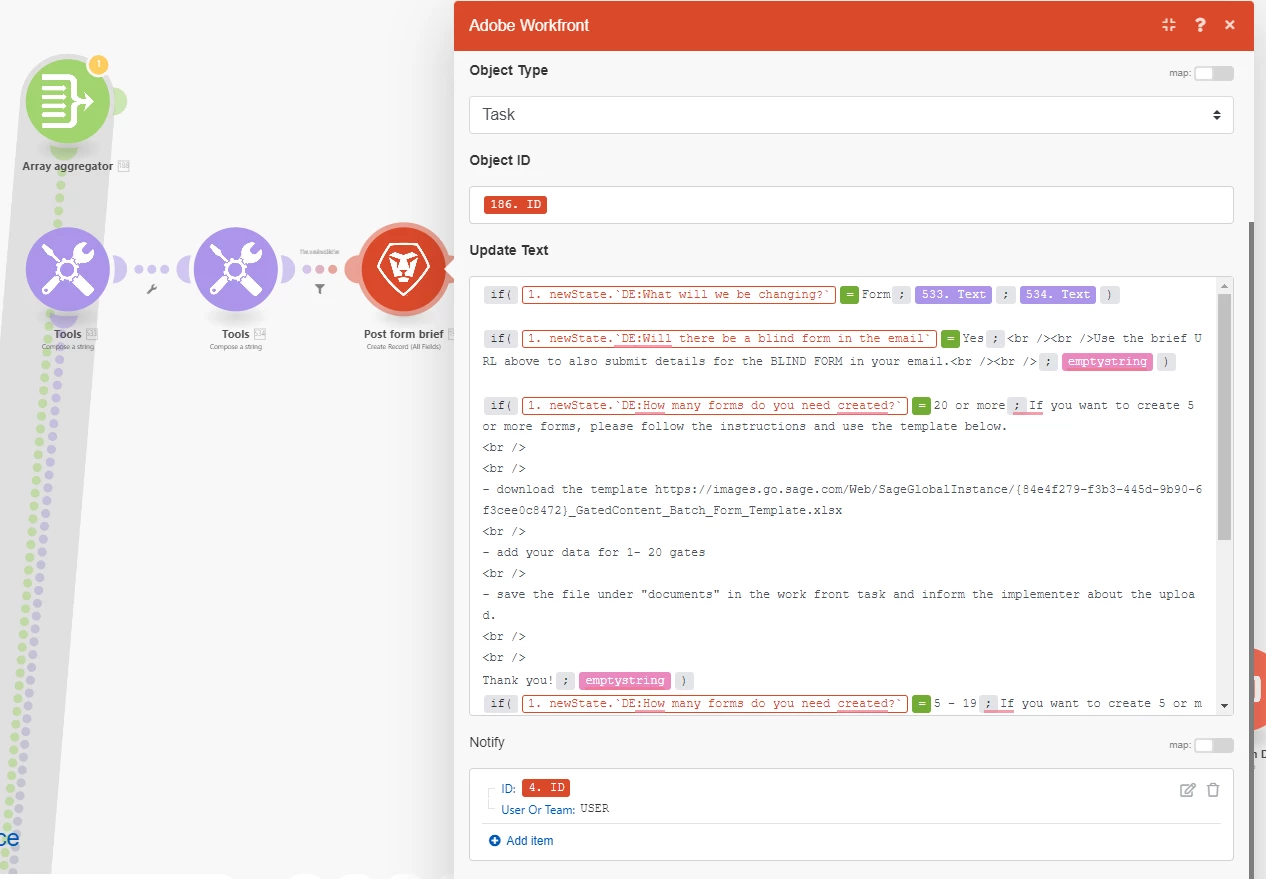
The module that posts the update/sends the email notification
How the message displays in WF (new version)
How the message displays in WF (old version)
How the email notification comes through
Does anyone have a work-around for this?
I really don't want to have to go through all our automated messages in Fusion and update them with HTML like this.