
Creating WF Issues from a CSV file via Fusion and mapping multi-select options for the custom form | Community
Skip to main content
PoppyJennings
Level 2
June 27, 2023
Question

Creating WF Issues from a CSV file via Fusion and mapping multi-select options for the custom form

  • June 27, 2023
  • 1 reply
  • 1739 views

I want to create a small Fusion scenario that takes in a .csv file and uses the information therein to create Issues in a project in Workfront. This means mapping the fields from the .csv to the corresponding fields in the custom form to create the issue.

Most of the fields are straightforward and map across with no problem, but there are 3 multi-select fields (at least one answer must be given, but there could be multiple answers). I am a bit lost as to how to get this to work!


I've tried leaving them blank vs selecting all of the options but neither work as hoped. Do I need to create an array variable grabbing the selected options from the .csv? 


If anyone has an example or can show me what to do this would be really helpful.

Thanks


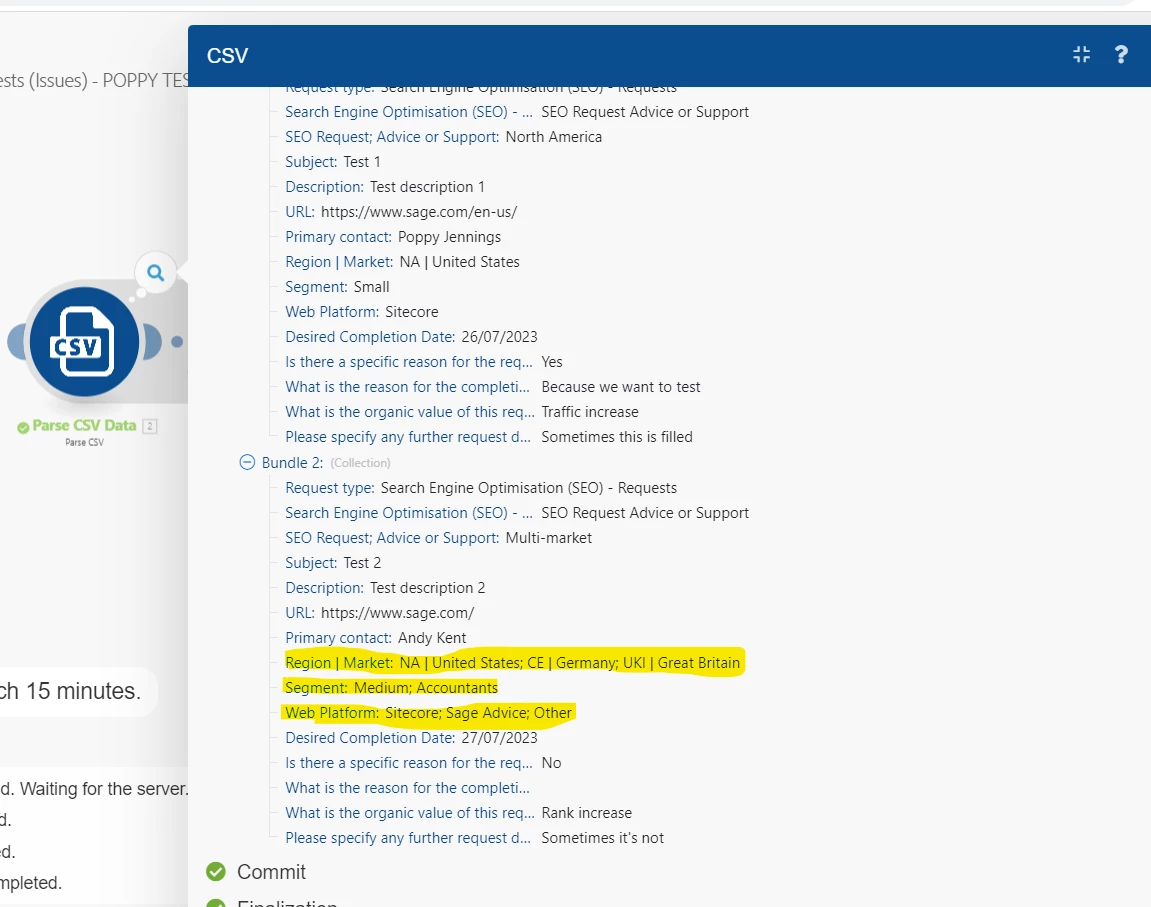
The .csv fields of Segment, Market (region) and Platform that can have multiple options
 

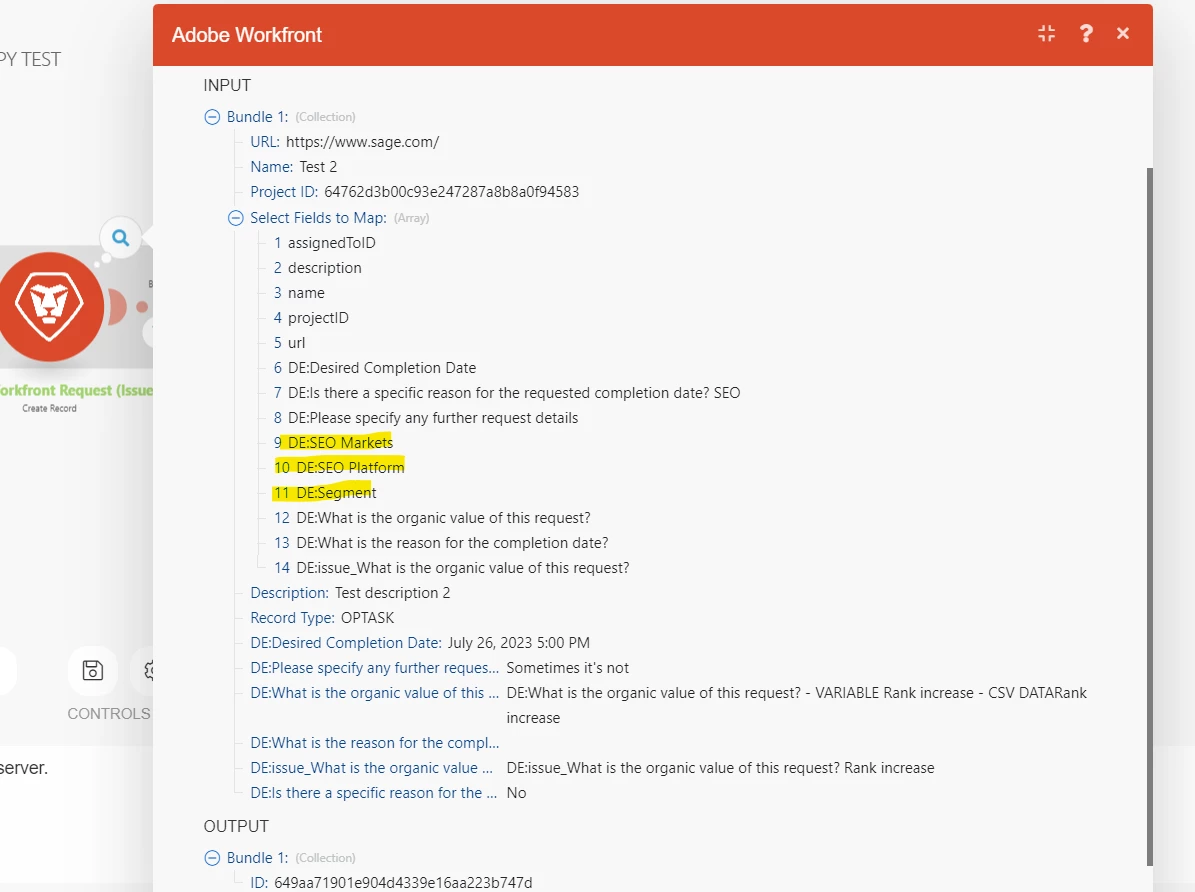
The issue created but the multi-select fields aren't mapped
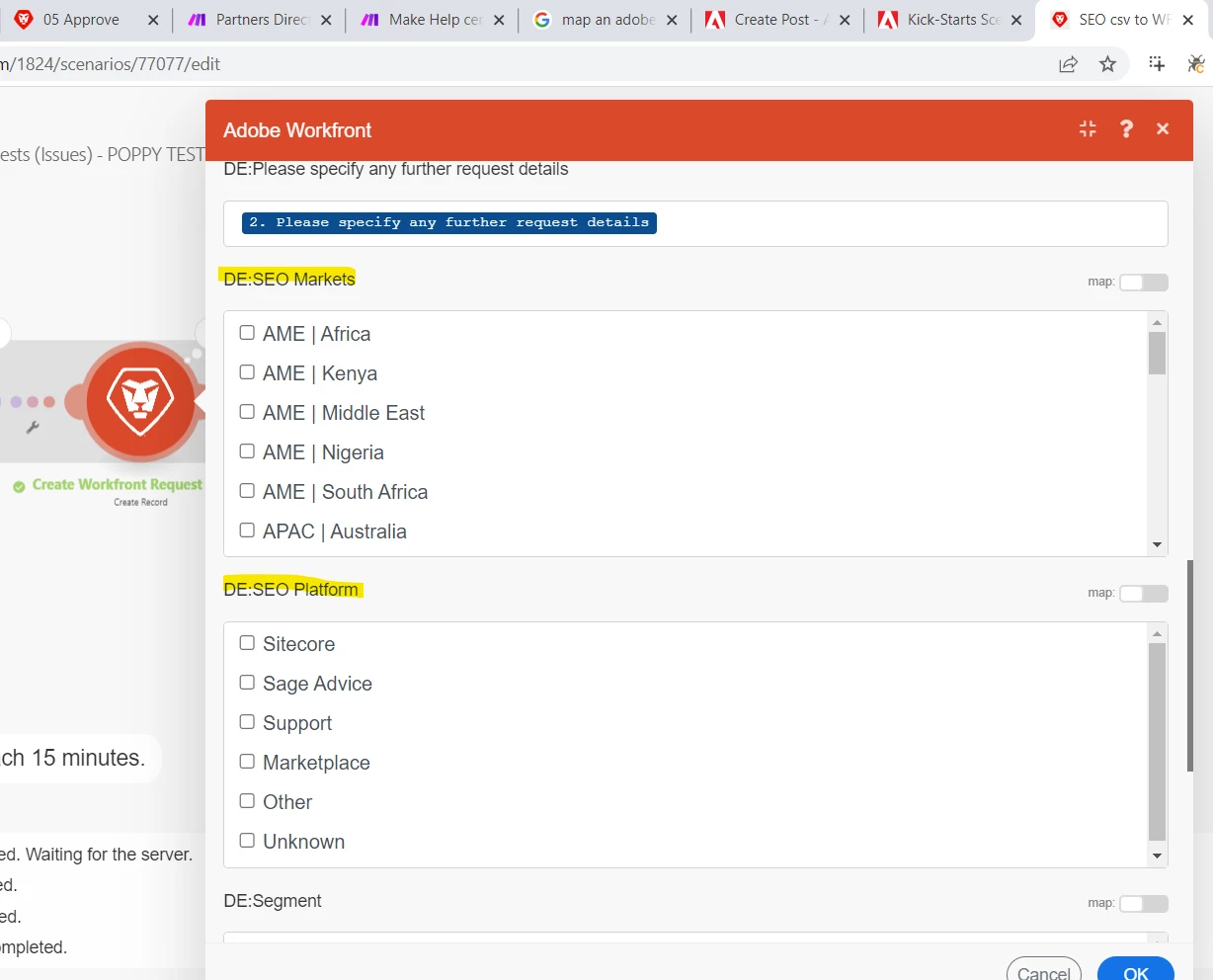
Set up of the create Issue module, I'm not sure how to map these here, have tried selecting all options, selecting no options etc but neither give the desired result.
 

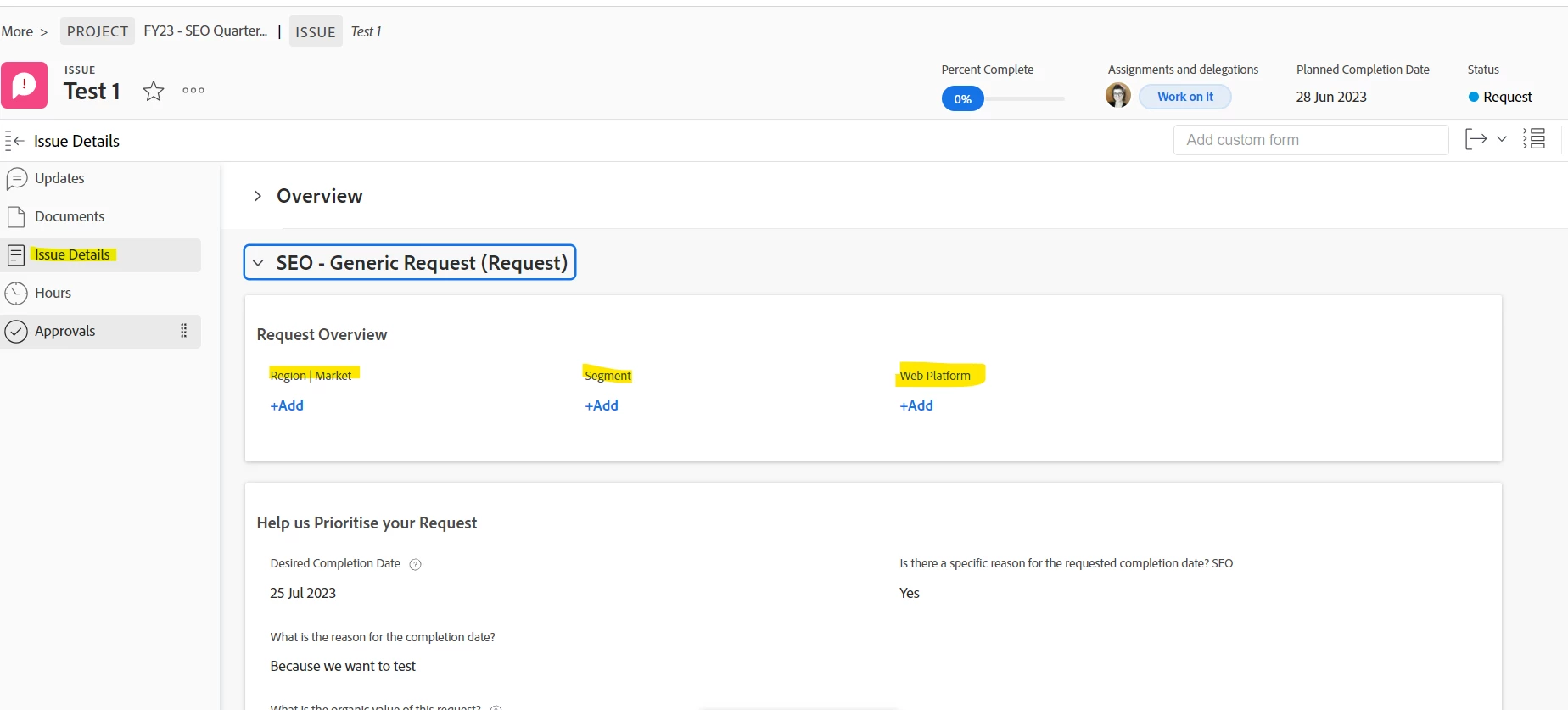
The Issue created in Workfront, you can see the custom form fields do not show any answers.
    

This post is no longer active and is closed to new replies. Need help? Start a new post to ask your question.

1 reply

ChrisStephens
Community Advisor
Community Advisor
June 27, 2023

Good morning!


To map in your values from your CSV, first in the Workfront module (image 3), check the "map" toggle. This will allow you to map values into those fields.

The next step is converting your string in your CSV into an array. Multiselect fields are treated as arrays by Workfront, so you have to format your data to match. Looking at your sample data, the easiest way would be to use split, so split({csvValue};|). Note, the values need to be a strict match, or the module will error out and not create anything.

PoppyJennings
Level 2
June 27, 2023

Thanks @chrisstephens I think I am inching closer to a solution...

I am trying to implement your solution but the module is erroring out. The character that demarks where the split should be is a semi-colon, not sure if this is what is causing the problem?


How the data comes in from the csv

My updated mapping with the split function

The error when the scenario is run.


Thanks!


ChrisStephens
Community Advisor
Community Advisor
June 27, 2023

Oof yeah, that's a problem. Notice how the semicolon is inside of a darker-grey box? That means that Fusion is going to try to use it in it's coding, it thinks that it's part of the split command. Is there any way you can demark it with a different symbol in your csv file?