Workfront Proof and Apple silicon vs MacOS | Community
Skip to main content
Level 2
June 1, 2026
Solved

Workfront Proof and Apple silicon vs MacOS

  • June 1, 2026
  • 2 replies
  • 100 views

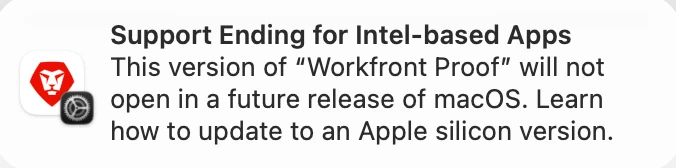
Hi - my users got a pop-up recently that shows the following:

Support Ending for Intel-based Apps

This version of “Workfront Proof” will not open in a future release of macOS. Learn how to update to an Apple silicon version.


Will Adobe be updating Workfront Proof to ensure we can continue using the app?

If yes, has Adobe shared timelines or any other info?

Appreciate any knowledge that is shared. Thank you!

Best answer by StutiTi

Hi ​@AlvinaLa1 , this is a known issue that Adobe engineering is aware of and actively working on.


The warning appears on M-series (Apple silicon) Macs because the Desktop Proofing Viewer is currently Intel-based and runs through Rosetta on those machines. Based on Apple's documentation, this warning relates to a future macOS version (macOS 28) which is not expected until mid-2027,  so there is no immediate disruption. I’ve checked internally and  confirmed that they are working on a native Apple silicon build of the Desktop Proofing Viewer. There will be two separate builds, one for ARM Macs and one for Intel/Windows. The documentation will be updated once this is released. No public timeline has been shared yet.


In the meantime, the Adobe Workfront Review browser extension is designed as a replacement for the Desktop Viewer for interactive proofs and works across all browsers and operating systems without any platform dependency. If your users are open to it, this is the cleanest workaround while the native Apple silicon build is being developed.
2 replies

Lyndsy-Denk
Community Advisor
Community Advisor
June 1, 2026

Hi, ​@AlvinaLa1. Are you talking about the desktop proof viewer? I would check out Install the Desktop Proofing Viewer for your Organization.

AlvinaLa1Author
Level 2
June 1, 2026

Hi ​@Lyndsy-Denk yes, the desktop proof viewer. We have it installed and have been using it for a while. The pop-up is new for my Mac users.

I am not sure if there is a planned future update that will automatically apply to the app (no impact to users), or if it will simply stop working once Mac updates (rather significant impact).

Lyndsy-Denk
Community Advisor
Community Advisor
June 1, 2026

I would make sure you have the latest version. Otherwise, keep watching for updates related to Unified Approvals, which is powered by Frame.io. As a result, the desktop proofing viewer will no longer be necessary. If you didn’t attend, I highly recommend watching the recording from [Event Follow-Up] Understanding Unified Approvals: Direction, Reporting, and What’s Next – 3/26/26 | Community.

StutiTiAdobe SupportAccepted solution
Adobe Support
June 9, 2026

Hi ​@AlvinaLa1 , this is a known issue that Adobe engineering is aware of and actively working on.


The warning appears on M-series (Apple silicon) Macs because the Desktop Proofing Viewer is currently Intel-based and runs through Rosetta on those machines. Based on Apple's documentation, this warning relates to a future macOS version (macOS 28) which is not expected until mid-2027,  so there is no immediate disruption. I’ve checked internally and  confirmed that they are working on a native Apple silicon build of the Desktop Proofing Viewer. There will be two separate builds, one for ARM Macs and one for Intel/Windows. The documentation will be updated once this is released. No public timeline has been shared yet.


In the meantime, the Adobe Workfront Review browser extension is designed as a replacement for the Desktop Viewer for interactive proofs and works across all browsers and operating systems without any platform dependency. If your users are open to it, this is the cleanest workaround while the native Apple silicon build is being developed.