Question
Quick Tip: Log your time off to reflect in project plans
We all probably have some time off coming up for the holidays (and if you don't yet, I hope you can get some scheduled soon) so, if you want to log your upcoming time off in Workfront, here's how!
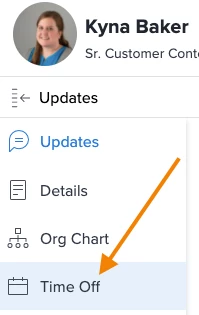
- Navigate to your profile by clicking on the waffle in the global navigation > click your name > select PTO in the left navigation panel.
- Depending on your settings in your instance and projects, if you log PTO here it'll be taken into account in project plans.