merging custom field from 5 different reports into a single column view | Community
Skip to main content
Level 6
August 13, 2018
Question

merging custom field from 5 different reports into a single column view

  • August 13, 2018
  • 14 replies
  • 1823 views

Hello All,

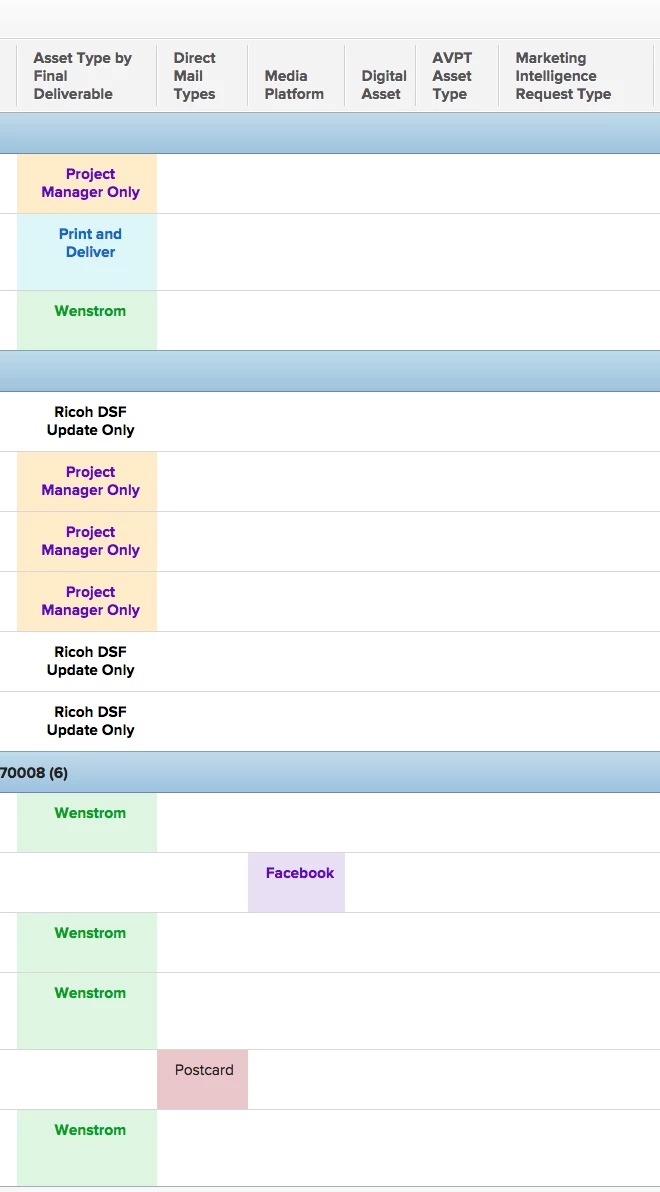
I have created a custom dash/report so marketing can see all their project assets in one view.

Because they need to submit a different form for print, signage, digital, social media and avpt etc...I have to show a sep column view for each one.

is there a way to combine them all into a single asset column??

this wasn't as important before but now we are using a single project for campaigns and this would be less cluttered with a single column.
This post is no longer active and is closed to new replies. Need help? Start a new post to ask your question.

14 replies

Level 2
August 20, 2018

In case anyone was following this discussion... I was able to create a report that combines all three requests types into one chart. A big thank you to @Skye Hansen for helping me with this one!

Level 10
August 20, 2018
You're welcome! And thanks for showing off your final report! It is a thing of beauty and a joy forever. :) -skye
Level 2
August 20, 2018
Fantastic work you two! Would you be willing to share the text mode you ended up using? I have a similar setup and would love to know how to accomplish this. Thank you! Jason Semall Sr Creative Ops Mgr Conversant
Level 10
August 21, 2018

hi Jason, I just wanted to be clear on what you're asking for. There's no text mode from a report standpoint. This solution hinges on the 2-part knowledge that 1) you can make a grouping in a report using a calculated field, and 2) that you can re-use the same calculated field in different custom forms [as long as you're not using multiple custom forms per object], and use different calculations in each custom form. So it has more to do with placing calculated fields in specific custom forms.

For this specific use case, the calculation in a calculated custom field is also simple and usually just the name of the custom field you wanted to group by. In Heather's case, she had 3 custom forms, and therefore 3 request types that she wanted to show in the same report. This could have been achieved as easily as creating a custom field called "Overall Request Type" and placing it into the 3 custom forms. For her video custom form, the calculation in Overall Request Type would have been Video Request Type (or whatever the name of her video custom form's request type field is). In the Print Request custom form, the Overall Request Type field could be placed and the calculation would be Print Request Type. And so on.

Now that you have the same field name (Overall Request Type) in all your custom forms, just create a report and group by that Overall Request Type field. No text mode needed.

I've used this same knowledge to "bring down" fields from a higher level (for example, bringing Program Name information into a Project to be grouped on) as well as concatenating fields together (I don't remember why this was requested but it seemed important at the time...). Hope that's a bit clearer for you.