Is there a way to make the huge headers smaller? | Adobe Higher Education
Skip to main content
August 13, 2024
Respondido

Is there a way to make the huge headers smaller?

  • August 13, 2024
  • 1 resposta
  • 514 Visualizações

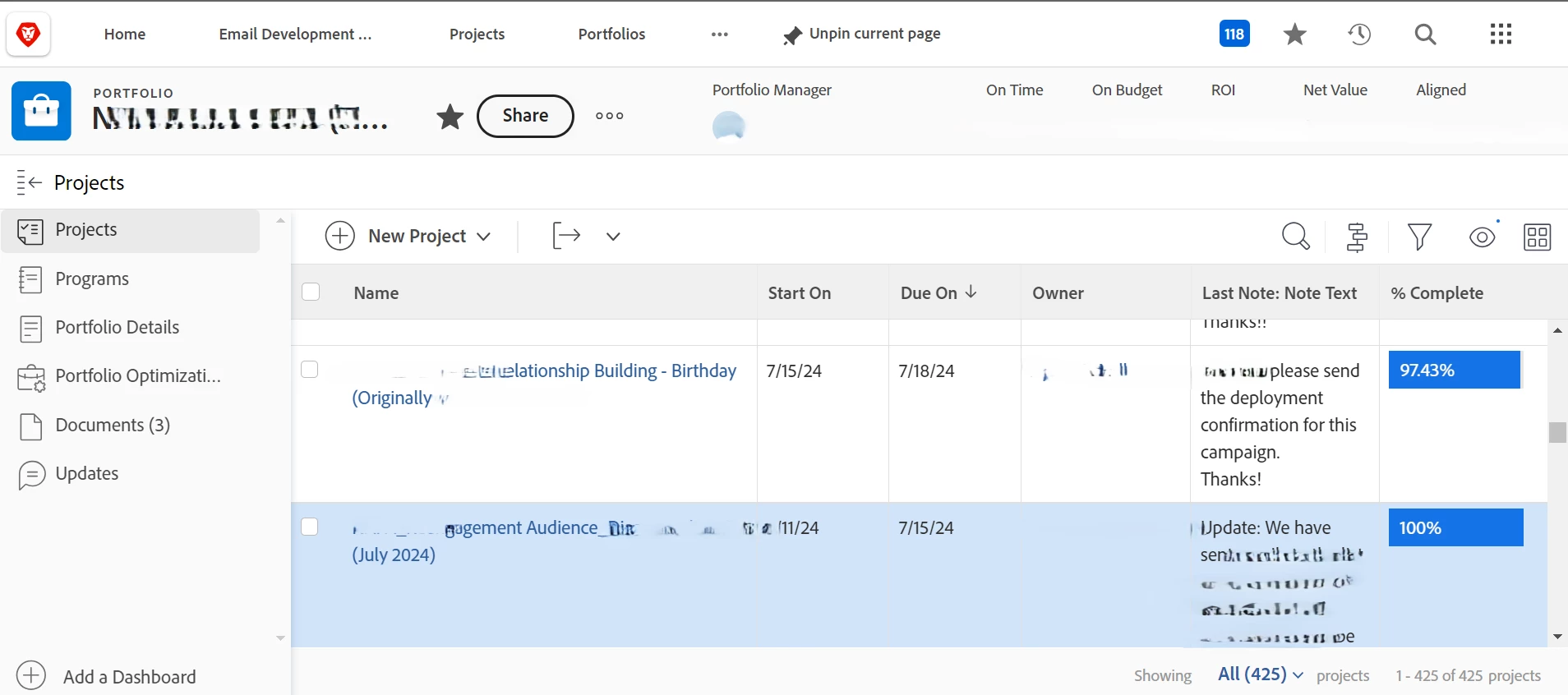
The header menus in Workfront are so incredibly large that they leave very little available workspace for me. This is not an issue when I am at the office and have my full-size monitor available, but it becomes incredibly cumbersome when I'm traveling and using my laptop only. 


I've attached a screenshot of my total available workspace while using my laptop (identifying names have been erased to protect the innocent). If the last note was longer, I have to scroll quite a way. 

Is there a way to reduce the headers above the row headers stating "Name, Start On, Due On..." etc.? 


Thanks in advance!
Este tópico foi fechado para respostas.
Melhor resposta por RandyRoberts

Unfortunately there is not. It would be nice if there were a way to roll up the entire header and just view the list though. The newer Workfront interface was not designed for the standard business computer, which nowadays are 13" to 15" laptop screens. There is a ton of wasted space on just about every page in Workfront.

1 Resposta

RandyRoberts
Community Advisor
RandyRobertsCommunity AdvisorResposta
Community Advisor
August 14, 2024

Unfortunately there is not. It would be nice if there were a way to roll up the entire header and just view the list though. The newer Workfront interface was not designed for the standard business computer, which nowadays are 13" to 15" laptop screens. There is a ton of wasted space on just about every page in Workfront.

August 15, 2024

Thank you for confirming, Randy. Hopefully Adobe will consider adding a reduced header size to their next update.