Is anyone using a project as a Team FAQ or Source of Truth? | Community
Skip to main content
Level 2
April 5, 2024
Solved

Is anyone using a project as a Team FAQ or Source of Truth?

  • April 5, 2024
  • 2 replies
  • 1074 views

We are looking at ways to set up a project as an individual team's Source of Truth and are curious if anyone has done so and what that looks like. A place to hold any team documentation or quick guides. I've seen it mentioned in a few of the webinars/events but can't seem to locate that information. Thanks!
This post is no longer active and is closed to new replies. Need help? Start a new post to ask your question.
Best answer by KellieGardner

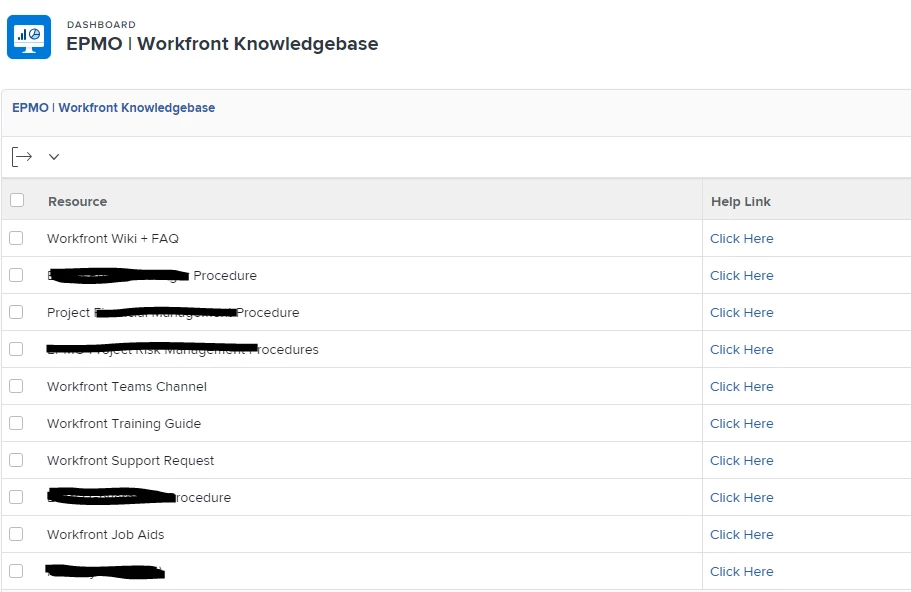
I do this. I created a project and have the tasks as a resource and use the URL field with a link to where to find the resource. I call it a knowledgebase project. Then I create a report/dashboard and pin it to a layout template.


This is the code for the "click here" 

columnwidth=500
displayname=Help Link
link.url=URL
linkedname=html(URL)
shortview=true
textmode=true
usewidths=true
valueexpression=IF(!ISBLANK({URL}),CONCAT("Click Here"),"")
valueformat=HTML


2 replies

KellieGardner
Community Advisor
KellieGardnerCommunity AdvisorAccepted solution
Community Advisor
April 5, 2024

I do this. I created a project and have the tasks as a resource and use the URL field with a link to where to find the resource. I call it a knowledgebase project. Then I create a report/dashboard and pin it to a layout template.


This is the code for the "click here" 

columnwidth=500
displayname=Help Link
link.url=URL
linkedname=html(URL)
shortview=true
textmode=true
usewidths=true
valueexpression=IF(!ISBLANK({URL}),CONCAT("Click Here"),"")
valueformat=HTML


Doug_Den_Hoed__AtAppStore
Community Advisor
Community Advisor
April 5, 2024


Motion seconded @kelliegardner


I recommend the same approach, noting that by using Tasks, you can also:


  • use parent > child > grandchild (etc.) tasks to create volumes > chapters > topic hierarchical reference material 
  • use the built in Task Number sort (or some fancy view / indenting / grouping) to reinforce the hierarchical nature
  • use collapse by default to help users focus on the top level items first, then expand as needed (or expand all, if preferred)
  • use assignments (i.e. by user, group, team, etc.) to manage which users see what tasks (i.e. references)
  • use task status (or more sophisticatedly, planned start and completion dates, as a "do not open until" and "best before" respectively) to control which tasks (references) are shown when should be presented, via the report filter
  • use charts (e.g. by parent, with children stacked) to navigate graphically by area, then (once a child is clicked), within the list, via the hyperlink


Regards,

Doug


CC: @justincr4 - as per our discussion

Level 2
April 15, 2024

Thank you! These are some great insights.


Level 4
July 23, 2024

I do this one the cookbook way. This has helped my new team members look for details, reference materials, quick answers using q&a etc. here is the link refer page 22, 2021.07 Reporting cookbook_final.pdf (workfront.com) 

there are few other reporting that might be helpful.