How to filter boards to exclude dead projects | Adobe Higher Education
Skip to main content
Level 2
August 14, 2023
解決済み

How to filter boards to exclude dead projects

  • August 14, 2023
  • 1 の返信
  • 828 ビュー

Does anyone know how a user can filter the boards so that tasks from dead projects aren't shown? 


  • Tasks for “Dead” projects (re: cancelled) are still listed with the planned date. There doesn’t seem to be an option to filter out Dead tasks
このトピックへの返信は締め切られました。
ベストアンサー RandyRoberts

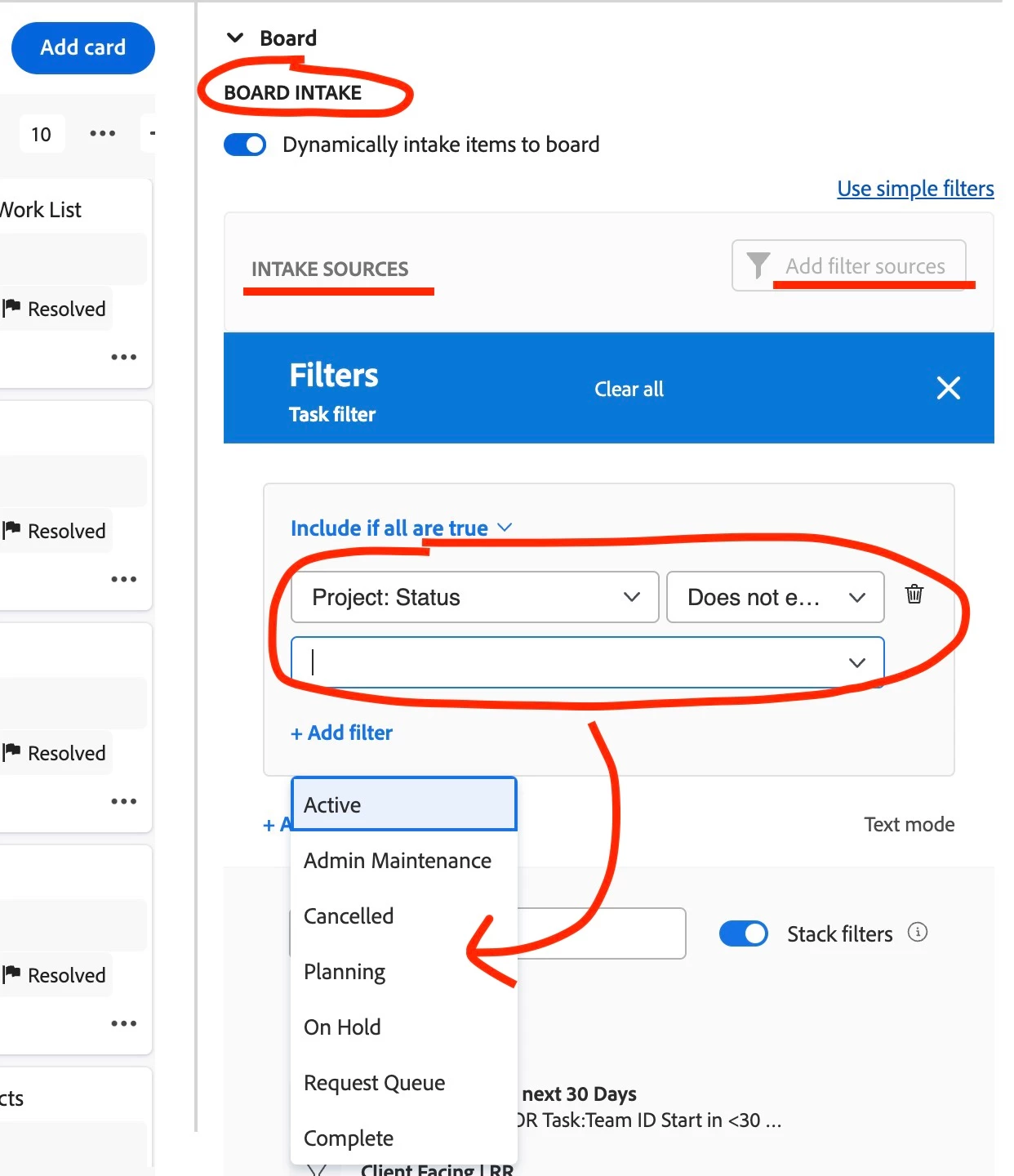
Intake filter:

1 の返信

RandyRoberts
Community Advisor
Community Advisor
August 14, 2023

Dead projects or dead tasks, that would be 2 different solutions. Are you using an intake column to pull in tasks/issues from secified projects? If so, you would filter out dead projects there.

For dead tasks you could create a new column for that and filter for dead tasks and they would then automatically move to that column (see screenshot); OR you could just select the filter icon on the left and then go to "Status" and check "Hide Completed". This will work providing your "Dead" task status equates with Complete.

TIP: if this solved your problem, I invite you to consider marking it as a Correct Answer to help others who might also find it of use.
If you like my content, please take a moment to view and vote on my Idea Requests: https://tinyurl.com/mysocalledideas

Grouchy_hawk作成者
Level 2
August 15, 2023

The user has a Dynamic board and it is pulling in not only Current projects, but ones that were marked as dead. She doesn't want to see anything related to dead projects. I don't see how to filter those out. 

RandyRoberts
Community Advisor
Community Advisor
August 15, 2023

Intake filter: