Hi there,
If you have a task report capturing the tasks you're looking for in your filters, you can have a column for task > actual duration. Click on that duration column, then Advanced Options in the upper right, and you can select Average.
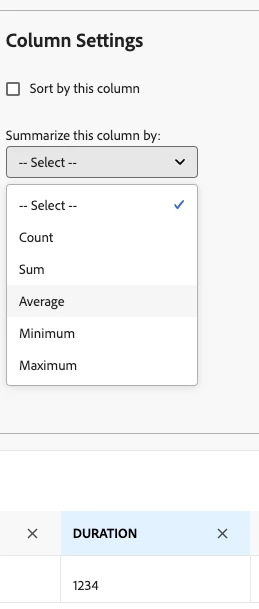
Then in your grouping, you can group by project type or task type if you have custom fields delineating this (or if not, can group by project template if you're template names give an indication of type). Collapse the grouping. Then you can save and see the avg durations in the groupings of by type (whatever type means for you).
Note this is pulling actual duration, so if users are not good at marking tasks complete you may want to use planned duration. You could add some conditional formatting to the duration column if you wanted so show any avg duration exceeding X days shows as red, for example.