
Gantt Chart sticky view? | Community
Skip to main content
RhondaGayleTX
Level 5
June 7, 2023
Solved

Gantt Chart sticky view?

  • June 7, 2023
  • 1 reply
  • 582 views

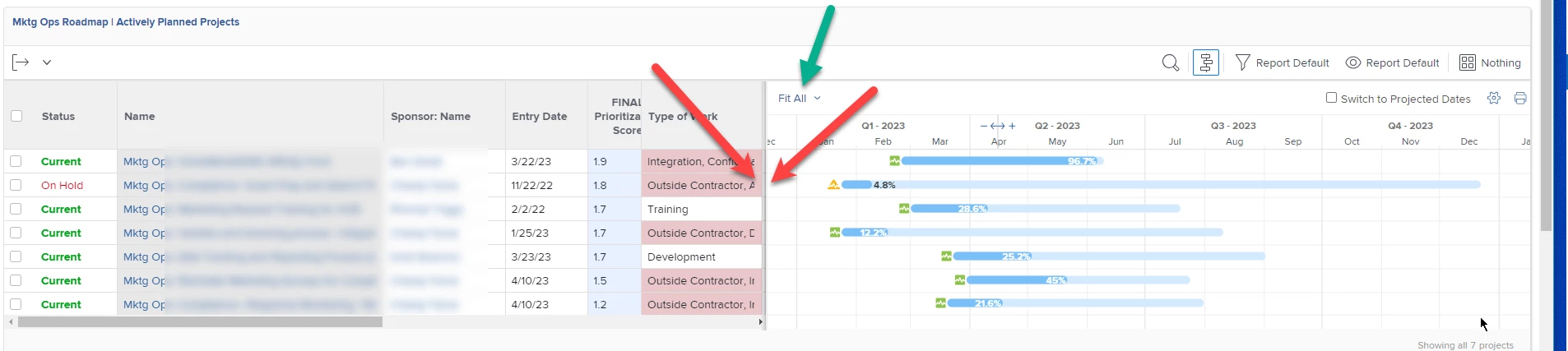
Does anyone know if there is a way to keep the sliding gantt screen divider sticky so that when I come back to the dashboard later, I won't have to continuously slide it to the left on every report to reveal more gantt chart and less columns? It would also be nice if the time span would stay on Quarter as well. 

Our Mktg Execs find this burdensome to manually reset the view each time they navigate back to the dashboard when there are several gantt charts present to for various groups of projects.  OK, so do I...  Any advice would be appreciated!
 

This post is no longer active and is closed to new replies. Need help? Start a new post to ask your question.
Best answer by Madalyn_Destafney

Unlike other things in WF that remain 'sticky,' for some reason these Gantt-related things are not. I agree with you it would be really helpful, at least the timeframe option (not sure if it would be feasible to keep it to a certain timeframe - if you're continually scrolling, consider tightening up the timeframe of your report). There is an existing Idea around this - go upvote it!

https://experienceleaguecommunities.adobe.com/t5/workfront-ideas/gantt-settings-set-at-user-layout-template-level/idi-p/519030

1 reply

Madalyn_Destafney
Community Advisor
Madalyn_DestafneyCommunity AdvisorAccepted solution
Community Advisor
June 9, 2023

Unlike other things in WF that remain 'sticky,' for some reason these Gantt-related things are not. I agree with you it would be really helpful, at least the timeframe option (not sure if it would be feasible to keep it to a certain timeframe - if you're continually scrolling, consider tightening up the timeframe of your report). There is an existing Idea around this - go upvote it!

https://experienceleaguecommunities.adobe.com/t5/workfront-ideas/gantt-settings-set-at-user-layout-template-level/idi-p/519030

If this helped you, please mark correct to help others : )